
New Participant
February 21, 2025
Question

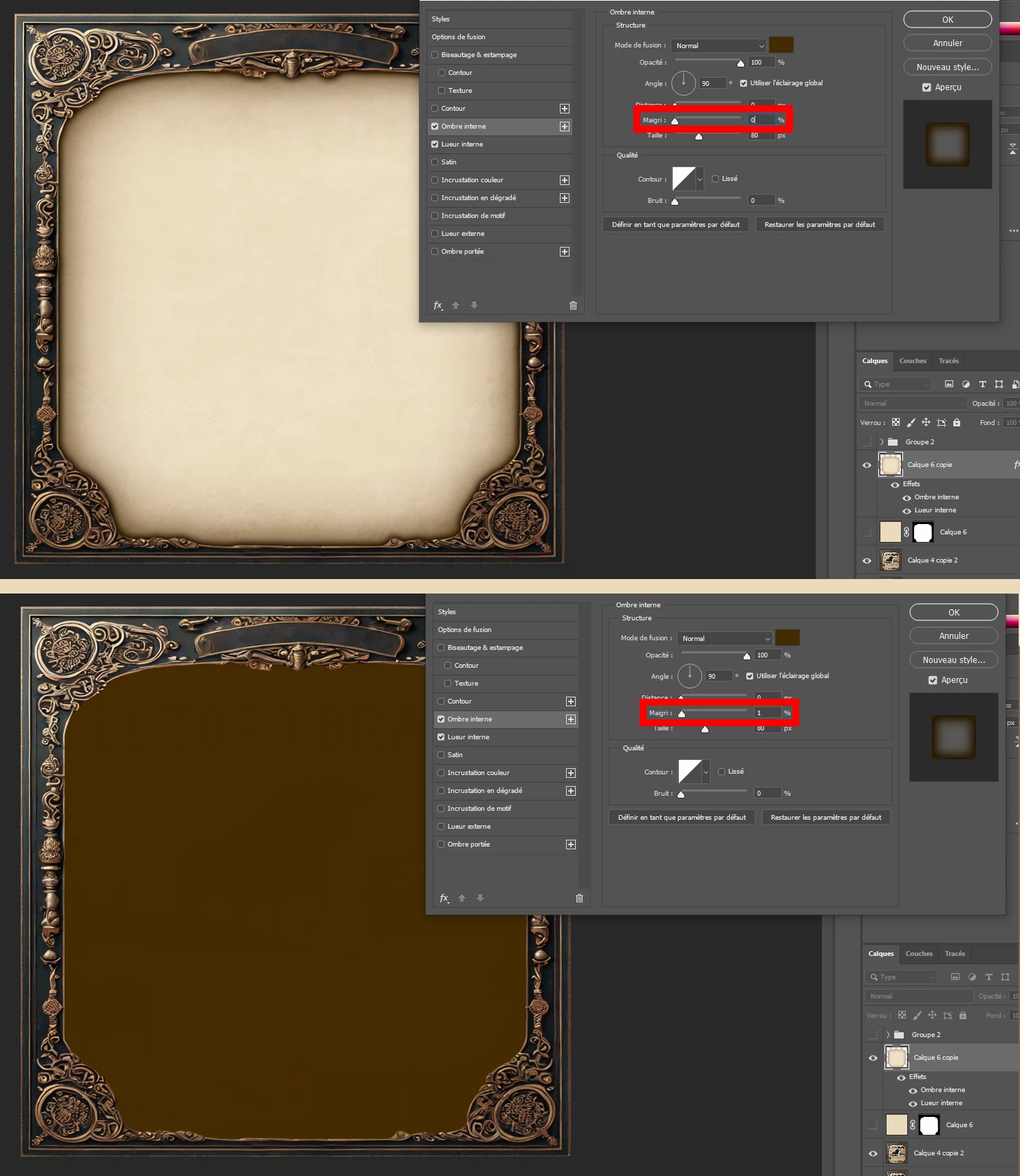
Inner shadow stroke parameter not working properly

  • February 21, 2025
  • 3 replies
  • 1514 views

Here's my issue: I'm trying to add an inner shadow on my layer, but when I try to change the stroke, even by just 1%, it fills out the entire layer with the shadow color. The preview works fine, but in the layer, it's doing this weird thing.
Does anyone know how I can fix this? I'm on PS 21.0.1
3 replies

PECourtejoie
Adobe Expert
February 22, 2025

Salut! 
I am wondering why the layer opacity and fill are disabled. Is the layer opaque? Are you looking at 100% zoom? 
'did you try to reset Photoshop's preferences manually by dragging the preferences folder to the desktop. This way you can copy them back if it does not work: https://helpx.adobe.com/photoshop/using/preferences.html#Manually 

pixxxelschubser
Adobe Expert
February 22, 2025

It works for me (with the screenshot from OP edited)


and I can also reproduce the behaviour with incorrect inner glow settings


IMO there is actually no need to reset the preferences. Maybe we can have a look at the file ourselves soon. Maybe the OP will also show us which tutorial he is working to ...


pixxxelschubser
Adobe Expert
February 22, 2025

@PECourtejoie the OP mentioned "I'm on PS 21.0.1" that version is not available from the Creative Cloud app and is not supported, so a bug report would be useless.

@Tom26482893qfvv where did you get that version from? have you tried updating to most recent version from the Creative Cloud app, which is available as part of your subscription.


That does not matter.


Here is (my) sample file (with the edited screenshot from OP).
Activate/deactivate ‘Layer 2 copy’ and check the settings of Inner Glow against ‘Layer 2’ Inner Glow


pixxxelschubser
Adobe Expert
February 22, 2025

Please upload your PSD (e.g. Dropbox) and link to here.

pixxxelschubser
Adobe Expert
February 21, 2025

Try to disable the "Inner Glow" (Lueur interne)

New Participant
February 22, 2025

Nope, that's not changing the behavior of the inner shadow stroke unfortunately

Ged_Traynor
Adobe Expert
February 22, 2025

@Tom26482893qfvv can you post your Photoshop system info, in Photoshop go to Help > System Info, hit the copy button and paste the entire thing into this thread