Participant
March 20, 2022
Question

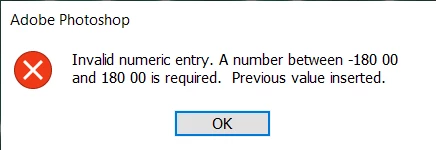
Invalid numeric entry. A number between -180 00 and 180 00 is reuqired. Previous value inserted.

  • March 20, 2022
  • 2 replies
  • 3340 views

how can i fix this annoying error 


when i try to transform my selection if i press enter it will normaly work but if I use the commit transform button it will show the error tab with infinity loop, forcing me to use task manager to close Adobe Photoshop and lose all my edited progress. 

(it happens with every version of Photoshop I tried to Install)

This topic has been closed for replies.

2 replies

Seedcam_graphics
Participating Frequently
June 9, 2024

pls i am still having this issese after the solution you provided and the last part is not clear


If that doesn't solve it, you can quit Photoshop and put the Settings folder back.
If it does solve the problem, I would like to get the folder of settings to try and figure out what is bad with them.

how?

c.pfaffenbichler
Community Expert
Community Expert
June 9, 2024

What have you done for all-purpose trouble-shooting so far?
Restoring Preferences after making sure all customized presets like Actions, Patterns, Brushes etc. have been saved might be a good starting point:
https://helpx.adobe.com/photoshop/using/preferences.html
https://helpx.adobe.com/photoshop/kb/basic-trouble-shooting-steps.html
https://helpx.adobe.com/photoshop/kb/troubleshoot-gpu-graphics-card.html

Legend
March 20, 2022

Sorry. I can't seem to repro. Will need more steps to consistently reproduce or a screen recording might offer more clues.


One quick thing to try: Let's make sure we're in a default state and there are no stale setting somewhere:
Restore your preferences using this manual method:
https://helpx.adobe.com/photoshop/using/preferences.html#Manually
Does it work correctly?
If that doesn't solve it, you can quit Photoshop and put the Settings folder back.
If it does solve the problem, I would like to get the folder of settings to try and figure out what is bad with them.