Fantasmary
Participant
June 26, 2019
Answered

Inverted colors when zooming in?

  • June 26, 2019
  • 1 reply
  • 1393 views

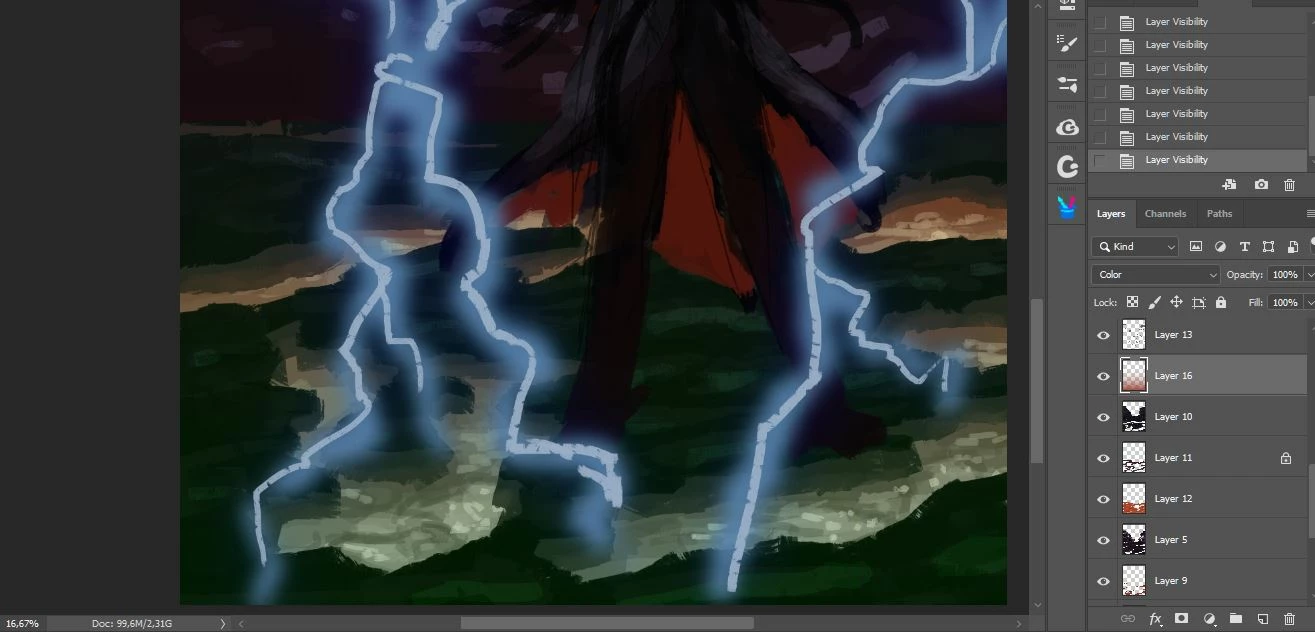
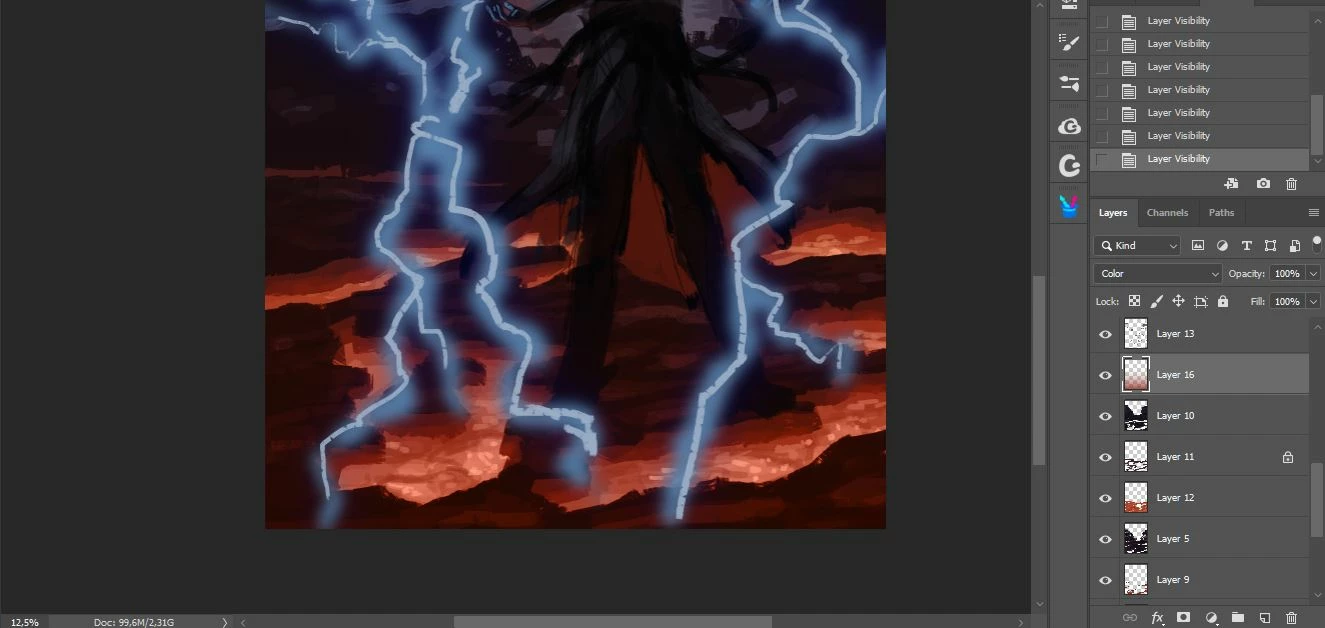
I'm working on an illustration with multiple layers in multiple blending modes. One of these is the problem, a red gradient in "color" blending mode.

When zoomed out, everything is fine; when zoomed in, the layer suddenly becomes greenish. I'm not changing blending modes, not pressing any key, just zooming in and out.

What the heck is happening?

My version is PS CC 2019.
This topic has been closed for replies.
Correct answer davescm

The issue you refer to was reported as a bug (by me) and fixed in 20.0.1. See here:

Photoshop CC 2019: Color Blend Mode displays wrong colors; sometimes crashes | Photoshop Family Customer Community

Update to the most recent (20.0.5) and you will be fine

Dave

1 reply

June 26, 2019

Hi

What exact version of Photoshop CC2019, there was issues with version 20.0.0 with color blend modes which was fixed in version 20.0.1

Have you tried disabling Use Graphics Processor and restarting Photoshop to see if it still happens

Fantasmary
Participant
June 26, 2019

I'm working in 20.0.0. Tried your solution but didn't work. I noticed that at greater zoom levels it comes back red, so I think it's just a problem in rendering the image on screen.

June 26, 2019

Why 20.0.0, a lot of bug fixes have been released since that version, 20.0.5 is the most recent version