Participant
August 9, 2021
Answered

Inverting Colors of a Logo

  • August 9, 2021
  • 2 replies
  • 2223 views

I have a green logo on a white background and I am trying to invert the colors with a transparent background and have the logo white and the background green. The text is pretty thin so when I try to remove the background it takes away from the image. 

This topic has been closed for replies.
Correct answer rob day

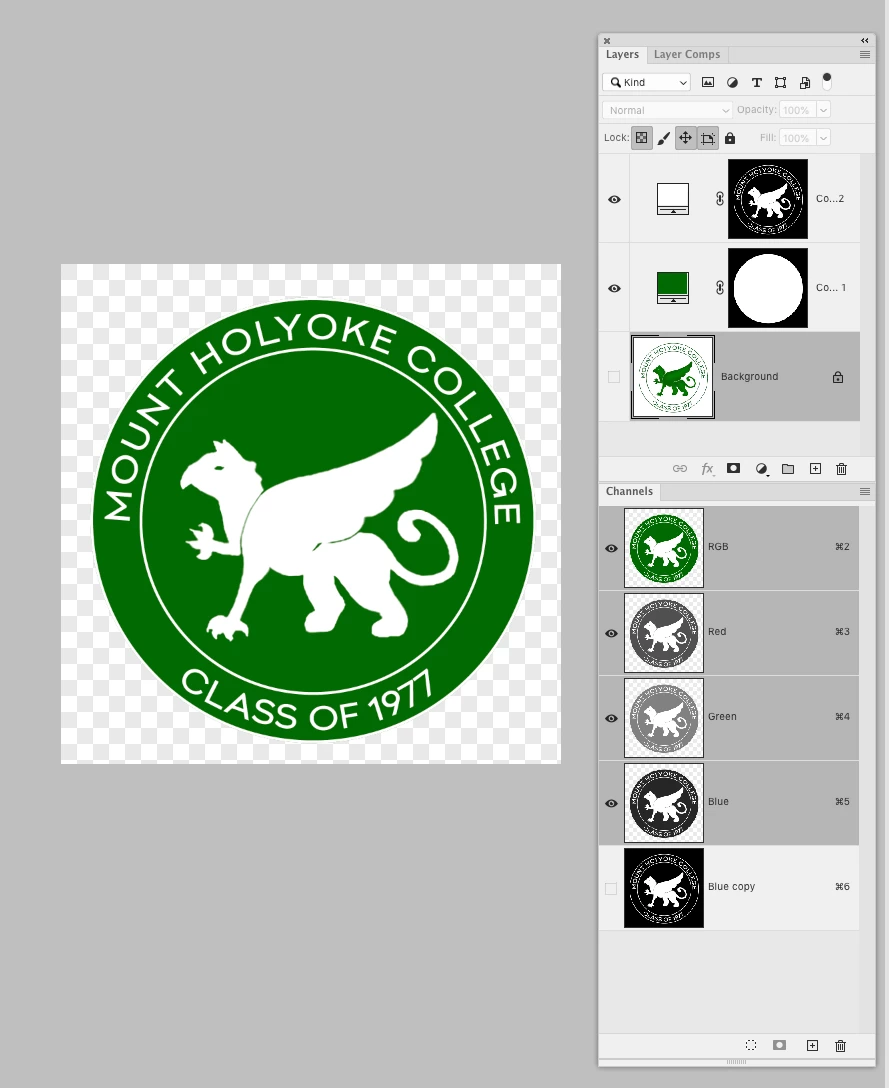
Do you mean like this?


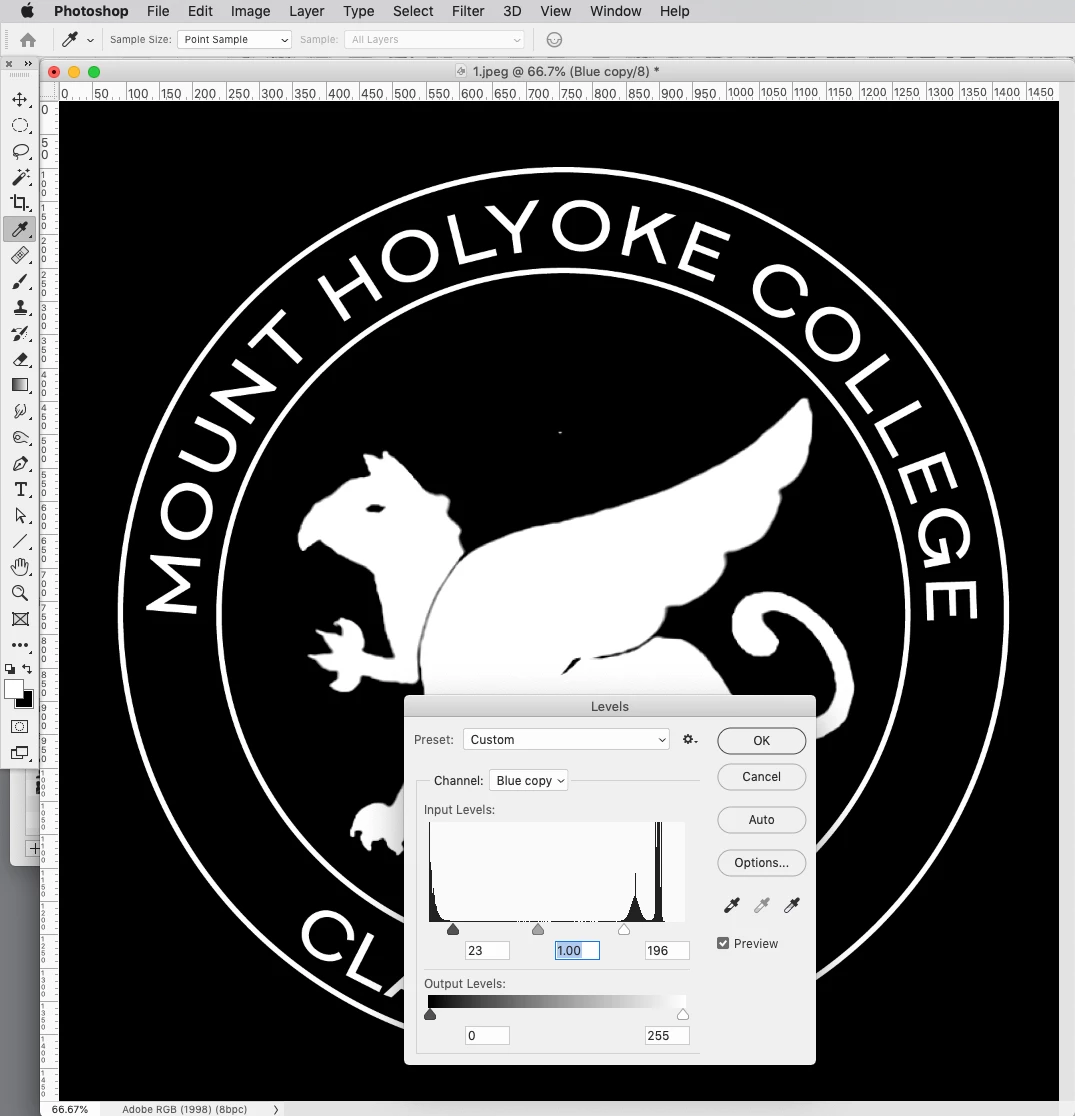
The Blue channel is almost a  mask, so I duplicated and inverted it, then forced it to black and white with Levels—the duplicate channel can now be loaded as a mask:
 

2 replies

rob day
Community Expert
rob dayCommunity ExpertCorrect answer
Community Expert
August 9, 2021

Do you mean like this?


The Blue channel is almost a  mask, so I duplicated and inverted it, then forced it to black and white with Levels—the duplicate channel can now be loaded as a mask:


Participant
August 10, 2021

Yes but when I get it to the black and white how do i get it back to the green and white. 

D Fosse
Community Expert
Community Expert
August 10, 2021

Use it as a mask on a green color layer. Done 🙂

Jumpenjax
Community Expert
Community Expert
August 9, 2021

First, Click the layers panel the four lines in the upper right corner and duplicate the layer. Turn off the eye on the bottom layer. That is just in case you make a mistake you still have a original file. Then double click on the layer that is still active in the layer panel,  and name it.


After that go to magic wand and click the white anywhere on the logo and go select> similar it should select all the white. Then hit delete.


Now to change the green to white, double click in the layers panel in between the picture and the name of your photo and the layer panel should open. Select color overlay and choose white.


You should not save as a jpeg or tiff, it will put the white background in again. I recommend as .psd, and  also a png or pdf will work.

Lee- Graphic Designer, Print Specialist, Photographer
Participant
August 10, 2021

thank you. Getting the transparent background worked but switching the colors did not. It just made the whole logo white. 

Jumpenjax
Community Expert
Community Expert
August 10, 2021

Did you select >similar on the white before deleting? It should have selected the white inside the logo too. Then should have worked.

Lee- Graphic Designer, Print Specialist, Photographer