
Participant
August 10, 2021
Question

Is auto scanning area measurements with different aspects possible?

  • August 10, 2021
  • 2 replies
  • 244 views

Hello,


I'm considering purchasing Photoshop to carry out area measurements. The images we have are of hi-vis garments, see attatched, we need to calculate the area of the fluorescent materials (usually yellow or orange/red) and the area of the silver tape in regards to the area of the small tile next to it "x".
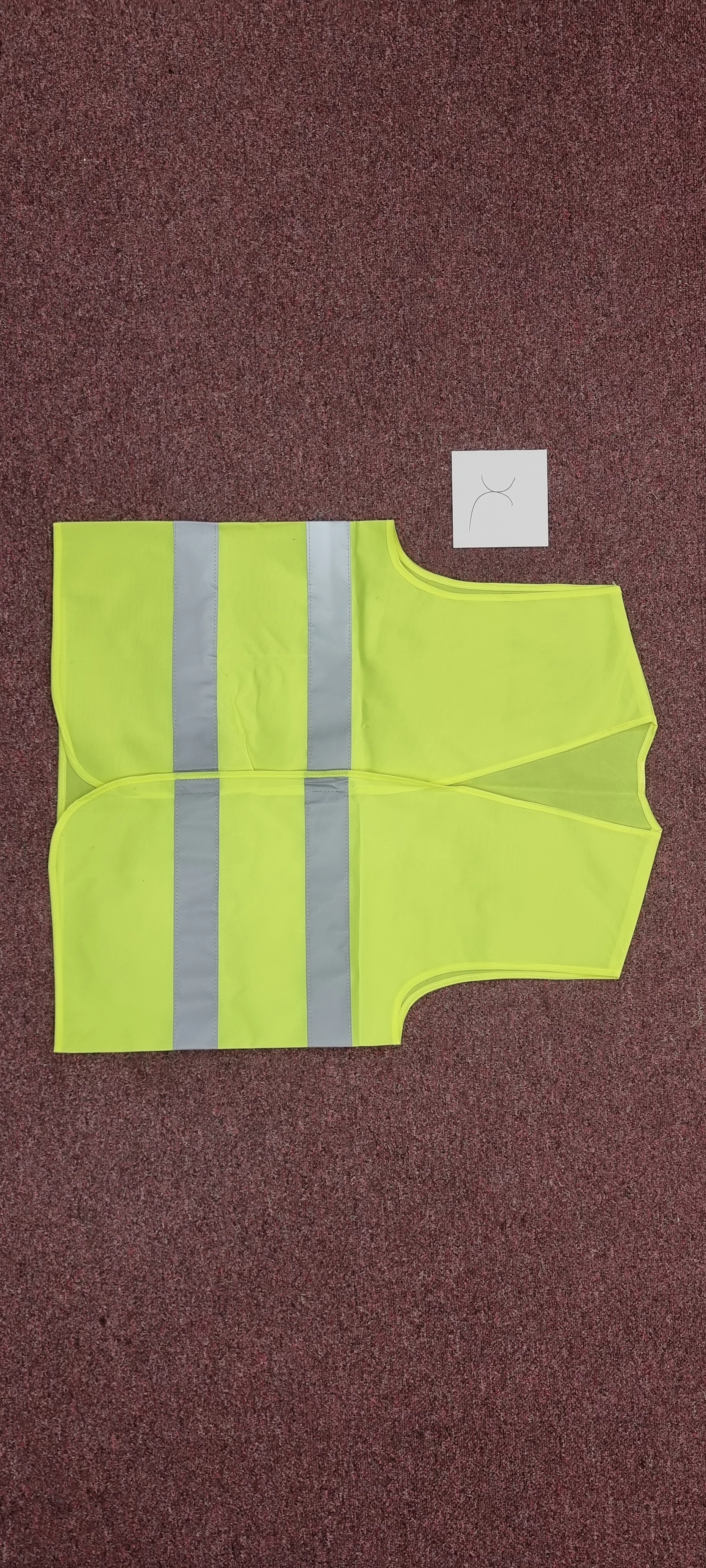
 

Ideally if there's a script or a macro where I can upload the photo, press a few buttons and it tells me both the areas then it would be incredible, however manually scanning these, or using a "magic wand" type tool would also be more efficient than what I use currently.  


Any advice on this is much appreciated


Thanks


Jack 

This topic has been closed for replies.

2 replies

Chuck Uebele
Community Expert
Community Expert
August 10, 2021

Another possibility would be to create a script using color range to create selections, then use the analysis tool to calculate the area. You would need to keep the images the same size to set the scale, or have something in the photo that you  ould measure. 

Participant
August 10, 2021

Hi Chuck,


Would it be possible to set the colour script to scan the card marked as "x" in the photo and tell it that it equals a certain figure?


Thanks


Jack 

Chuck Uebele
Community Expert
Community Expert
August 10, 2021

You could have an object in the photo of a certain size, a round object would be best, as long as it's color is very different from the vest and background.  You could then mark that spot with an x on a separate layer. This would tell PS where the circle is. Then a script could use the magic wand tool to make a selection of the circle. Once the selection is made, PS can get the height and or width of the circle. The reason for a circle is that it doesn't need to be placed accurately. If a rectangle is used, it could throw off the measurement if it's not perfectly aligned with the edge of the image.

Mylenium
Legend
August 10, 2021

You could probably develop a few actions that simply extracts the channels and sets them as selections using Image --> Calculations and similar. Then the Histogram palette could be used to tell you how many pixels are in the selection and once you have all three values they are easy enough to correlate in an Excel spreadsheet. E.g. processing your sample image to find out that there are around 23700 neon pixels took two minutes and deriving the otehr info would be just as easy.


Mylenium

Participant
August 10, 2021

Hi Mylenium,


Thank you for the quick reply, I'm looking at getting the Photoshop trial to try and follow your recommendation.


Thank you


Jack