Participating Frequently
May 10, 2025
Answered

Is my setup capable of the GPU Acceleration that Camera Raw Filters require?

  • May 10, 2025
  • 3 replies
  • 1262 views

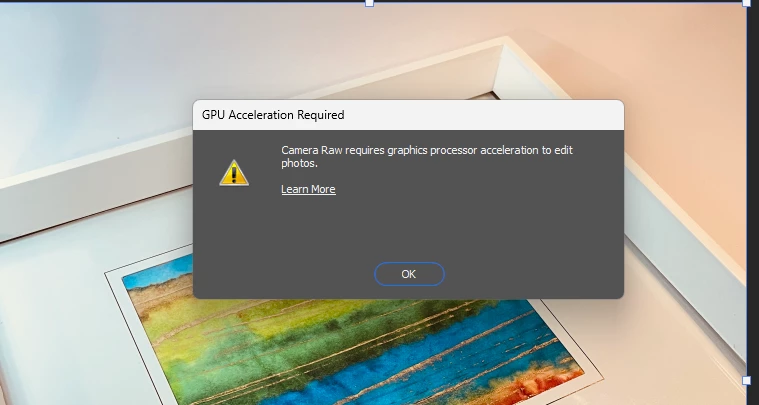
Trying to use the reflection removal option on this framed piece of art. I'm told to edit preferences but doing so hasn't helped.

Will I have any success with this set up or shall I bite the bullet and upgrade my system? It's a 6 year old MSI gaming machine GF75 Thin 8SC.


Correct answer D Fosse

Thanks, did that and no change. Still can't access Camera Raw filters.


OK, a couple more things: 


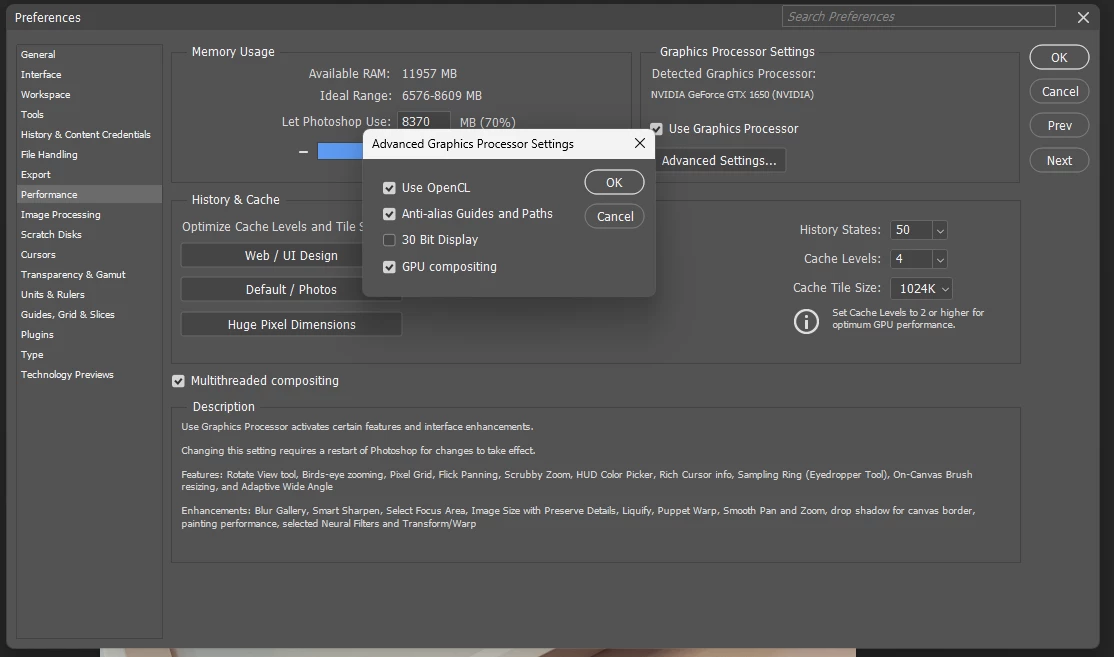
One, your memory allocation in PS preferences is far too high at 94%. That will choke the rest of your system. Set it back to 70% maximum. Other processes need memory too! This is mainly handled by the scratch disk, not RAM (you're getting low on scratch disk space too, but not yet critical).


Reset preferences by moving the whole folder out of your user account so a new can be built. Preferences contain the whole application configuration, not just your own user settings.


A few checkboxes to try:


Uncheck GPU compositing

Uncheck OpenCL in the GPU settings. OpenCL is being phased out and not used much anymore.

Check "older GPUs" in PS preferences > Technology previews.

 

3 replies

Participating Frequently
May 24, 2025

I was able to get the Camera Raw filters running but the work around in Settings and Device Manager are still a hassle. I'll follow up with the Nvidia forums for a long-term solution.

KR Seals
Community Expert
Community Expert
May 10, 2025

A couple of suggestions:

Update the nVidia 1650 GPU driver at nVidia.com

Disable the Intel GPU in system BIOS.


Ken Seals - Nikon Z 9, Z 8, 14mm-800mm. Computer Win 11 Pro, I7-14700K, 64GB, RTX3070TI. Travel machine: 2021 MacBook Pro M1 MAX 64GB. All Adobe apps.
Participating Frequently
May 11, 2025

Thanks for the suggestions. Driver was updated today and disabling Intel hasn't helped.

Ged_Traynor
Community Expert
Community Expert
May 10, 2025

@Jo37525436gw06 have a look at the below link and scroll down to this bit

https://helpx.adobe.com/ie/camera-raw/kb/acr-gpu-faq.html#troubleshoot

6. Check and delete the TempDisableGPU3 or TempDisableGPU2 files

Participating Frequently
May 10, 2025

Thanks for the link. When I delete TempDisableGPU2 and restart Photoshop it crashes, but leaves another copy of TempDisableGPU2 in appdata. I can then restart the program but it still won't let me run Camera Raw filters.

D Fosse
Community Expert
Community Expert
May 10, 2025

Then the question is why it keeps crashing. Please post the full Help > System Info.