


Copy link to clipboard
Copied
I have an image to which the lower half of the image is blured assuming this is the outcome of the original picture. I would like to remove this blur and isolate the other parts of the image which have no blur. I tried smart sharpen but the results are not what I expect.
Is there a method to which I can use a gradient to control the blur so I can isolate where I want the image sharp ?


 1 Correct answer


Without seeing the image it is hard to advise specifically.
You could apply your sharpening as a smart filter and use a mask, or you could take the image into a third party deconvolution sharpening filter and mix it with the original using a mask. In either case, the mask could be based on a gradient or on an extract from the image itself using a separate filter such as find edges.
Dave


Explore related tutorials & articles
 13
Replies
13
13
Replies
13

Copy link to clipboard
Copied
Without seeing the image it is hard to advise specifically.
You could apply your sharpening as a smart filter and use a mask, or you could take the image into a third party deconvolution sharpening filter and mix it with the original using a mask. In either case, the mask could be based on a gradient or on an extract from the image itself using a separate filter such as find edges.
Dave
Copy link to clipboard
Copied
The image is a table with depth of field. I want to remove the portion of the image with depth of field to further minipulate the image.
The image is; 340349851 in Adobe Stock.

Copy link to clipboard
Copied
Please post the image in question.
Copy link to clipboard
Copied
Please post the image in question.

Copy link to clipboard
Copied
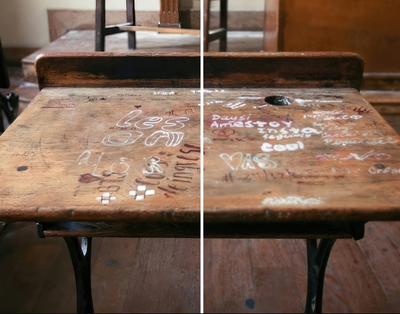
Unless you have room to downscale, I find removing DOF in Photoshop is a struggle. I suggest AI 🙂
Copy link to clipboard
Copied
What method of AI did you use ?
Copy link to clipboard
Copied
I used Topaz apps. Gigapixel AI for upscale + Sharpen AI to fix the focus. Then combine the best parts in Photoshop with masks.
This was to demonstrate you can actually remove DOF quite well (depends on the image). But AI apps from Topaz or text2image AI are still miles ahead of Photoshop sharpning I'm afraid.
Copy link to clipboard
Copied
I read one can do exactly what Topaz programs are doing with Photoshop native tools, for example; High Pass Sharpen although finding a tutorial which can mimic what Topaz programs are doing is not impossible but getting identical results is unknown.
Copy link to clipboard
Copied
If you think the Filter High Pass can achieve the same as AI sharpening you might not fully appreciate the difference between the two concepts. (Which is not to say that AI sharpening might not still produce »nonsensical« results in some cases.)
Please post the image in question.
Copy link to clipboard
Copied
The AI sharpening along the edges of the desk are clearly; which I'm not able to acheive with the high pass filter. I have set the blend mode to overlay with the highpass filter layer above and the original image layer below. Any suggestions on how I could fix; I know there are touch up methods for this exact issue ?
Copy link to clipboard
Copied
Please post the image in question.
Copy link to clipboard
Copied
For the high pass you can also try linear linear light blend. It's stronger.
For the edges.. idk. For the ghost edge left I would draw a selection to where you want to keep the edge, and brush, clone or burn that ghost away 🙂
Copy link to clipboard
Copied
@StrongBeaver I don't think PS can do what these AI apps do. If you keep stacking the high pass in Photoshop, at some point you're left with noise. AI look at the image once, puts it aside and creates brand new pixels because it saw a million other tables 🙂
But for fun here's a chart for y'all so we can see. I must say PS result isn't at all bad! You can see how it builds upon the pixels to make them better vs what AI does. I don't have Adobe stock so I used the lowres preview: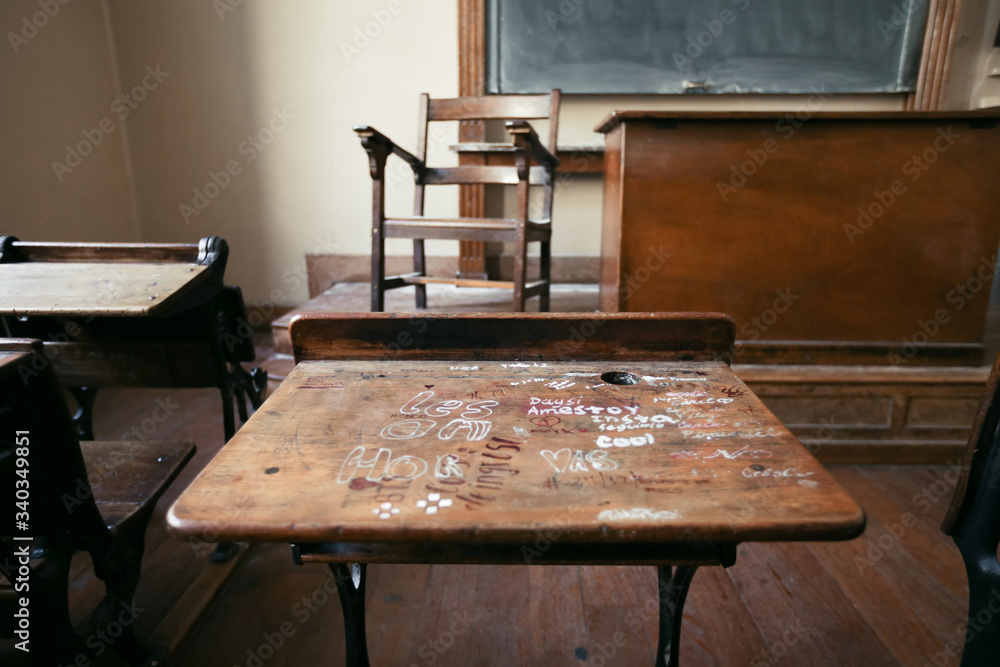
Comparison


Find more inspiration, events, and resources on the new Adobe Community
Explore Now
 AdChoices
