
Participant
September 28, 2023
Question

Issue with rendering 3D. Polygons all go to the corners.

  • September 28, 2023
  • 4 replies
  • 158 views

Hi, 


I have an issue when I try to render some pixels in 3D and add some depth to it.

I'm trying to reproduce this tutorial: https://youtu.be/bRm-M2bwt3g?si=vbU7bh4YCSOV9HN1

Once I try to change Angle and the Strength of the Caps, all the polygons just go to the corners and nothing else moves. 

Here's an image to shows the result: 
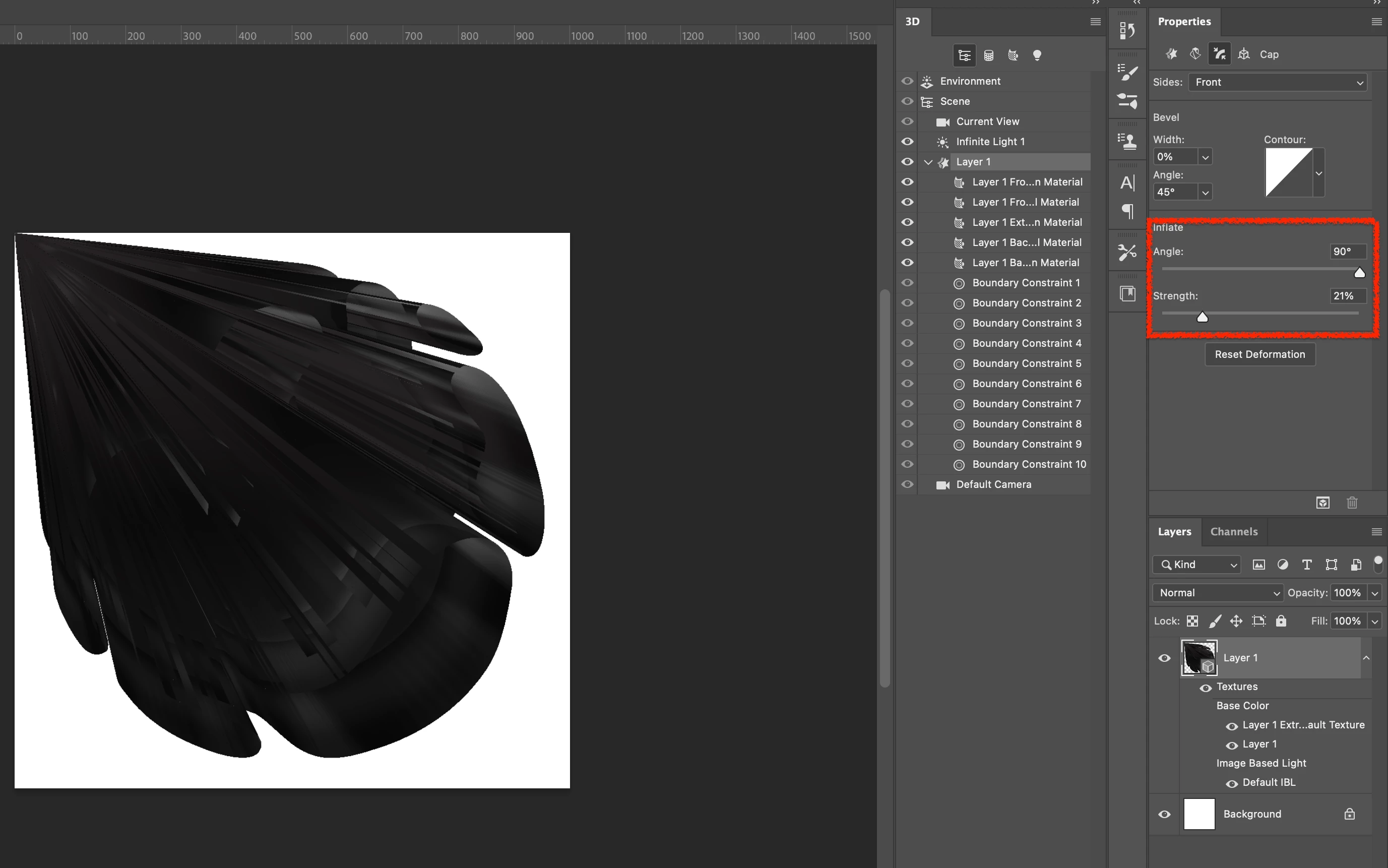
 

Let me know if anybody has this issue and can tell me what to do to solve this? 


Thank you so much

This topic has been closed for replies.

4 replies

Kevin Stohlmeyer
Community Expert
Community Expert
September 28, 2023

@davcoccio18202995 go to your CC desktop app/Apps and click the ... menu next to Photoshop (far right) Choose Other Versions.


CC 22.2 is available because of the 3D support.

jane-e
Community Expert
Community Expert
September 28, 2023

@davcoccio18202995 


The help page says 22.2 is still available for download. You can have 22.2 and the current version installed.


Details here:

https://helpx.adobe.com/photoshop/kb/3d-faq.html#using-latest-and-discontinued-features


Jane


Participant
September 28, 2023

@Kevin Stohlmeyer I'm using 24.7. So you're saying this can't be done anymore? 

Kevin Stohlmeyer
Community Expert
Community Expert
September 28, 2023

Hi @davcoccio18202995 what version of Photoshop are you using? 3D support ended with Photoshop 22.2.

https://helpx.adobe.com/photoshop/kb/3d-faq.html