
Participant
June 29, 2018
Answered

Issue with Vertical Text

  • June 29, 2018
  • 3 replies
  • 17125 views

I am having issue typing vertical text.  When I select the vertical text it moves text to go from the top of the page to the bottom but it is like the horizontal text was just rotated 90 degrees.  I am trying to get the text to stack like:

T

H

I

S

I reset the tool and everything I have seen shows the vertical text tool typing like I want it to but in mine it does not.  Not sure if there is a setting that I need to adjust somewhere.  Any direction would be great.  Thank you.
Correct answer

Hi

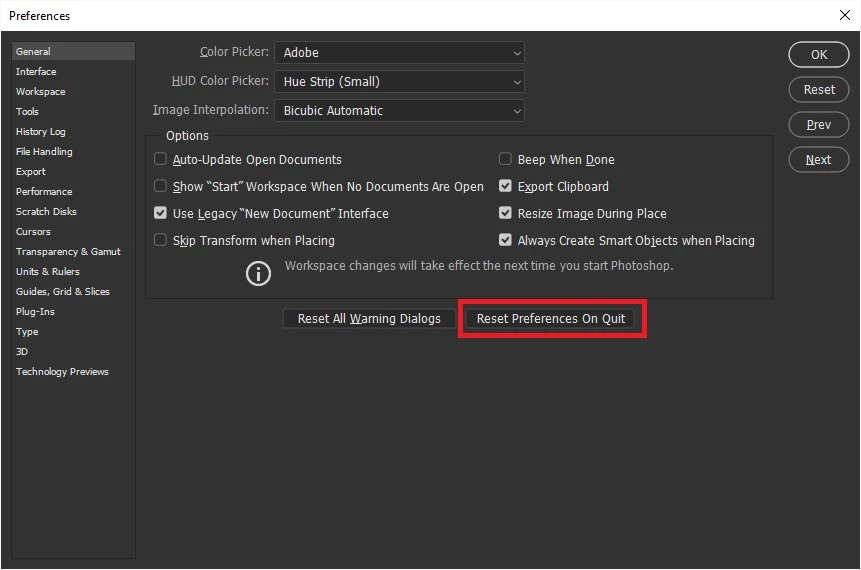
Have you tried resetting Photoshop preferences

If that doesn't help try using the Adobe cleaner tool

Use the Creative Cloud Cleaner Tool to solve installation problems

3 replies

Participant
October 13, 2020

Select the text, Go to 'Type' > 'Orientation' > Check Horizontal. 

It is as simple as it is. 

Participant
August 20, 2021

Reading TS actual question wasn't so simple for you I guess. 

Question was how to make the text go vertical instead of it going into a 90 degree angle. When checking vertical, it doesn't make it go vertical the way it should. It simply just rotates it 90 degrees.

waqarq53000879
Participant
November 24, 2021

Were you able to solve this?

Norman Sanders
Legend
June 29, 2018

Have you tried resetting the Type tool by right-clicking on the Type symbol above the Tools panel?

Participant
June 29, 2018

Yes, tried resetting and no change.

Tom Johnson

Operations Manager

The Cheesecake Factory

U.A.E. & K.S.A.

On Fri, Jun 29, 2018 at 6:18 PM, norman.sanders <forums_noreply@adobe.com>

Jeff Arola
Community Expert
Community Expert
June 29, 2018

Check Standard Roman Vertical Alignment in the Character panel flyout menu.

Participant
June 29, 2018

I tried this and it still comes up the same way.  Tried checking it on and off, and before and after I typed. 

Jeff Arola
Community Expert
Community Expert
June 29, 2018

Go to Photoshop CC>Preferences>Type and select the East Asian Text Engine and restart photoshop.

Hopefully then your vertical will work as you want.