
Participant
May 26, 2024
Answered

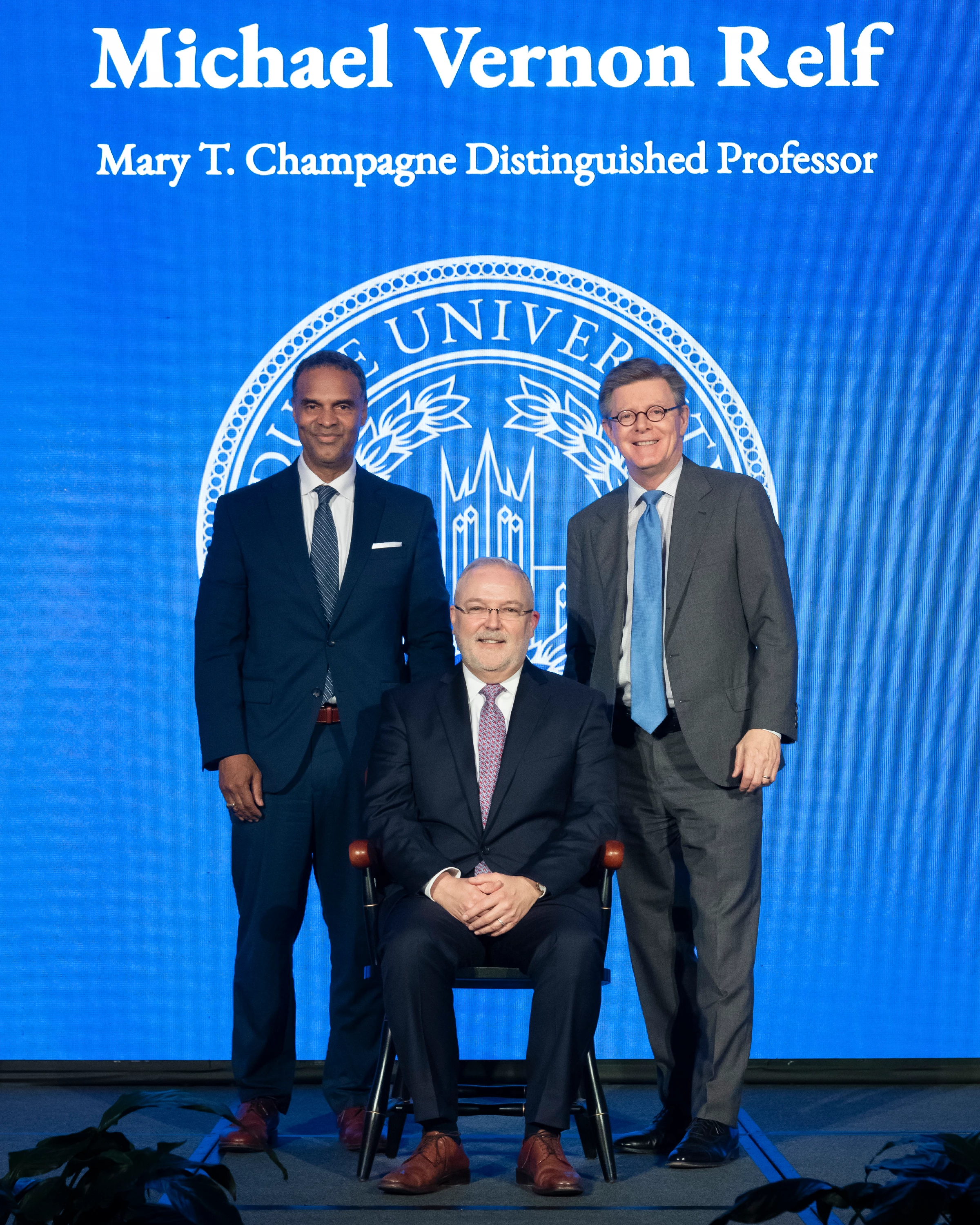
Issues with moire pattern on large led screen in background

  • May 26, 2024
  • 2 replies
  • 1568 views

I photographed individuals posing in front of a large led screen.  Moire pattern is very noticible on the screen. When I select the background or try to use the brush tool with the moire reduction slider in the Adobe Raw converter, it has no effect whatsoever. Is there another technique or tool that is effective for dealing with this type of moire? I'm using version 16.1.1.1733 of Adobe Raw.
This topic has been closed for replies.
Correct answer lesliet11588810

Thank you so much! This worked very well for me. I appreciate you taking the time to work through the problem and provide an excellent solution.

2 replies

Trevor.Dennis
Community Expert
Community Expert
May 26, 2024

This is a situation where Photoshop's new features let us use a different approach to what we mi

ght have used a year or two ago.


I have copied the layer and use Remove Background on the upper layer to get the subjects safe.  Entirely unnecessary but I thought it good practice.

Then use Select > Color Range on the blue ares of the lower layer.  Nudge up the Fuzyness slider for the first stab, then hold down Shift and keep clicking to add the rest of the blues.

I found I still had some tiny spots unselected after OKing the Color Range, so I held down shift and circled them with the lassoo tool.

Now blur the blue in the lower layer, but you need to use one of the Blur Gallery options to avoid bleed.  You can try Gaussian blur to see what happens.  I think you can use Lens Blur as well without bleed.

That's it. Job done.


LED screens can definitely be challenging to photograph.  If your camera has enough resolution to waste some pixels, try rotating the camera and cropping back to rectangular in Post.  The problem with this approach is it is still trial and error, and that's not doable when you have important subjects.  So it still comes down to fix in post.


I was thinking that Fil Hunter's Light Science & Magic would have advice on avoiding moire patterns, but I just checked and couldn't find it.  😞

lesliet11588810AuthorCorrect answer
Participant
May 26, 2024

Thank you so much! This worked very well for me. I appreciate you taking the time to work through the problem and provide an excellent solution.

Stephen Marsh
Community Expert
Community Expert
May 26, 2024

@lesliet11588810 


There is luminosity moiré and colour, the tool in ACR is only for colour.


Can you link to a copy of the raw file, or a render from raw at native resolution? Even a crop including wanted and unwanted areas would be helpful. Resizing beforehand will likely introduce interpolation artifacts as well.

Participant
May 26, 2024

Thanks for your response. I was unaware of the limitation of the moire reduction tool.  Another expert has provided an excellent solution that I have put to use very successfully.