
Participant
August 9, 2024
Question

issues with ps 2024 and 3rd party brushes

  • August 9, 2024
  • 3 replies
  • 418 views

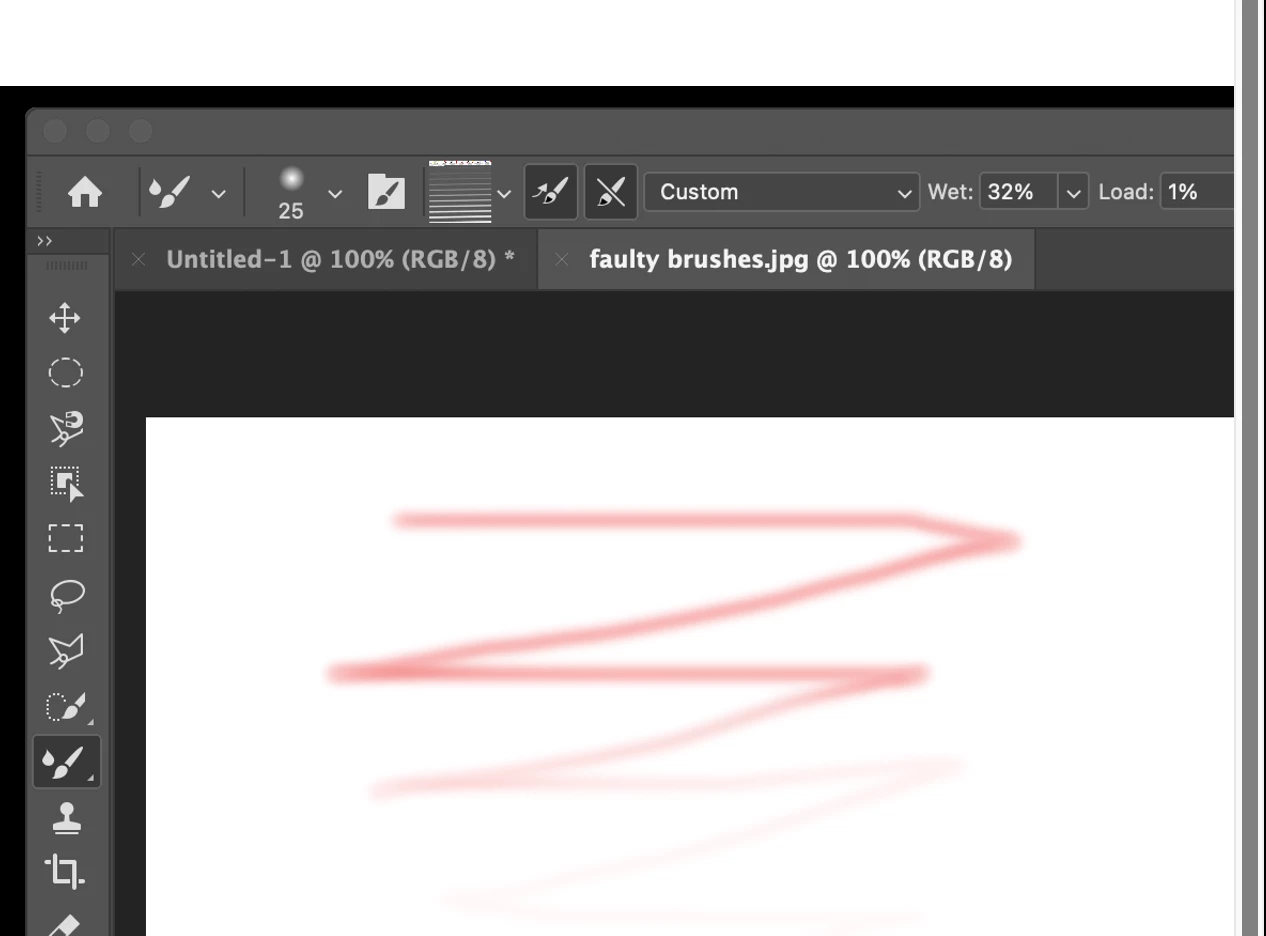
I would really appreciate your help. I just installed ps 2024 on my mac on sonoma 14.5. I used these brushes on ps 2021 with no issues. On ps 2024, when i select a brush, the color well looks striped rather than solid. When I select a brush and add color, the color fades out as I paint; the color in the looks like a gradient. I have spend 3 hrs on the phone with adobe. they insist the brushes are not compatible with ps 2024. I reentered my brushes from my back up, and tried to uninstall and reinstall ps 2024 to no avail. I would really appreciate your guidance. Thanks, Nin


This topic has been closed for replies.

3 replies

Participant
August 17, 2024

It is a glitch in Photoshop, not the brushes. There is nothing different about a mixer brush created today, August 17, 2024, than one made in 2014. I have asked Adobe to show me where I can find a "new" mixer brush that does work with 2024. The sad answer is, that they cannot.

Participating Frequently
August 12, 2024

Many of us digital artists have found the mixer brush tool unusable since the most recent update. If the trouble you're having is with a mixer brush rather than a regular brush, you may want to drop back to an earlier version. PS 2023 works as expected. Both PS 2024 and the latest Beta are affected by problems similar to what you describe.

Participant
August 17, 2024

I agree!

Jeff Arola
Community Expert
Community Expert
August 9, 2024

In your screenshot you have the Mixer Brush Tool selected instead of the Brush Tool.


If you hold down on the Mixer Brush Tool icon in the tools panel, the Brush Tool is in the same slot