Participant
August 31, 2017
Question

Jittery lines photoshop

  • August 31, 2017
  • 3 replies
  • 5016 views

Hi,

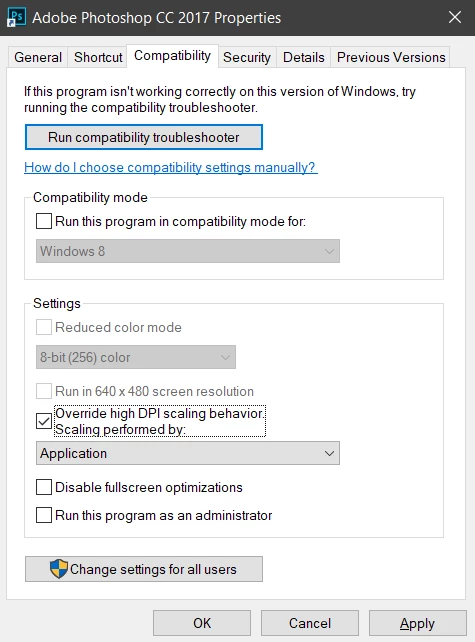
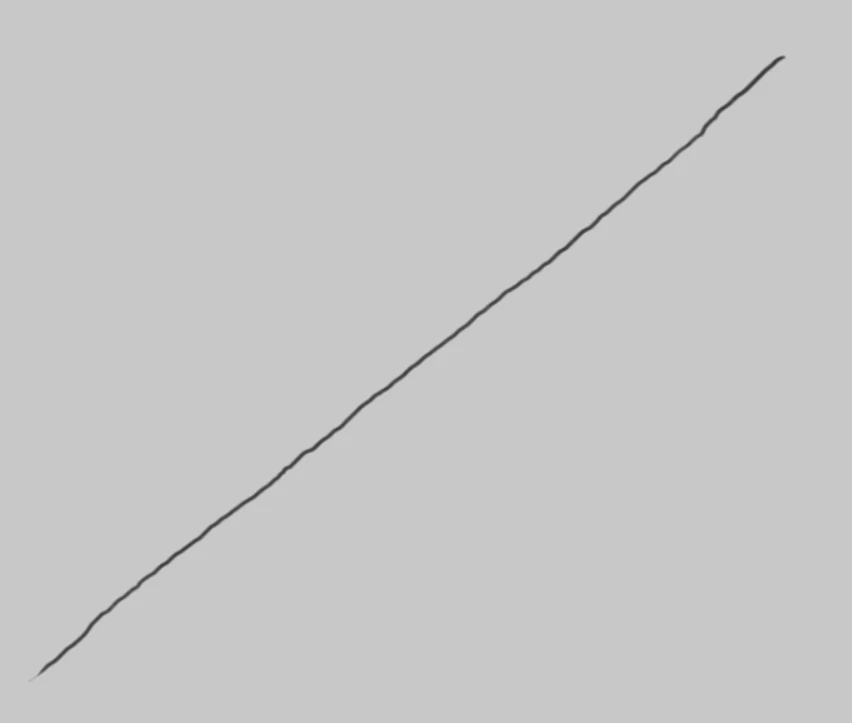
I have jittery lines in Photoshop when I draw lines slowly. However when I turn on 'override high dpi scaling' it is solved.

This way the UI is very small and unusable.

Does anyone know how to solve this (without lazy nazumi)?
This topic has been closed for replies.

3 replies

rayek.elfin
Legend
August 31, 2017

I've seen this happen in Windows not only in Photoshop, but also in MS Paint, PhotoLine, GIMP, and other applications when drawing zoomed out with a Wacom tablet. It is an interpolation issue, and some applications have built-in solutions (like a stroke stabilizer or their internal code takes care of the problem).

I am afraid only Lazy Nezumi might be the solution.

Participant
November 17, 2017

I'm not sure if this was ever resolved but I'm having the same issue and I do use Lazy Nezumi. It works fine for a while but the jittery lines come back randomly.

Participant
August 31, 2017

The problem is not Wacom related. It is photoshop related. When I turn off 'override high dpi scaling' on Autodesk Sketchbook there is no problem.

angie_taylor
Legend
August 31, 2017

Hmmm, I must admit, I much prefer Sketchbook Pro for drawing, it feels like drawing with real pencils and pens. Having said that I haven't come across an issue with jittery lines. Sorry I e been unable to help you further. Good luck and keep me posted!

Angie

angie_taylor
Legend
August 31, 2017

Are you using a Wacom tablet to draw with? If so, you can adjust the settings. Under Brush Dynamics,  apply the Smooth setting, this should help take away the jittery-ness. You can also adjust the Wacom settings. Let me know if you need help with that.

Hope this helps,

Angie Taylor | http://www.creativecabin.co.uk

Participant
August 31, 2017

Thank you. I had smoothing already turned on. Without it is a real mess.