

JPG Issue in Photoshop & Bridge for Some Users
Hi,
Has anyone had a similar experience and been able to resolve it? If so, what steps did you take?
1) JPG files do not open with Photoshop CC 2015.5 "could not complete request because it is not the right kind of document" - our workaround is to "open as" > JPEG and then the file opens.
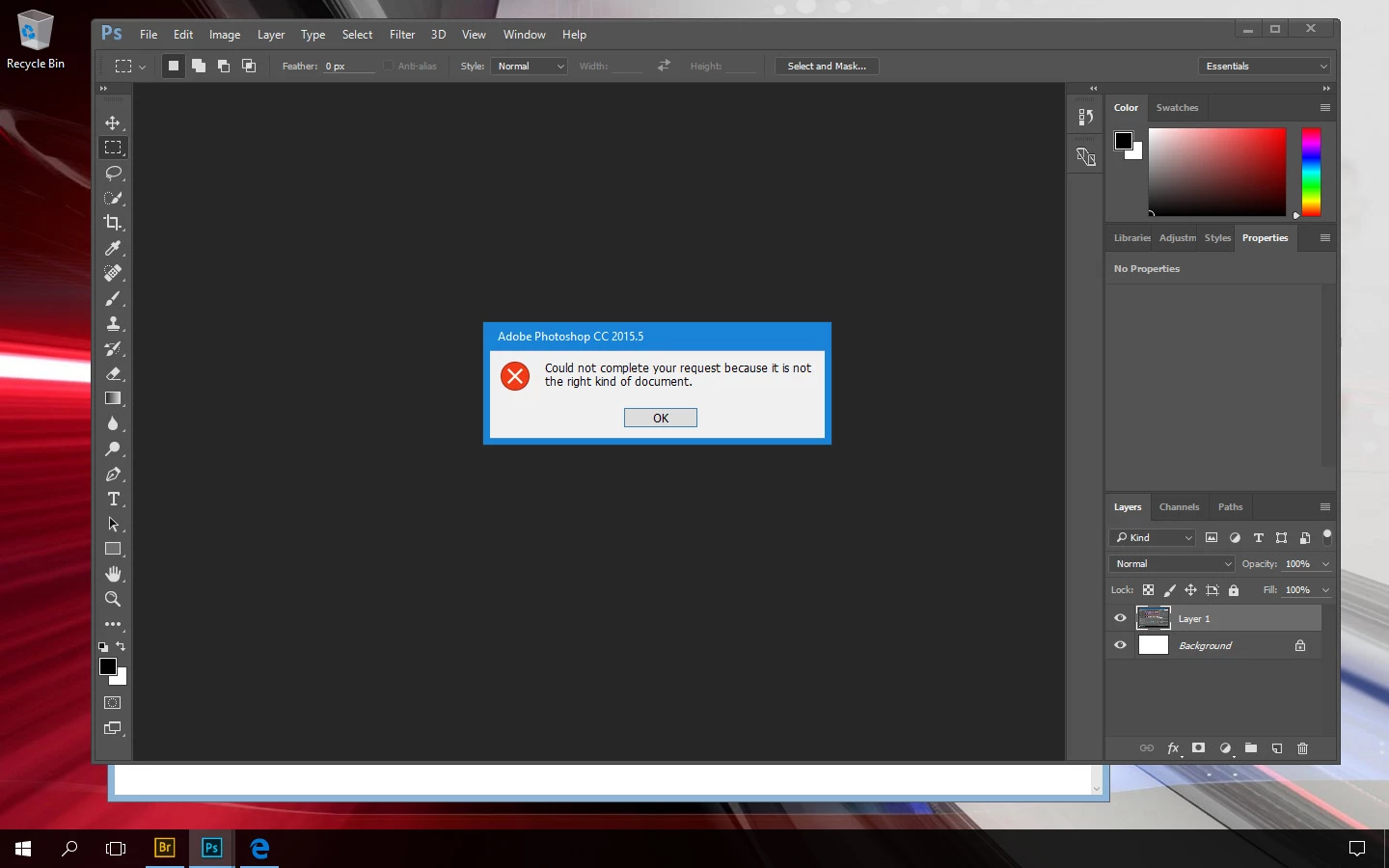
2) The same JPG file that does not open in PS also does not preview in Bridge CC 2015.
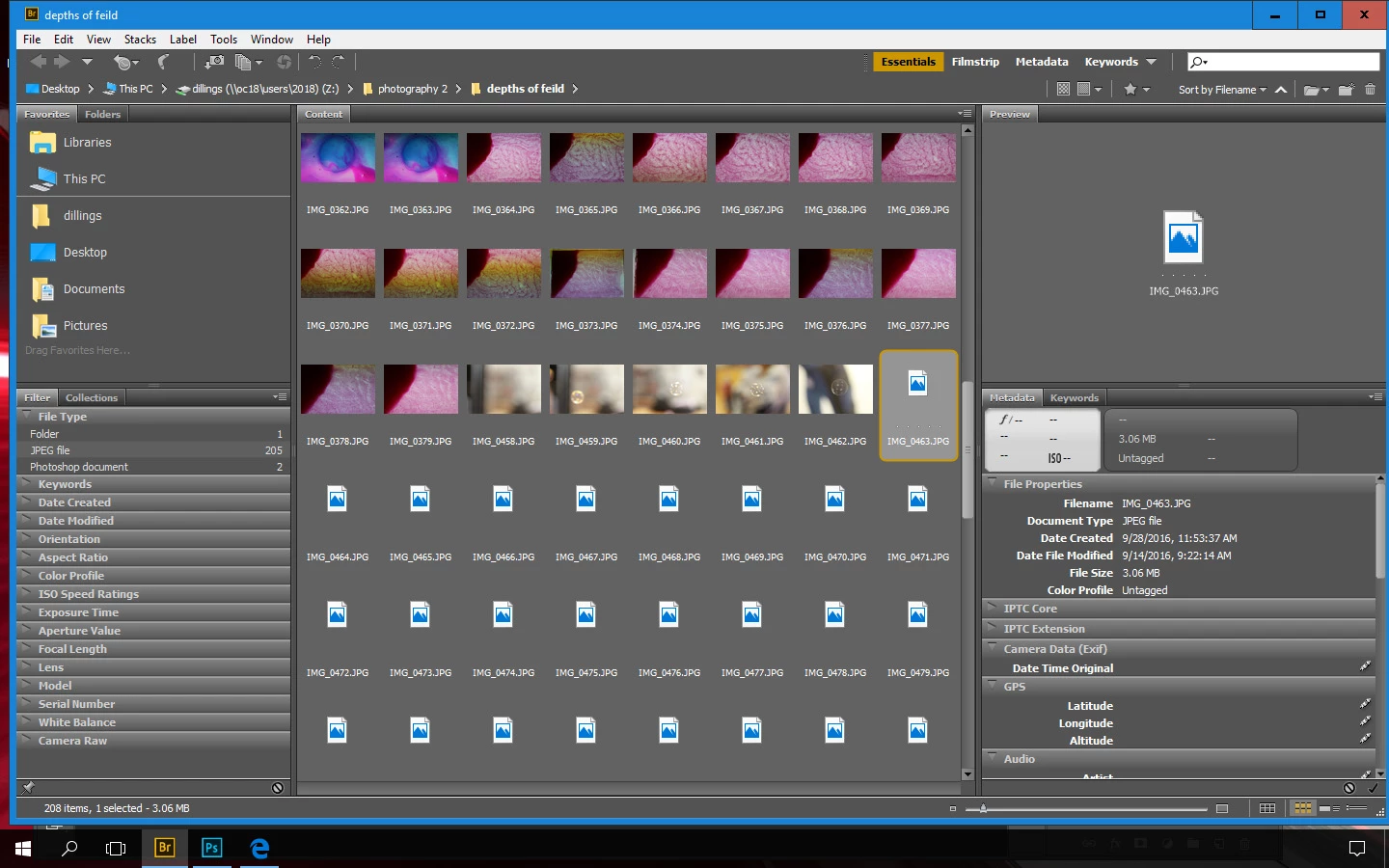
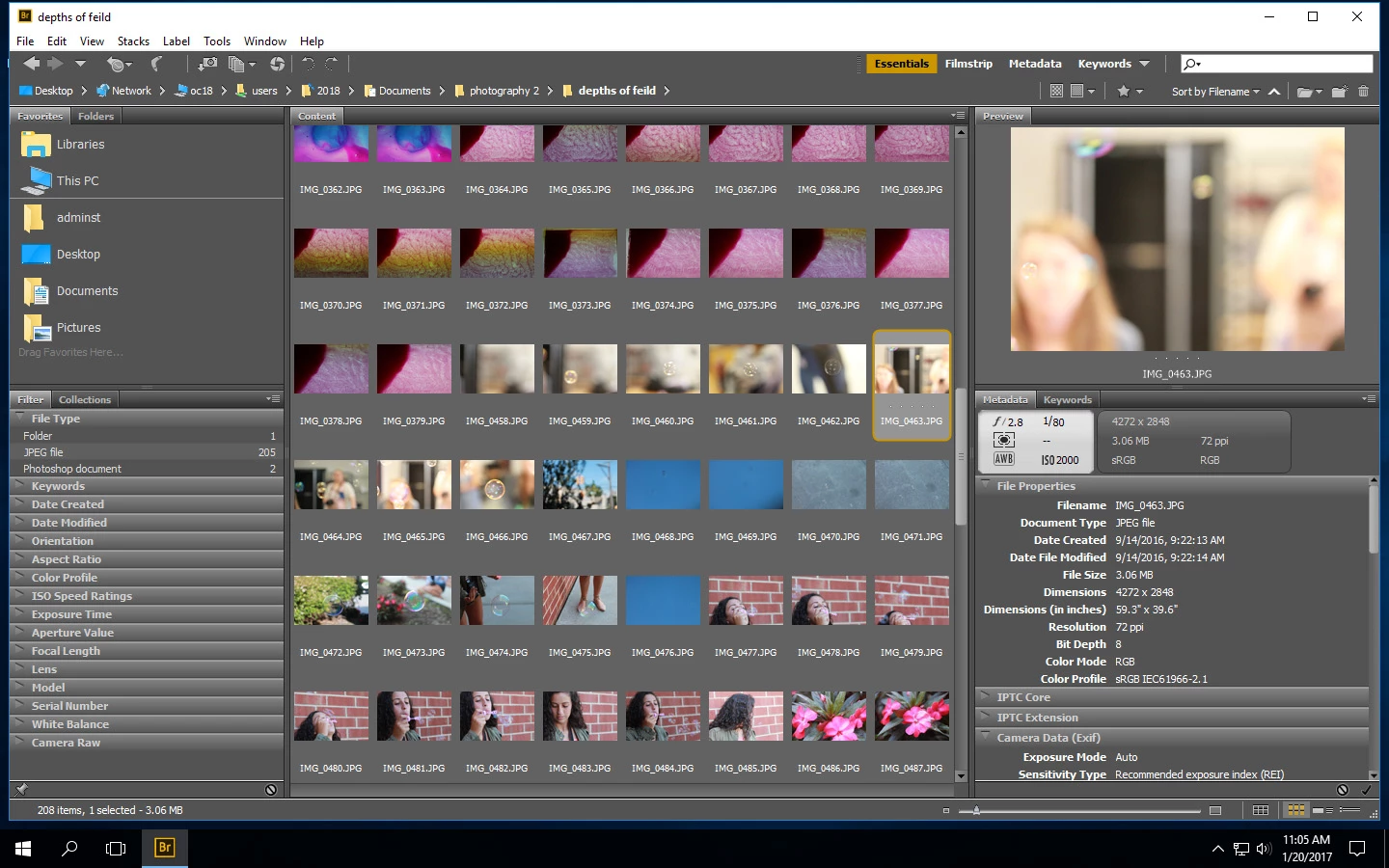
The file in question (and there are multiple that are giving this same issue) is part of a series, taken with the same DSLR on the same day. The metadata displays for some in the series and those images open without issue in PS as well as preview as expected in Bridge. The files that do not preview in Bridge do not display metadata either or if clicked on, a preview may show up but not in the thumbnail position and often the metadata does not display in its entirety.
I have reset the cache within Bridge and that has not resolved this issue. The files were copied directly from the camera's SD card to a storage folder on the computer network. The systems and users are in a managed environment (AD). This seems to only be happening on logins with restrictions. If I login as an admin user and point Bridge to preview the same network folder location it properly loads with completed metadata.
Windows 10 64 bit
8GB RAM
Intel I7-3770 CPU @ 3.40GHz Processor
Any suggestions you have would be greatly appreciated by the users in our environment. Thanks so much. I look forward to hearing your thoughts.
 AdChoices