Known Participant
May 21, 2022
Question

JPG Quality degrading after working on image

  • May 21, 2022
  • 3 replies
  • 1658 views

Hi All


First of all, is there a UK support number I can call Adobe on? 

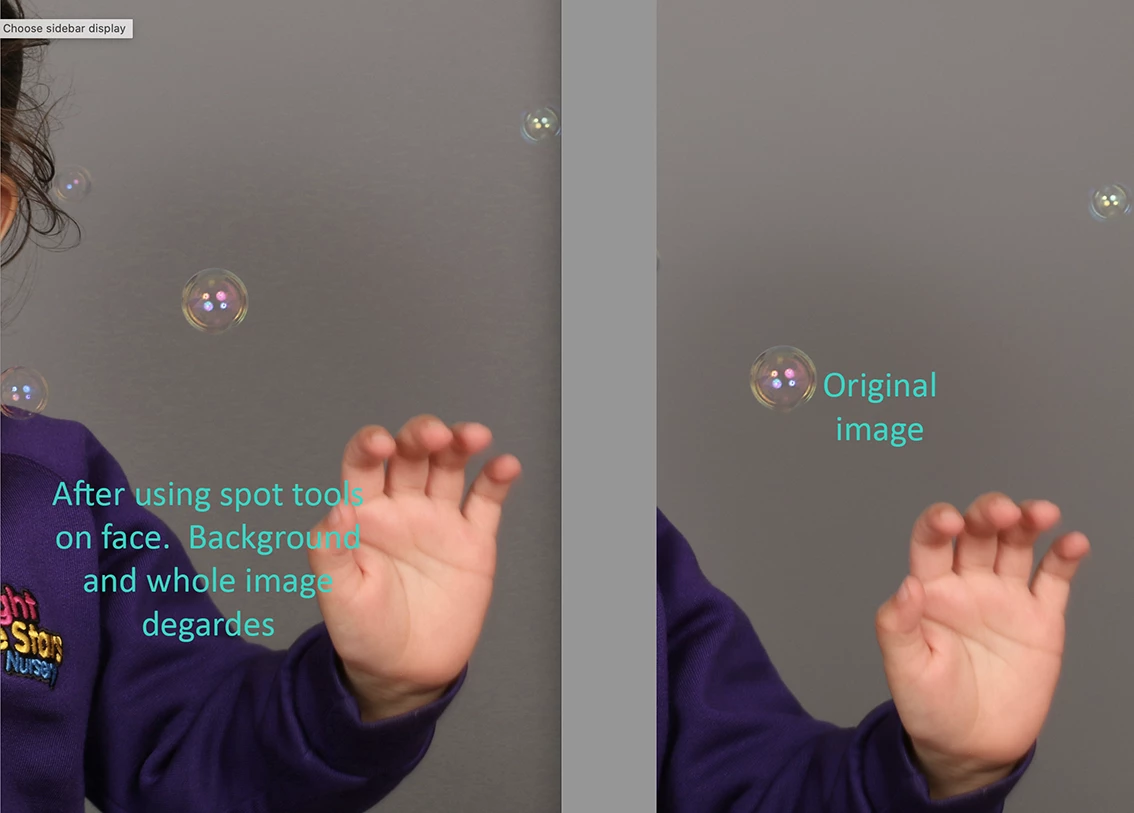
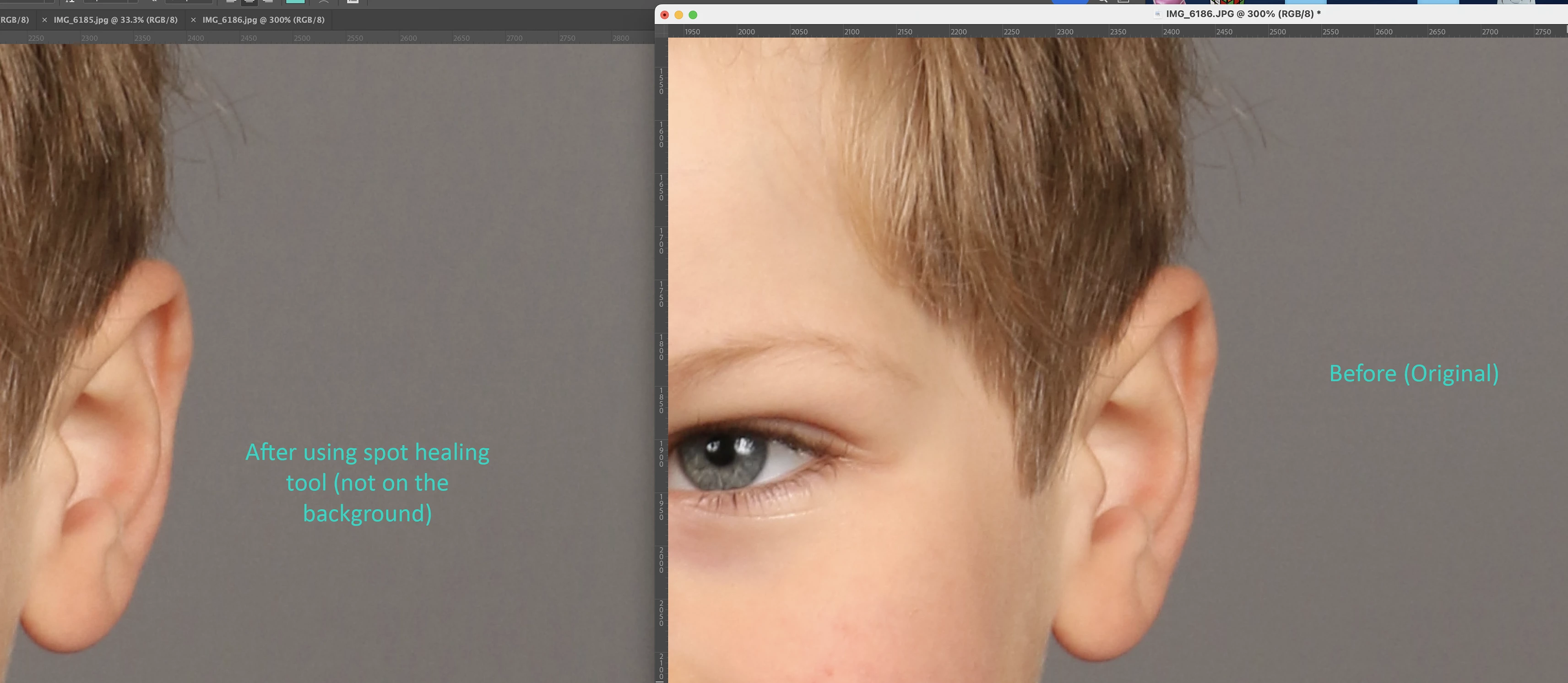
Rececently I have noticed, when I work on an image, e.g. spot healing tool (I do nursery photos) so cleaning up faces etc, each time I open it, work on it, save it, the image quality degrades further, this is most noticeable on the background.  Any ideas why?  I have been doing the same process ofr years without problems.  This happened with the older version of PS and the current one.  


My assistant works in the same office, shes on the shared network/hard drive, she will open and image, work on it and it degrades after save.  


Any help would be appreciated. 


Thanks 


Jo
This topic has been closed for replies.

3 replies

jane-e
Community Expert
Community Expert
May 21, 2022

@Joanne23058287l503 wrote:

I shoot JPG only.  It's high volume photography so dont have the space for RAW,


The only way to avoid the degradation is to save in a non-lossy format, then save once to jpeg if you need a jpeg. Make edits in the non-lossy version and save to jpeg from there. 


Disk space is cheap — consider buying more.


Jane


D Fosse
Community Expert
Community Expert
May 21, 2022
quote

Disk space is cheap


By @jane-e


I just ordered two 18 TB disks (one for backup) - the two 10 TB disks I have now are almost full. The price wasn't too bad actually, one disk is about the same as a GTX 1660 graphics card, or an i7 CPU.

c.pfaffenbichler
Community Expert
Community Expert
May 21, 2022

Do you have the RAW images or do you shoot jpg right away? 


Edit: 

jpg effectively splits an image into contrast and color and compresses the color component more strongly because human visual perception is less sensitive to that. 

Performing this again and again will make the artefacts more pronounced. 

Known Participant
May 21, 2022

I shoot JPG only.  It's high volume photography so dont have the space for RAW, plus when they order digital photos, I send as JPG anyway

c.pfaffenbichler
Community Expert
Community Expert
May 21, 2022

Lossy compression has a price. 

Applying jpg-compression on images already damaged by jpg-compression will naturally aggravate the effect. 


What jpg-quality are you shooting and working at? 

Have you considered shooting tif? (Edit: tif with lossless compression like LZW or ZIP that is) 

c.pfaffenbichler
Community Expert
Community Expert
May 21, 2022

Are you actually opening a jpg and saving as jpg without storing the image in a format not degraded by lossy compression? 

Known Participant
May 21, 2022

So I shoot JPG, import in LR, makes my selections, crop if required, export (100%), image qaulity looks the same, then I open the exported file, in photoshop I use spot healing tool, remove blemishes etc and the quality lessons (once I save it and open it again), if I have to open again and make more changes it lessons further like the examples shown