
Question
Lag Issue after v23.5 Update - Rotate, Native Canvas
Since updating to v23.5, my rotation feature did not work due to "only works with OpenGL enabled." Through the forum, I learned that turning on the "Deactivate Native Ruler" under Preferences>Technology Preivews would allow rotation.
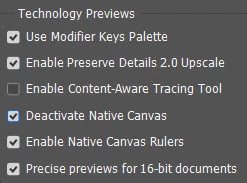
It did work!
However, the rotation and now other features (brush strokes) seriously lag. My graphic process driver is up-to-date and activated in Preferences>Performance.
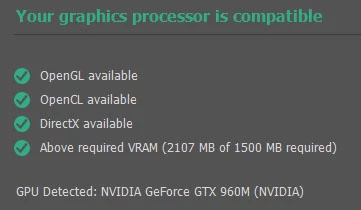
I can work without rotation (as when I turn off Native Ruler deactivation - PS runs smoothly). However, I'm wondering if I should revert back to the older PS version.
I've reset all preferences. No help.
Thank you in advance for your support.
 AdChoices