Known Participant
May 3, 2022
Answered

Latest update causing problems

  • May 3, 2022
  • 2 replies
  • 388 views

I'm using a PC - 16GbRAM, NVidia G-Force 750M graphics card, Windows 10


Since the last update of Photoshop, each time I do anything to an image, it distorts and shrinks. 

I open this
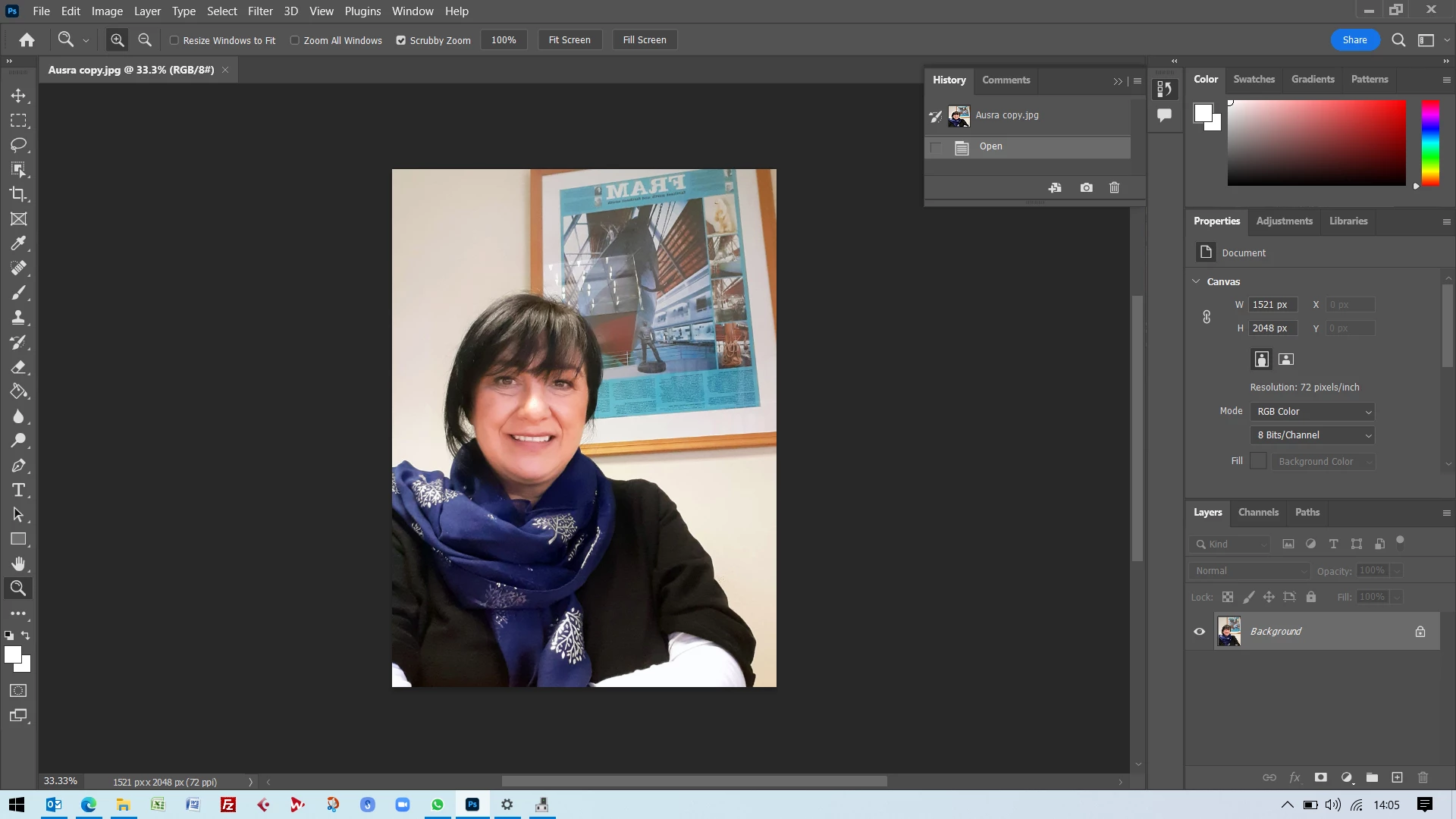
If I apply ANY adjustment - filter, crop, size-change ... anything, it does this:
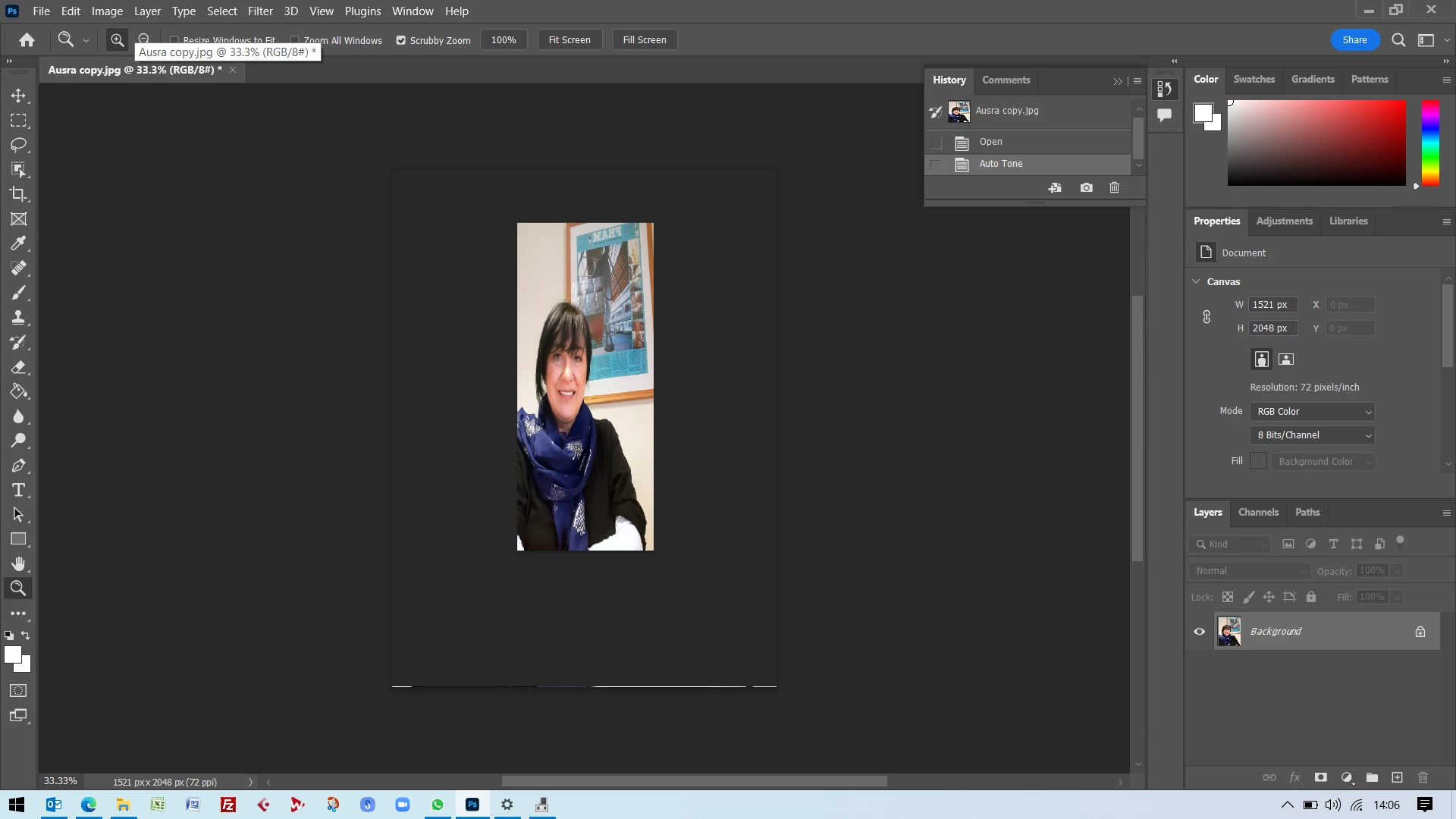
If I apply anything again, it does this:
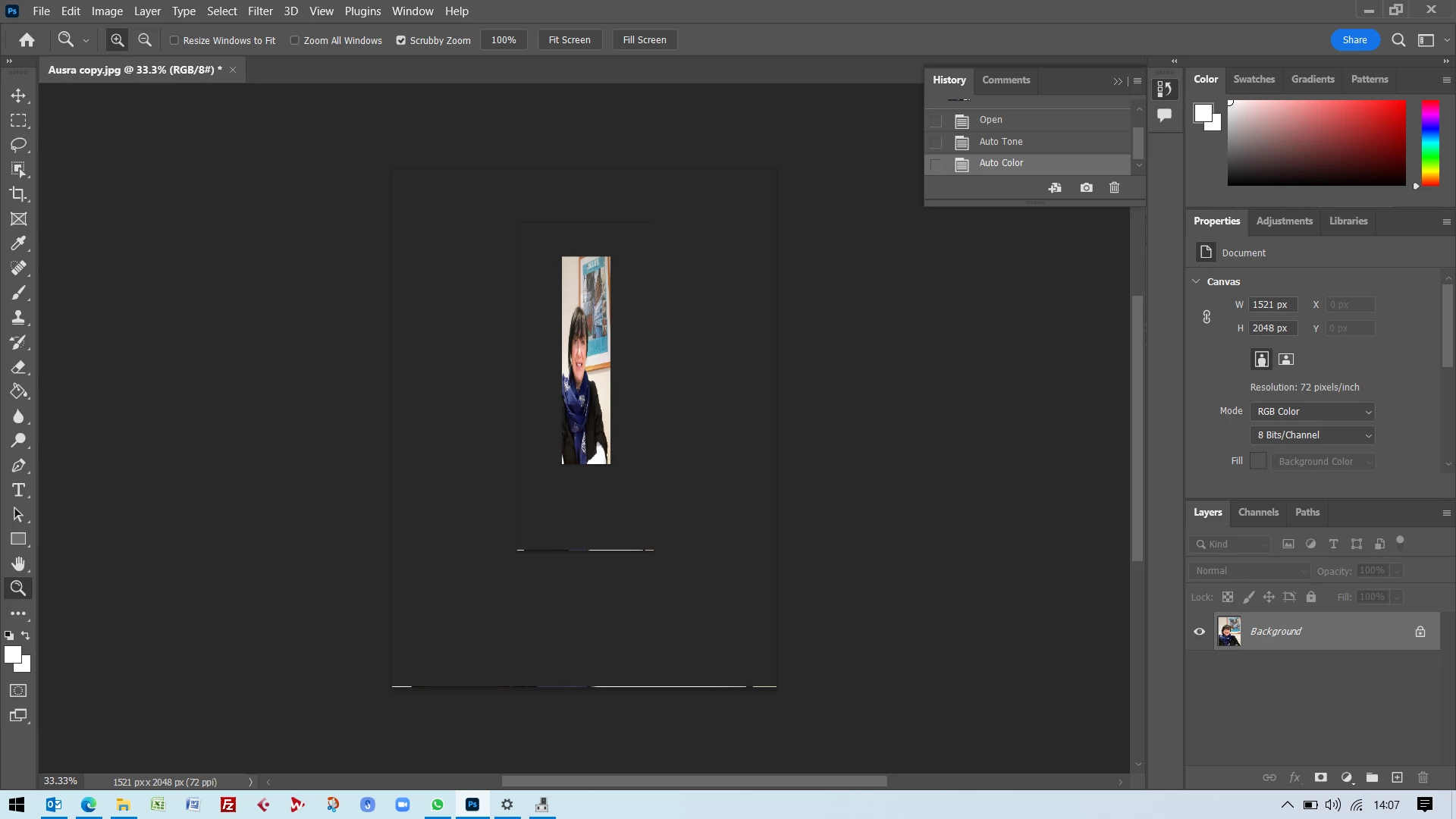
Until it disappears entirely.

What is going on and how can I stop it?

Thanks,

Johnny
This topic has been closed for replies.
Correct answer Ged_Traynor

Hi

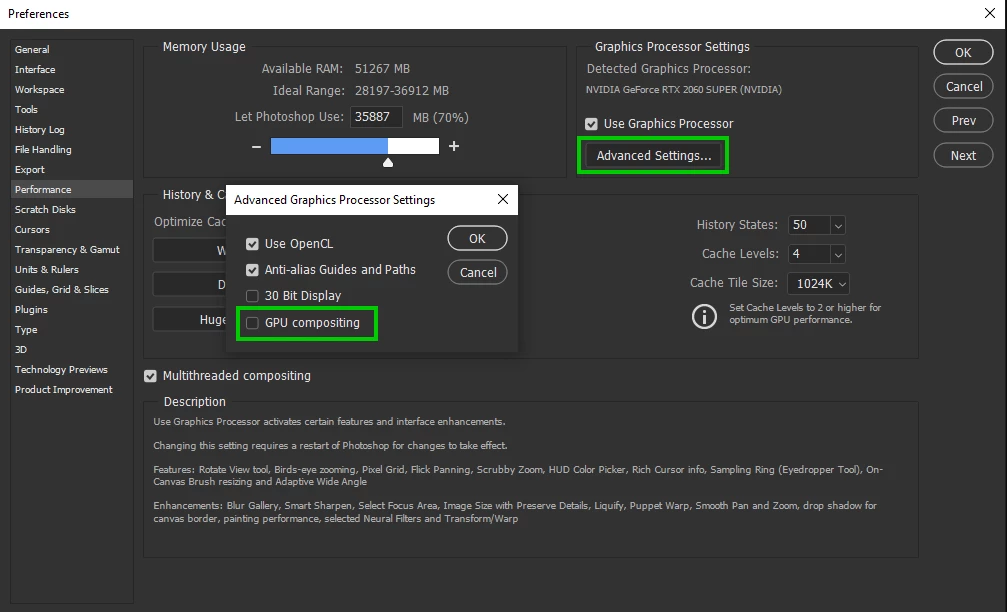
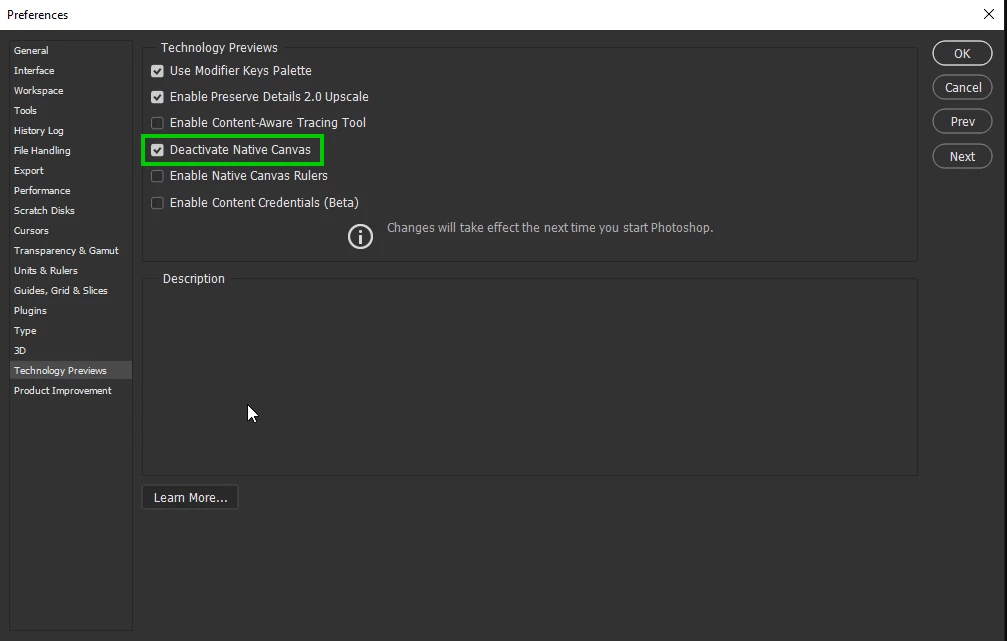
2 things to try, first enable this option in preferences and restart Photoshop

If that doesn't help, disable this option and again restart Photoshop

2 replies

KusumasAuthor
Known Participant
May 3, 2022

That was easy and IT WORKED!


Thank you Ged.

Ged_Traynor
Community Expert
Ged_TraynorCommunity ExpertCorrect answer
Community Expert
May 3, 2022

Hi

2 things to try, first enable this option in preferences and restart Photoshop

If that doesn't help, disable this option and again restart Photoshop