
Answered
Layer glitches in PS 21.2.0
When editing a text layer I'm seeing an unedited version underneath making the text unreadable until I turn off the background layer and turn it on again.
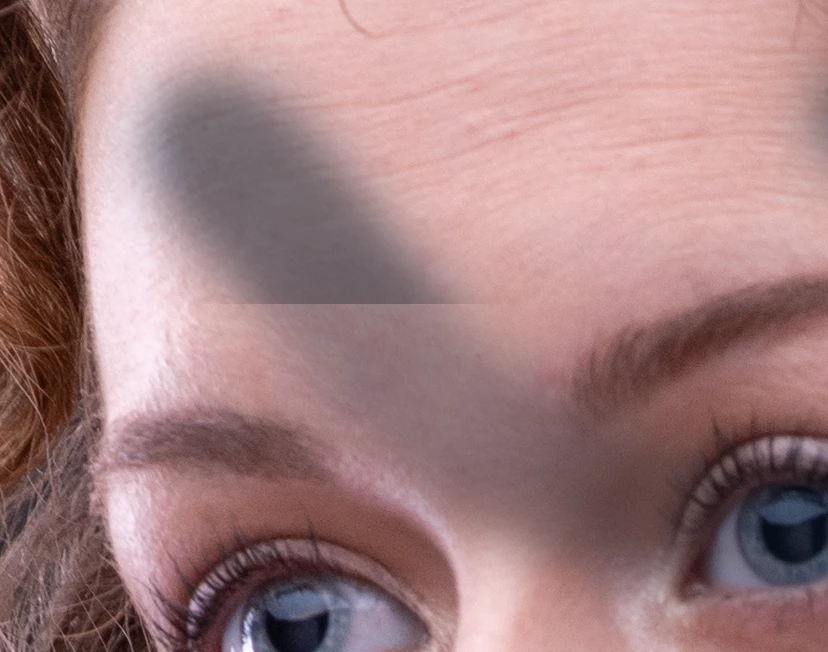
Also getting similar layer issues with bitmap layers including 1/2 of a layer remaining after switching off, or areas of the layer appearing or disappearing when zooming in and out.
The second pic here was a new layer brushed over then zoomed in. The opacity of the layer changes 1/2 way down.
MacBook Pro (Retina, 15-inch, Late 2013)
2 GHz Quad-Core Intel Core i7 Intel Iris Pro 1536 MB
Catalina 10.15.5

 AdChoices