
Layer gray-ing out when another layer is added
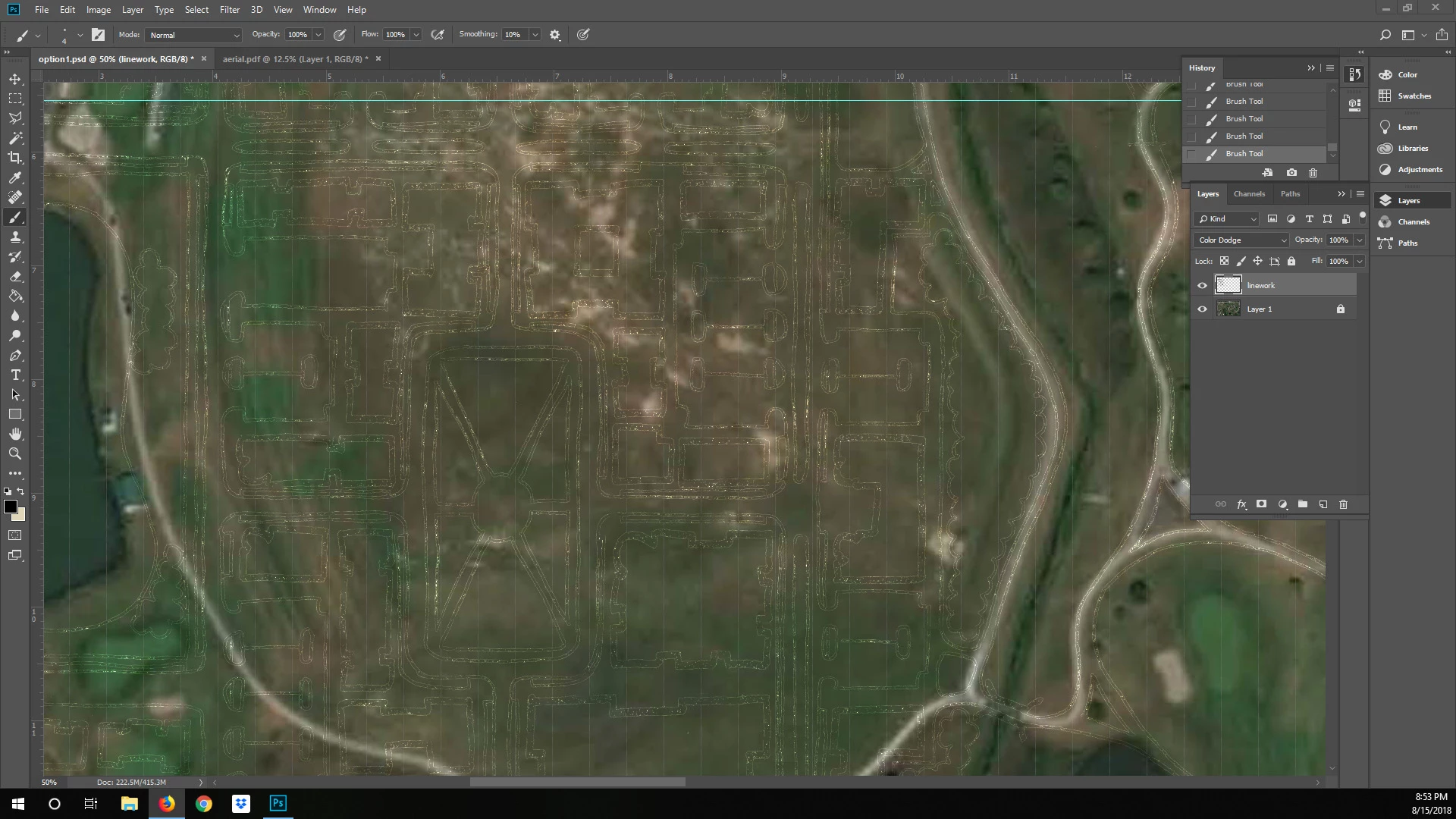
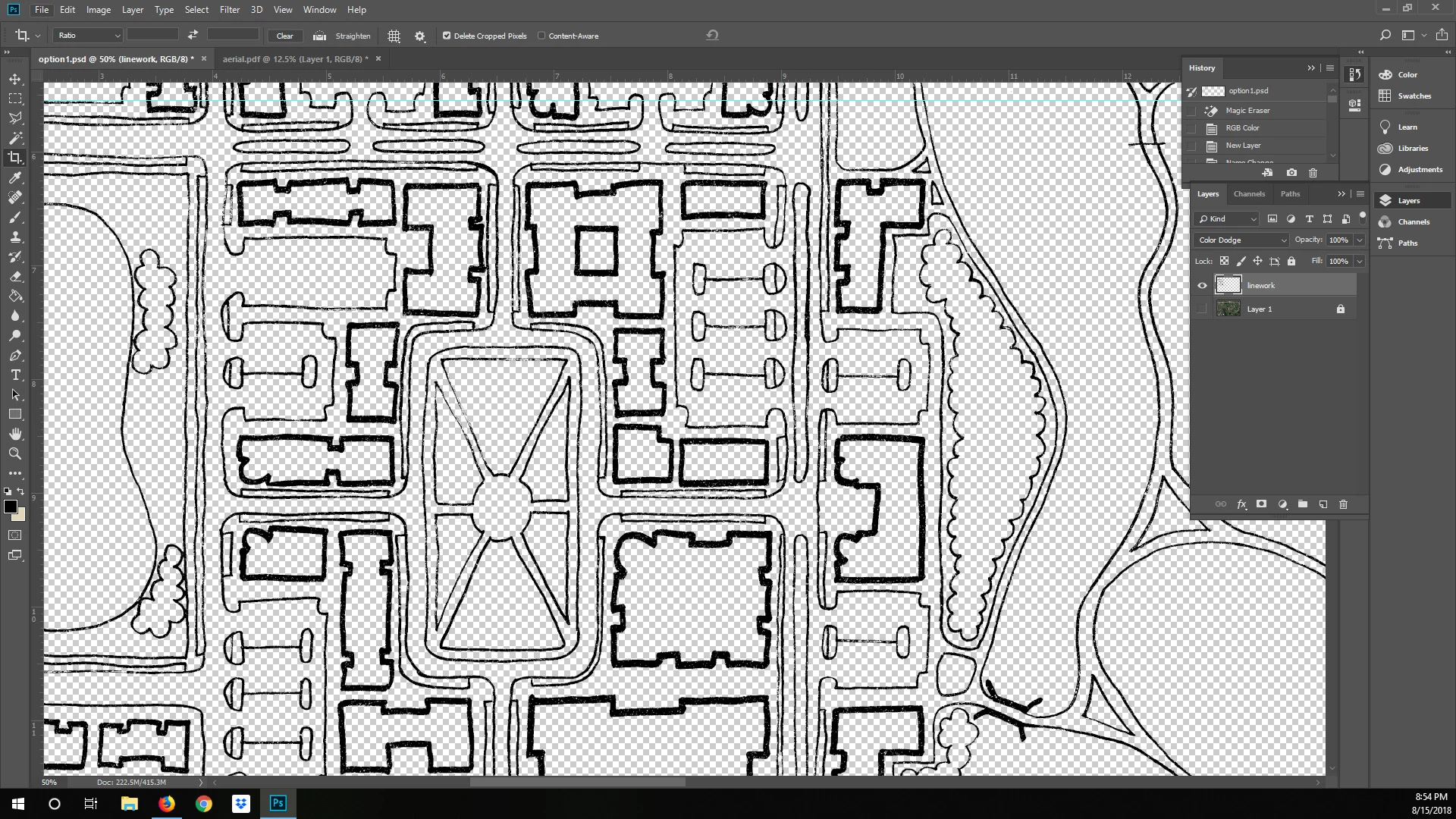
Hello! I have some scanned-in hand-drawn linework that is black with a transparent background. I need to add a raster aerial image underneath the linework. Whether I embed the aerial file, or place it as a linked file, or even just copy the image and paste it in as a new layer, the layer with the hand-drawn linework goes from black to kinda gray and transparent. The linework looks fine if I turn off the aerial. And then looks weird again if I turn the aerial back on.
I've used this same process to do dozens of rendered landscape plans in my career and never had this problem before. Any ideas?
I need the linework to show up correctly (black) when the aerial is on underneath. Thank you for your help!
This shows how weird the linework looks when I turn on the aerial:
This shows the linework looking correct when the aerial is turned off:
 AdChoices