
Known Participant
December 21, 2017
Question

Layered PDF into Layered PSD

  • December 21, 2017
  • 2 replies
  • 9570 views

Hello everyone,

This is probably expert question.

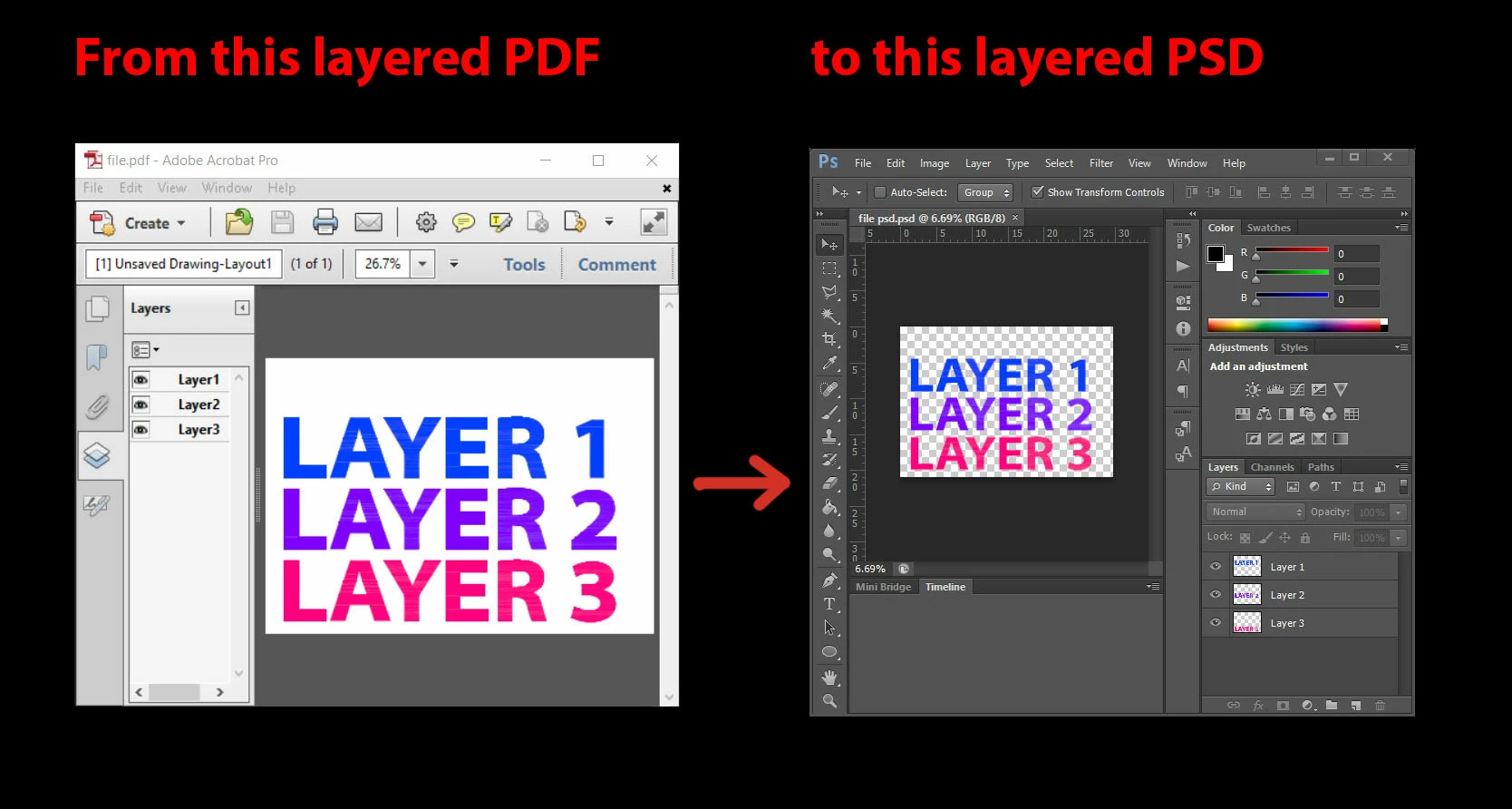
What is the best way how to achieve this result. I am researching this for a quite a while now.

Now I do it manually

Is there any preflight option I am missing or something else ?

kind regards,

TP
    This topic has been closed for replies.

    2 replies

    Theresa J
    Community Expert
    Community Expert
    February 7, 2018

    I'm not sure I completely understand your workflow, but here's what I think you are trying to do.

    1. create a layered illustration with auto cad

    2. save the auto cad as a layered PDF

    3. Open the PDF in Photoshop and retain the layers?

    The only way that I know to open a layered PDF as layers in Photoshop is when the file was created in Photoshop to start with, and saved as a PDF with layers. I am pretty certain you can't do this with your current workflow.

    Have you tried copy and paste from auto cad to Photoshop? You could copy and paste each layer separately.

    Or have you tried opening the PDF in Illustrator?

    Why do you want to open the PDF in Photoshop anyway? Auto cad creates vector art. Photoshop is primarily a bitmap editor. Illustrator seems like a better match.

    jane-e
    Community Expert
    Community Expert
    February 7, 2018

    I agree with Teresa. You want Illustrator not Photoshop. It is considered "incorrect" to edit a PDF in Illustrator, but when you do, the Layers are all there and everything is still vector.

    Save a copy first, as you don't want to destroy the original. And some things may not work, but most will.

    If you still have the AutoCad file, you might be able to Export or Save it directly to Illustrator with layers.

    Let us know if you want this thread moved to the Illustrator forum.

    mcsousah
    Participating Frequently
    December 21, 2017

    Hi theodorp87077972

    I think the question is not clear enough?

    I couldn't find any difference between these two files or previews.

    The existed file is already has the transparency because there is any fill layer for the background, but the Adobe Acrobat view the transparency as "White background" while the Photoshop is viewing the transparent layer.

    please, correct me if you have different point.

    Thanks,

    wael

    Known Participant
    December 21, 2017

    Yes you are right I wasn't clear enough.

    The picture represents what i want to achieve but cannot.

    Here is my layered pdf from autocad.

    https://www.dropbox.com/s/jyz9dpw8mze4vo8/file.pdf?dl=0

    And I want to be able to open layered pdf from autocad as a layered psd in Photoshop.

    regards,

    TP

    ~graffiti
    Legend
    December 21, 2017

    You may consider asking either in the Acrobat forum (this one is for the free Reader) or the Photoshop forum. You'll get more people with experience in this.