

didiermazier
Community Expert
Community Expert
May 27, 2024
Answered

layers comps do not integrate smart filters?

  • May 27, 2024
  • 1 reply
  • 326 views

Hi guys,

Correct me if I am wrong, but layers comps do not integrate smart filters for me

Here after

The Original doesn't include any filter nor settings

The Anderson is supposed to includes everything smart filters and settings
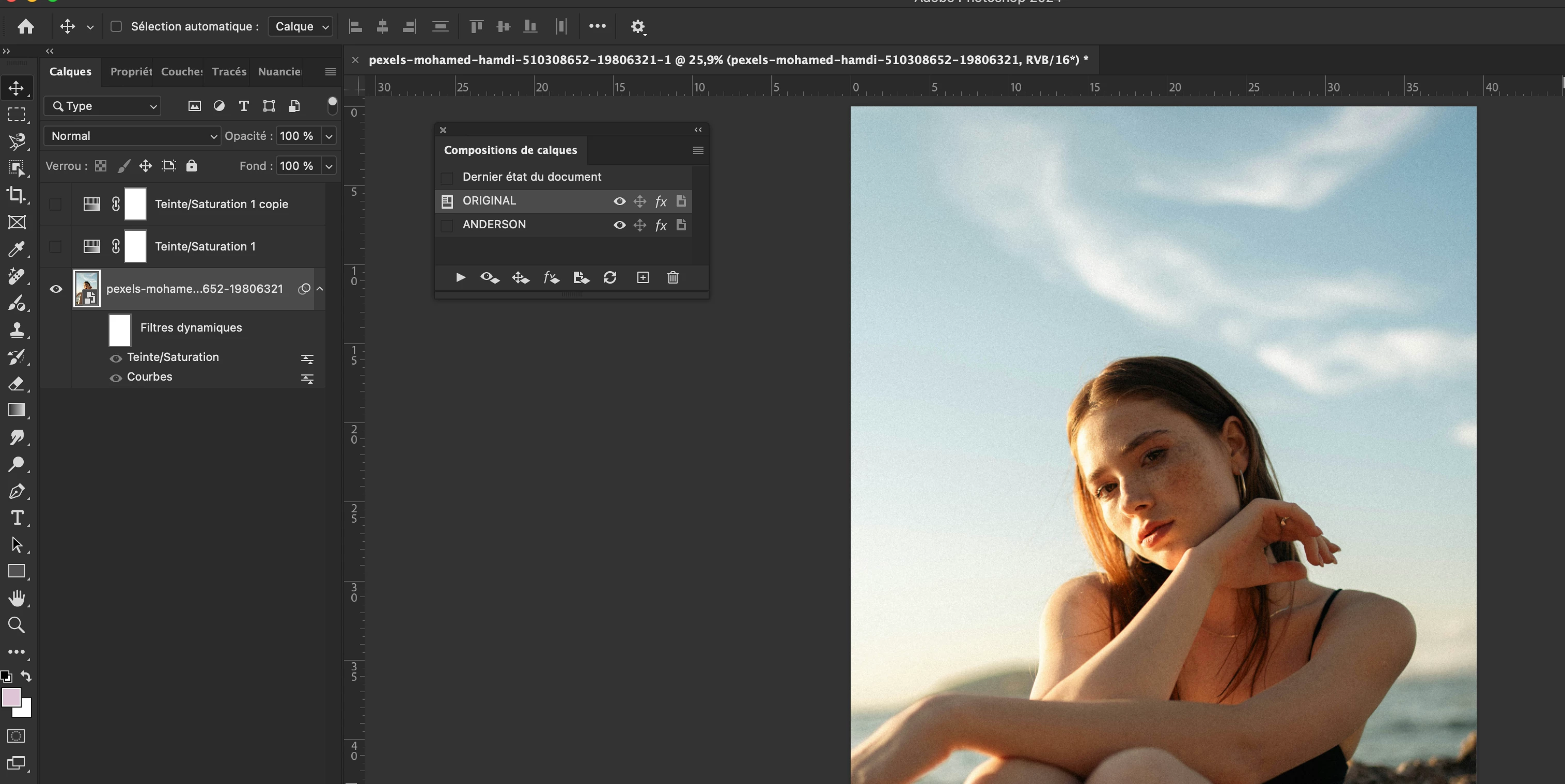
When switching from Original to Anderson the filters are omitted.
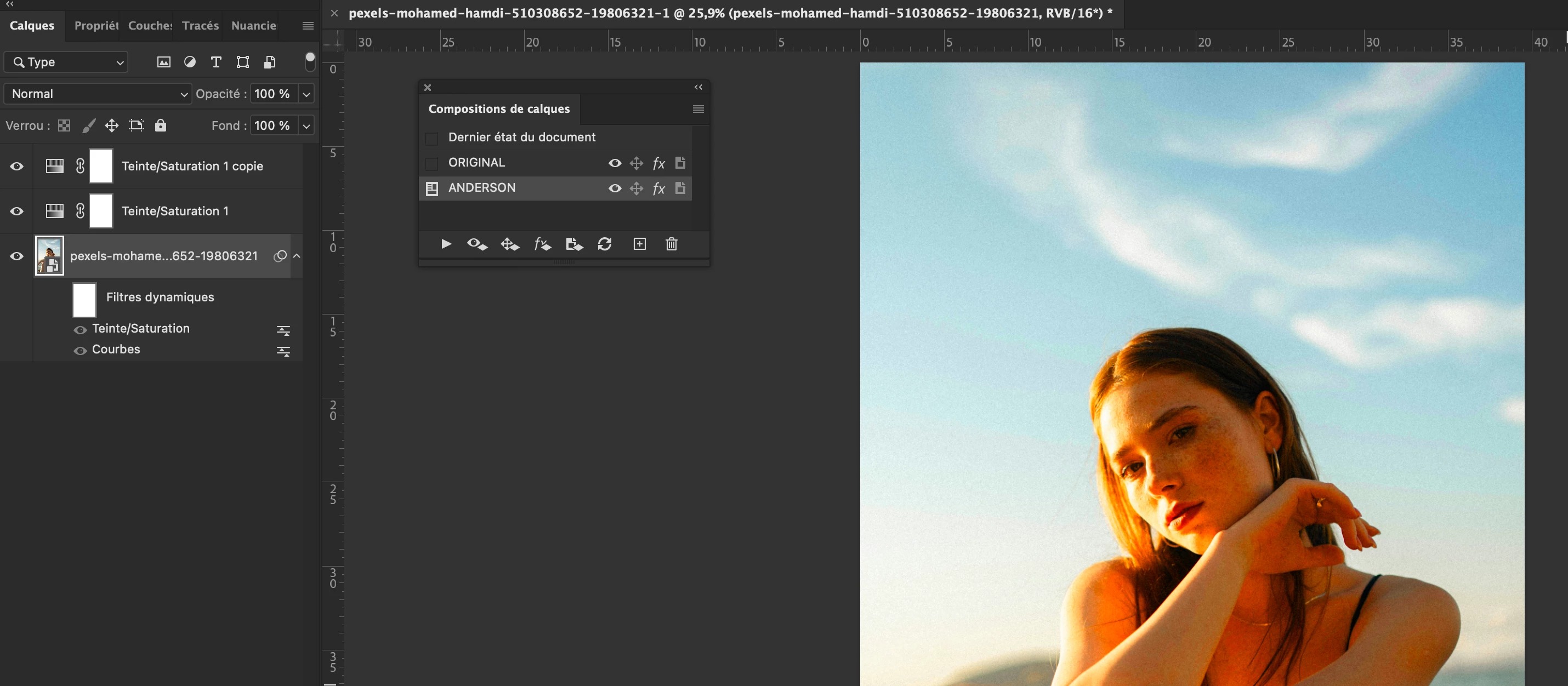
And getting back to original is worse because if the smart filters are still visible, they do not revert to Original…

So what is happening here?

Best ya'll


This topic has been closed for replies.
Correct answer davescm

You are correct in that layer comps do not switch smart filters on/off. However a quick workaround is to duplicate the smart object and turn filters on in the original and off in the duplicate. Then use layer comps to switch between the two smart object layers. If you open the smart object and make changes both original and duplicate will update.

Dave

1 reply

davescm
Community Expert
davescmCommunity ExpertCorrect answer
Community Expert
May 27, 2024

You are correct in that layer comps do not switch smart filters on/off. However a quick workaround is to duplicate the smart object and turn filters on in the original and off in the duplicate. Then use layer comps to switch between the two smart object layers. If you open the smart object and make changes both original and duplicate will update.

Dave

didiermazier
Community Expert
Community Expert
May 27, 2024

Thanks Dave

Including the smart filters visibility should be added to the layers comps feature…

davescm
Community Expert
Community Expert
May 27, 2024

I agree that would be useful

Dave