Answered
Layers question
When I duplicate the background layer, and then begin working in the new layer (layers, curves, etc.), the background layer changes as well. In other words, the two layers appear identical. Am I doing something incorrectly?

When I duplicate the background layer, and then begin working in the new layer (layers, curves, etc.), the background layer changes as well. In other words, the two layers appear identical. Am I doing something incorrectly?
Are you using an adjustment layer like the below screen shot?
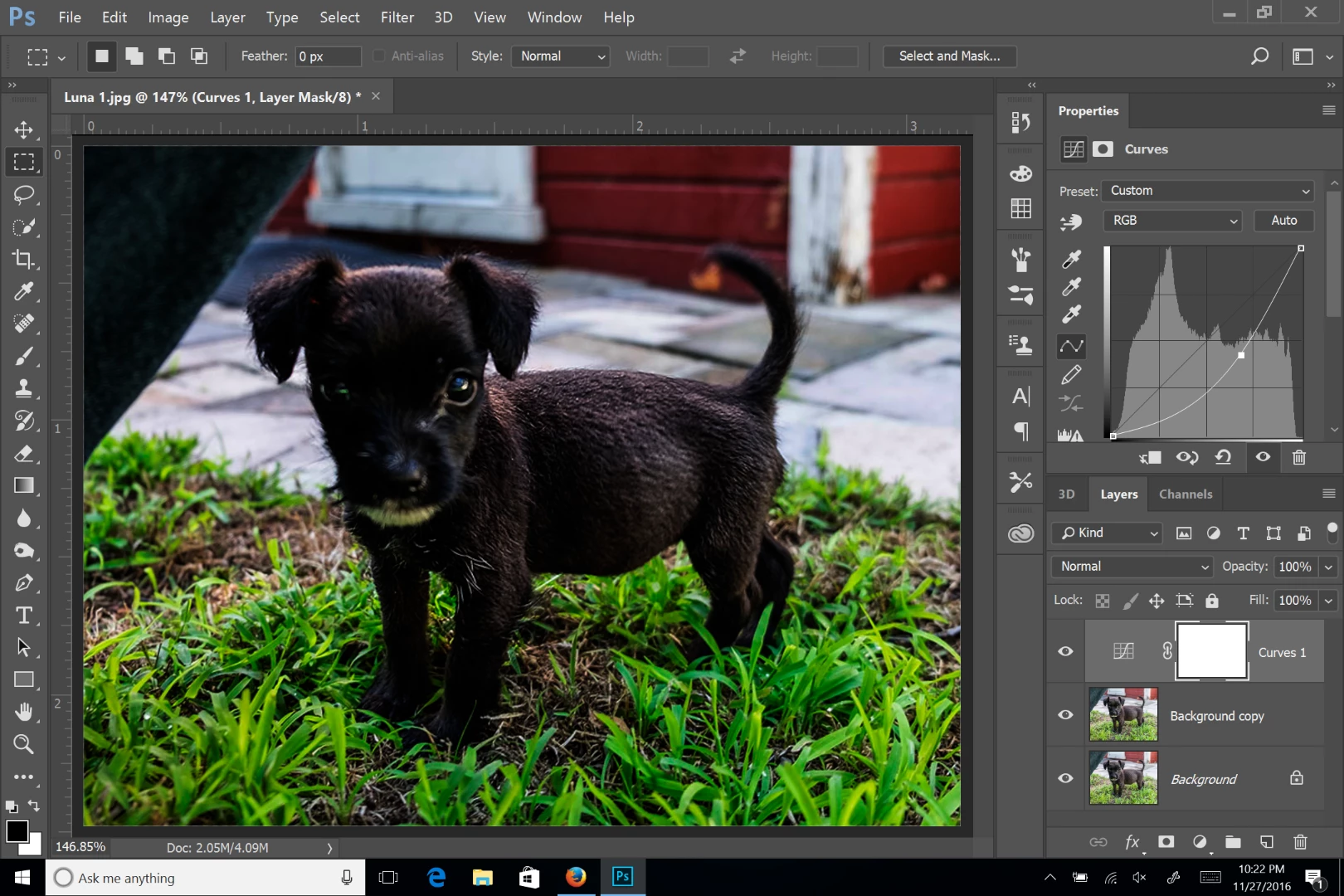
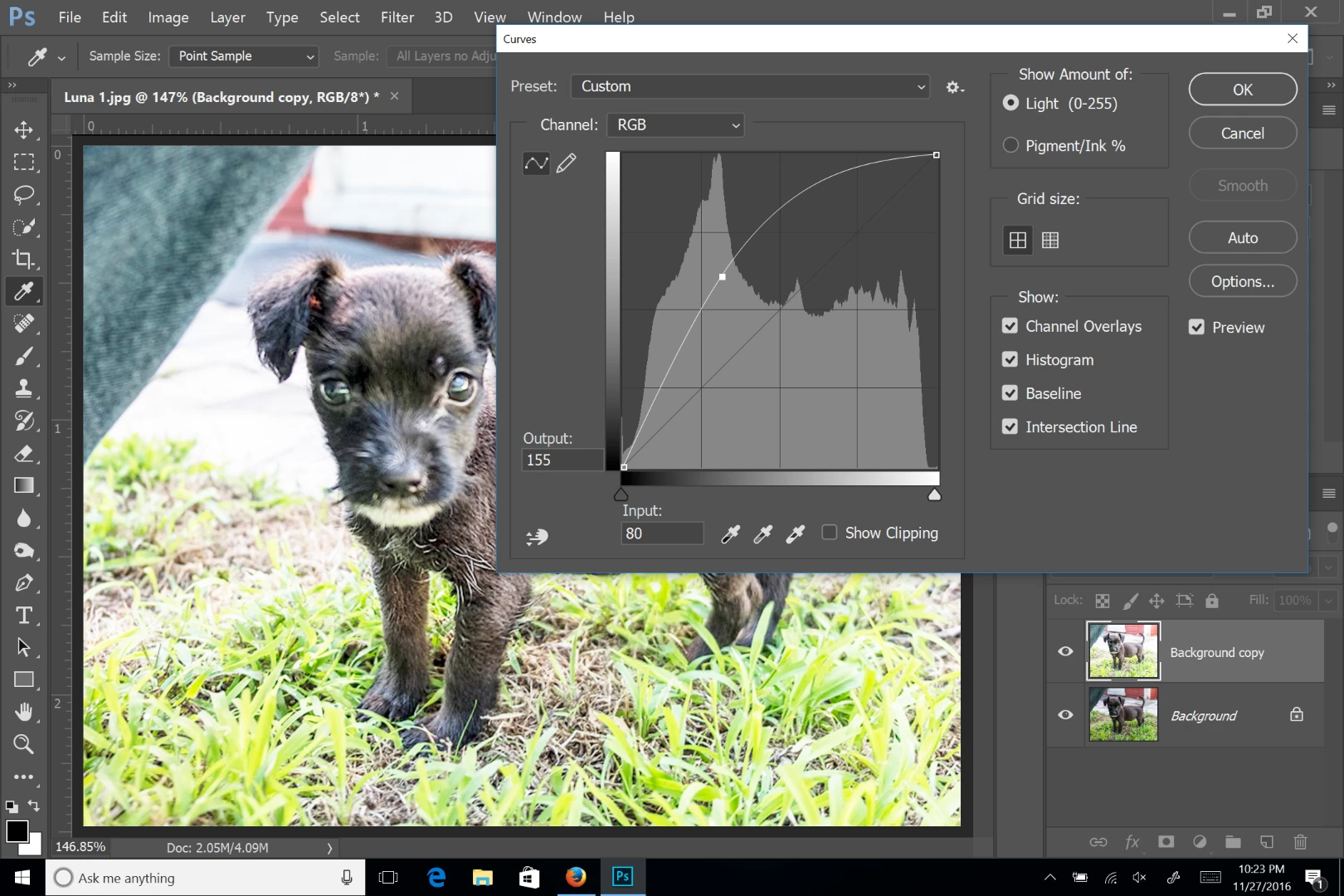
Or are you applying the adjustment directly to the layer, as in the next screen shot? Are both layer thumbnails changing with the adjustment?
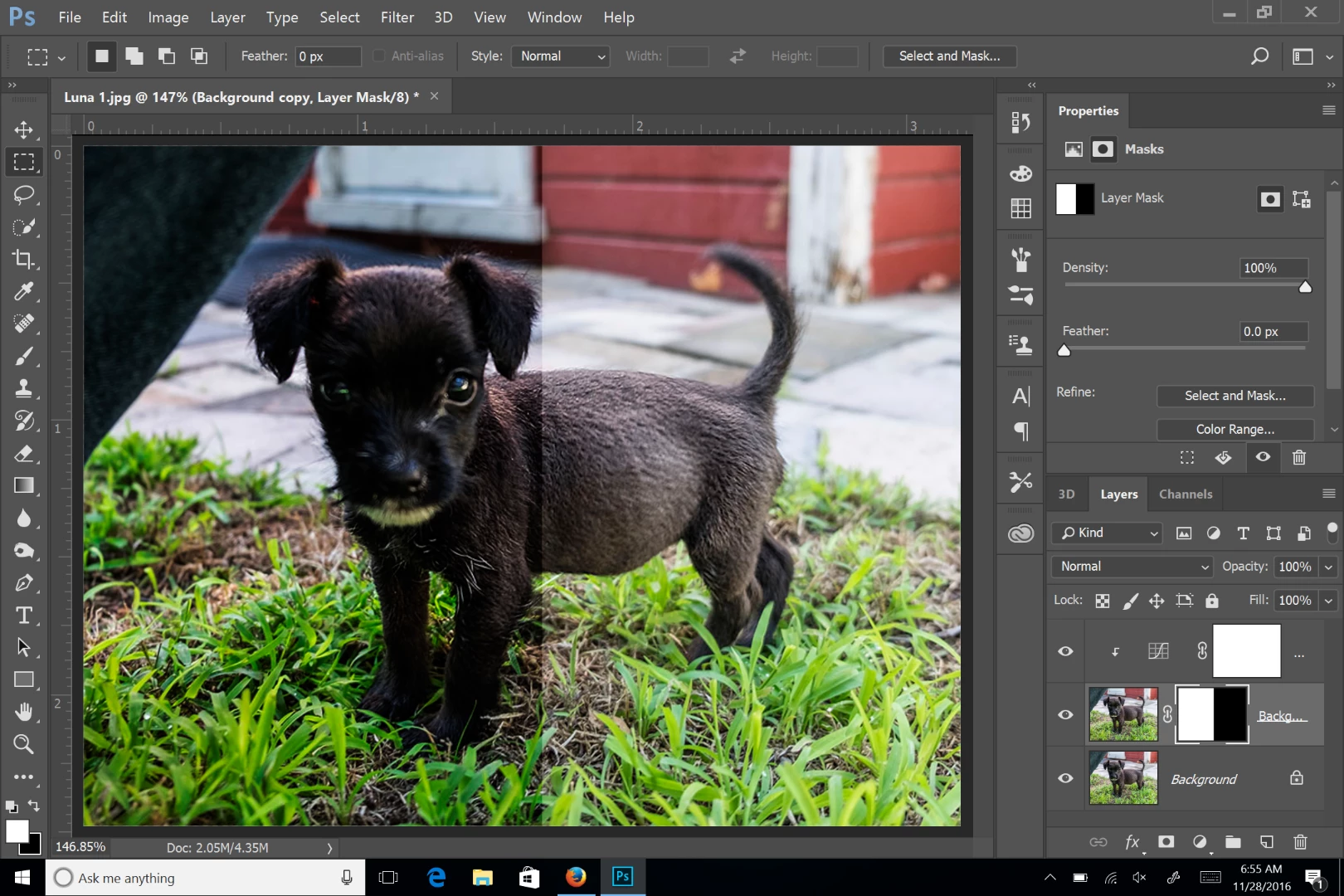
There are a couple ways to make changes to just one or some layers. If you want to adjust just one layer, you can clip the adjustment layer to the layer by holding down the opt/alt key and clicking between the two layers in the layer panel - I added a layer mask so you can see the difference:
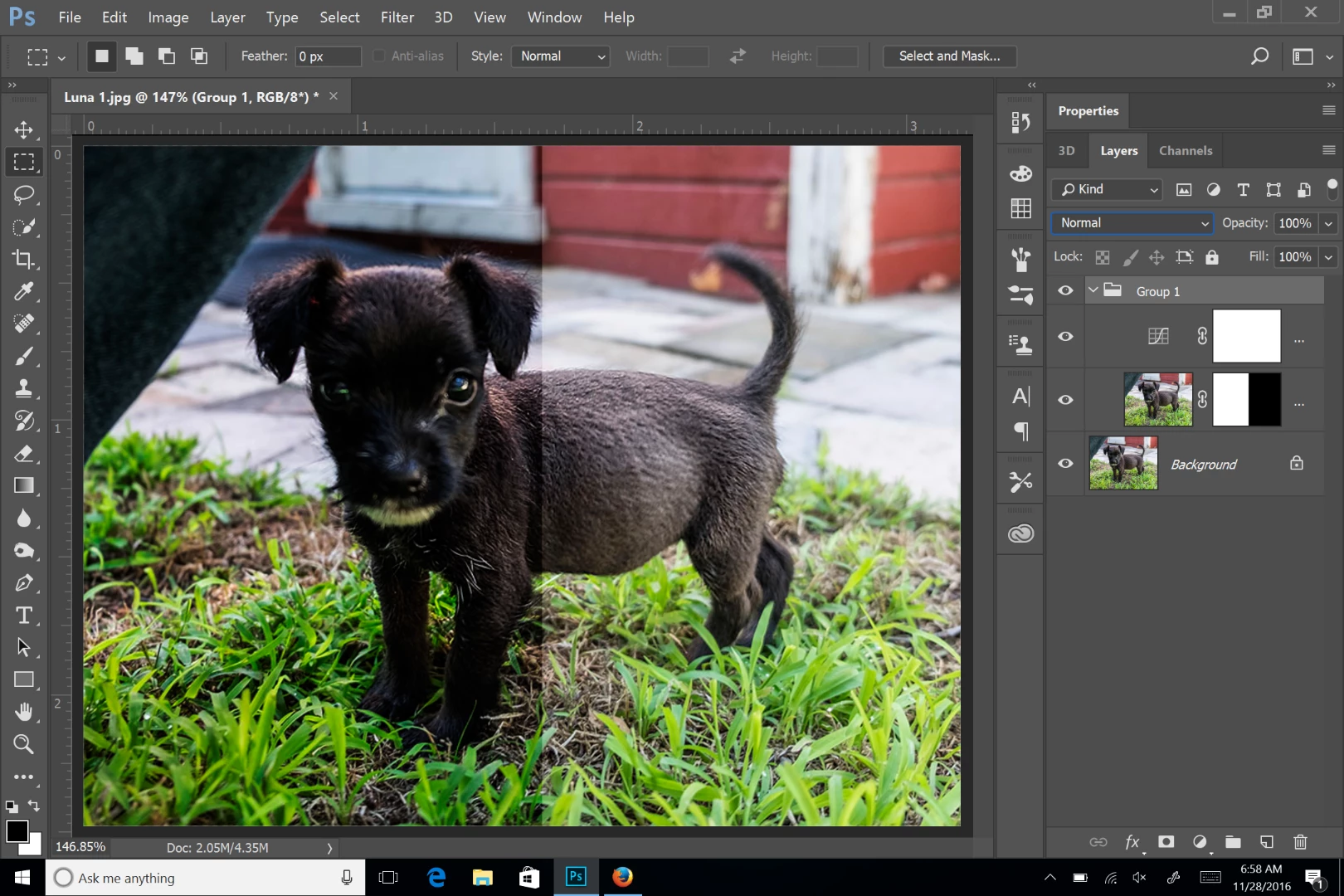
You can also put several layers in a group and change the groups blend mode to normal, or something other than pass through.
Already have an account? Login
Enter your E-mail address. We'll send you an e-mail with instructions to reset your password.
 AdChoices