

Trevor.Dennis
Community Expert
Community Expert
June 23, 2019
Question

Lazy Nezumi Pro has a Toolbar

  • June 23, 2019
  • 2 replies
  • 5410 views

While discussing my Lazy Nezumi Pro appearing to make Photoshop freeze issue with Guillaume Stordeur — the author of LNP — he asked in passing, how I was getting on with the new toolbar

?  What toolbar was my reply?

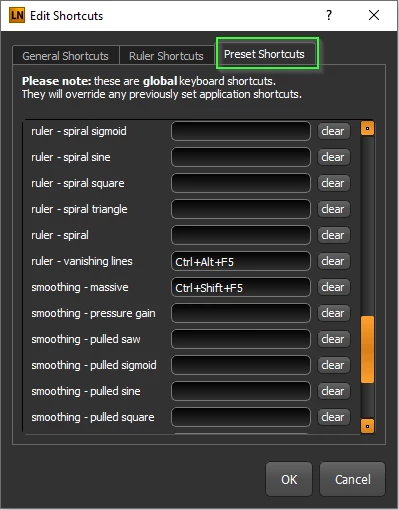
While LNP is far and away my favourite Photoshop plugin, the ever continuing addition of new features and presets leaves you with a 'can't find the wood for the trees situation.  The UI has become more complex over the years, and a preset that you use only occasionally, becomes a chore to find.  You can add shortcuts for your favourite presets, at least one of which Guillaume fixed specifically for me (he is incredibly helpful) but with more than 40 presets, all of which are configurable, you can see the problem.
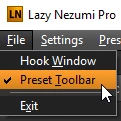
It turns out that a toolbar was added at the end of May this year​ and can be turned on from the File menu.
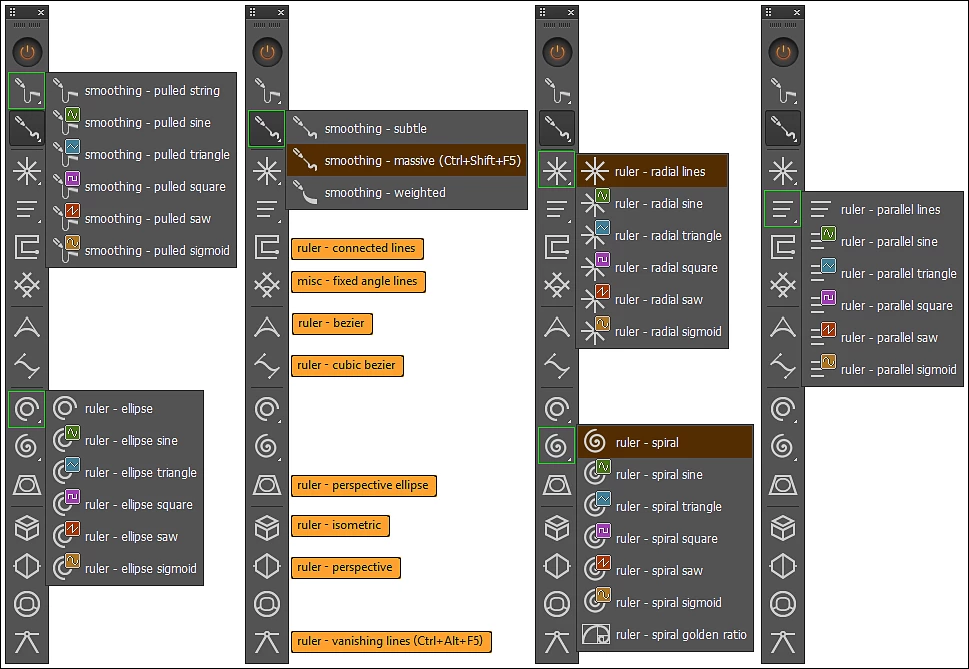
And what a lot of options it has. 
              

The toolbar floats on top the same as the main LNP panel, but it is a bugger to pick up and move, and I still have not got that off pat.

The UI has the same font size as the main LNP panel, and I don't know any way to change it.  I'm thinking that is going to be a real problem on a very high resolution screen.  A poster was asking about a 15" Alienware laptop with a 4K screen in a recent thread.  Photoshop would just about be OK at 200% but the LNP toolbar works out to 3.5mm x 52mm  (0.138" x 2.06").  I suspect that would be completely unusable for all but the very young.

Getting back on track, the toolbar is configurable by shape
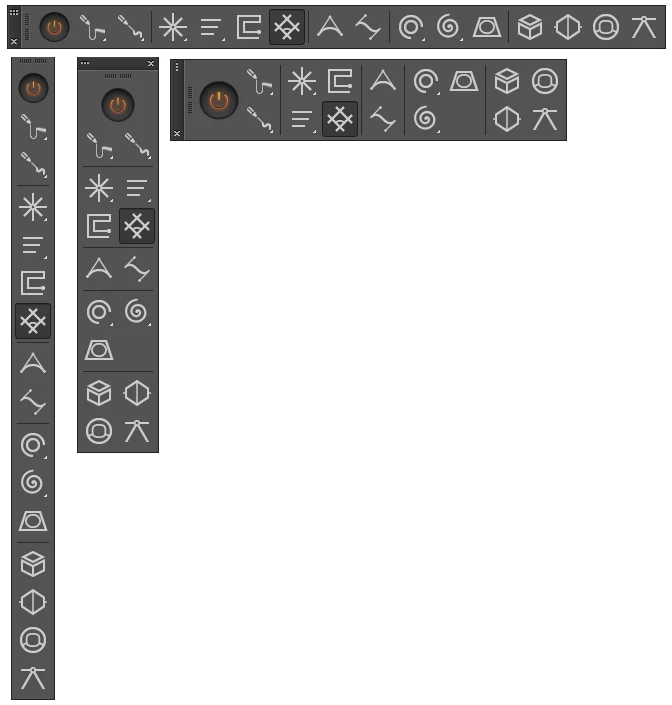
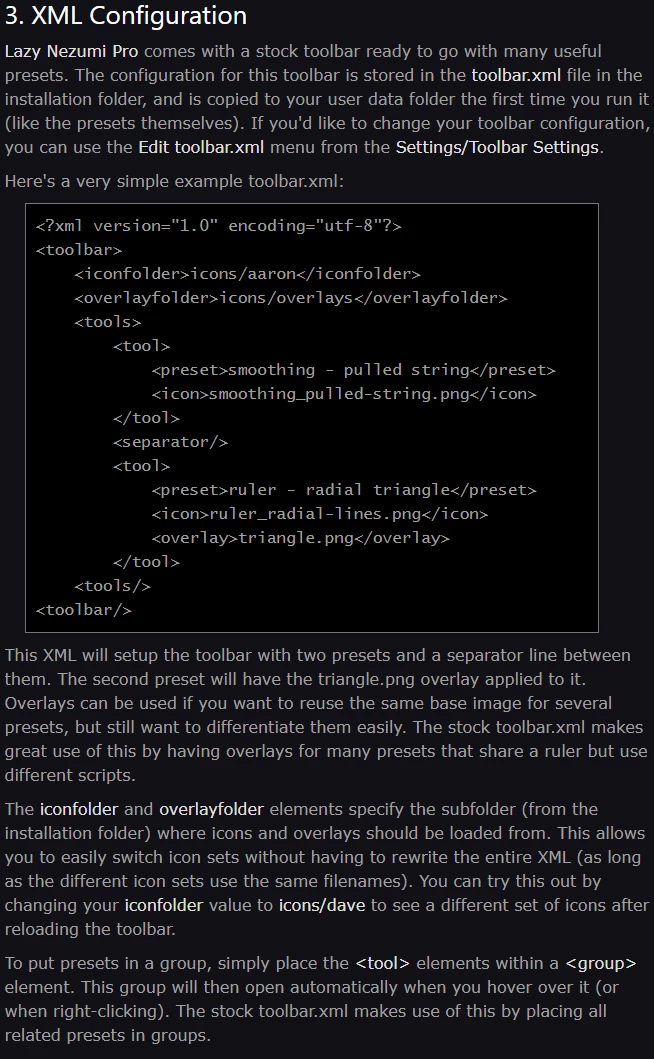
Two sets of icons are available, and you can design and apply your own icons via an XML file
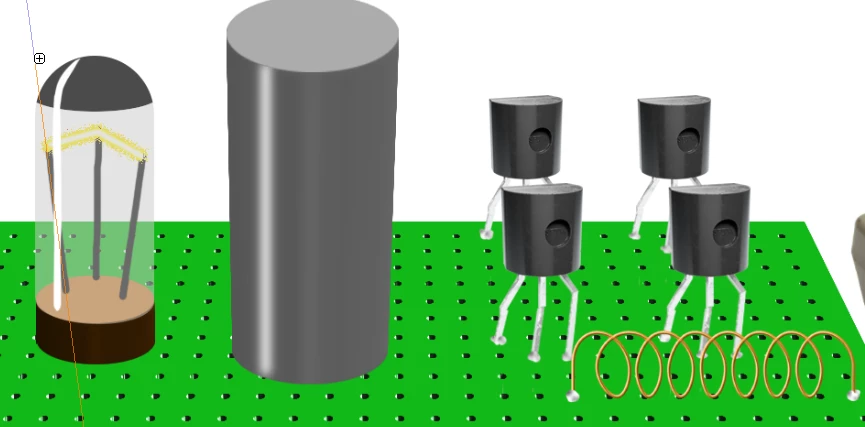
So I hope this helps if you are a Lazy Nezumi user.  I mainly use it for brush stroke smoothing and the Vanishing lines perspective preset, but today I was also using Loops to draw a coil, and Radial Lines to draw the converging lines in the radio valve on the left.  I use most of the Ruler, and a good few of the scripted, presets at some time or other, and I am sure I'll make better use of them now they are easier to find.
I was really only giving folk a heads up about the toolbar with this post, but now I am at it, I'd like to mention pen pressure.  If you've used Krita (It's free, so no reason not to) or Paintstorm Studio, you'll have noticed how much better they handle pen pressure.  They also let you customize the pressure curve leading to all sorts of wondrous effects, but mostly, it lets you home in on a pressure curve that gives you 'way' more control at the lower end.  This is Paintstorm Studio below (US$19)
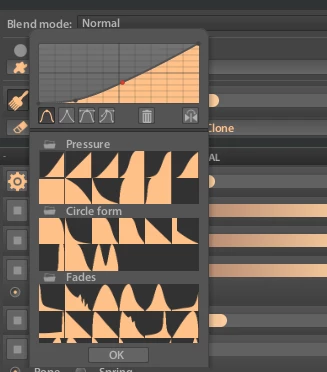
This is Krita right out of the box.  You'd have a job to do that with any sort of reliability in Photoshop.

      

Well Lazy Nezumi Pro gives you the same control of brush pressure.  Try settings like these below. Maybe go even lower with Gain and Softness

Have a wee play with the brush, and then turn LNP off.  It's like being hit in the face with a sledge hammer.  If you find a setting you like, you can save it at the bottom of the panel, or just remember the ball park settings that work for you. 

This topic has been closed for replies.

2 replies

Bob_Hallam
Legend
June 24, 2019

I'd have loved to try it but sadly it's Windoze only.   Maybe a Mac version will help them organize it a bit better. 

ICC programmer and developer, Photographer, artist and color management expert, Print standards and process expert.
Trevor.Dennis
Community Expert
Community Expert
June 25, 2019

Bob_Hallam  wrote

I'd have loved to try it but sadly it's Windoze only.   Maybe a Mac version will help them organize it a bit better. 

I've asked him several times about a Mac version, and said there is not shortage of interest, but he says it is very unlikely to happen.

Having used the toolbar for several days now, I'm finding it has a downside. The problem is where to park it.  Like the main LNP panel It is Always On Top.  I don't find that an issue with the main panel as I use it on my right side screen, but it needs to be on your primary monitor to be most useful.  So I initially placed it to the left of my strip of collapsed minor panels, which I thought was OK until I opened a panel that used a bit of space, and found it was half hidden by the LNP toolbar.

No problem I thought.  I changed it to a horizontal format, and placed it in the empty space between the option bar and workspace buttons.  That'll do nicely I thought.

Until I switch to Chrome and found it's menu bar was covered.

I haven't yet worked out a good compromise, and am open to ideas. It really needs to lose it's Always on Top status when Photoshop does not have focus.  I did make Guillaume aware of this thread, so he might know of this concern.

JJMack
Community Expert
Community Expert
June 25, 2019

I to put it horizontal on top.  I like using  the option open group group on hover but have suggested a tweak to the author to couple that option with the ON/OFF state of the Toolbar button. So if the plugin is disable not automatic open group.  I tried setting a LNP shortcut for the toolbar Show/Hide feature that works however, it only work when the Main LNP window is Open.  It does not function when the Main LNP window is minimized.  That may be a bug you could try reporting it as  a bug.  Shortcut key only works sometimes....

I reported the shortcut keys seen to conflict  and fails to function at time till I use the Taskbar interface to un-minimize LNP main window.  IMO the is a bug in there...

JJMack
JJMack
Community Expert
Community Expert
June 23, 2019

I purchased LNP some years ago but I'm not artiest so I can not say I use it much at all. Photoshop mow also has some smoothing. So when my Licence failed to update for free I stopped checking for updates and stuck with what I had.   LNP is so customizable and has so may thing that can be tweaked its presets were hard to remember and access.  It has some great features for controlled drawing lines.  A tool bar would definitely help with using LNP.   So I got out my credit card  thanks....

JJMack
Trevor.Dennis
Community Expert
Community Expert
June 24, 2019

That's great JJ.  I know it's going to make a big difference to my usage, and will expand the number of features that I use if for no other reason than I can go straight to them now.  I love the Photoshop search tool for the same reason.  It's frustrating trying to track down a seldom used tool, and that search feature has it selected by the time you have typed the first few letters of its name.