


Participant
March 4, 2019
Answered

Leaderboard spreadsheet to graphic

  • March 4, 2019
  • 2 replies
  • 2502 views

Im trying to figure out a way to automate information from a google spreadsheet into my graphic.
Up to this point I have been copying and pasting data in from the spreadsheet and has become very time consuming as I make a couple of these leader boards.

First thing i want to be able to do is automatically have the top 10 on the leaderboard put into the "Top 10 Drivers" text layer as seen in the screen shot, and the same for team, podiums, points and difference.
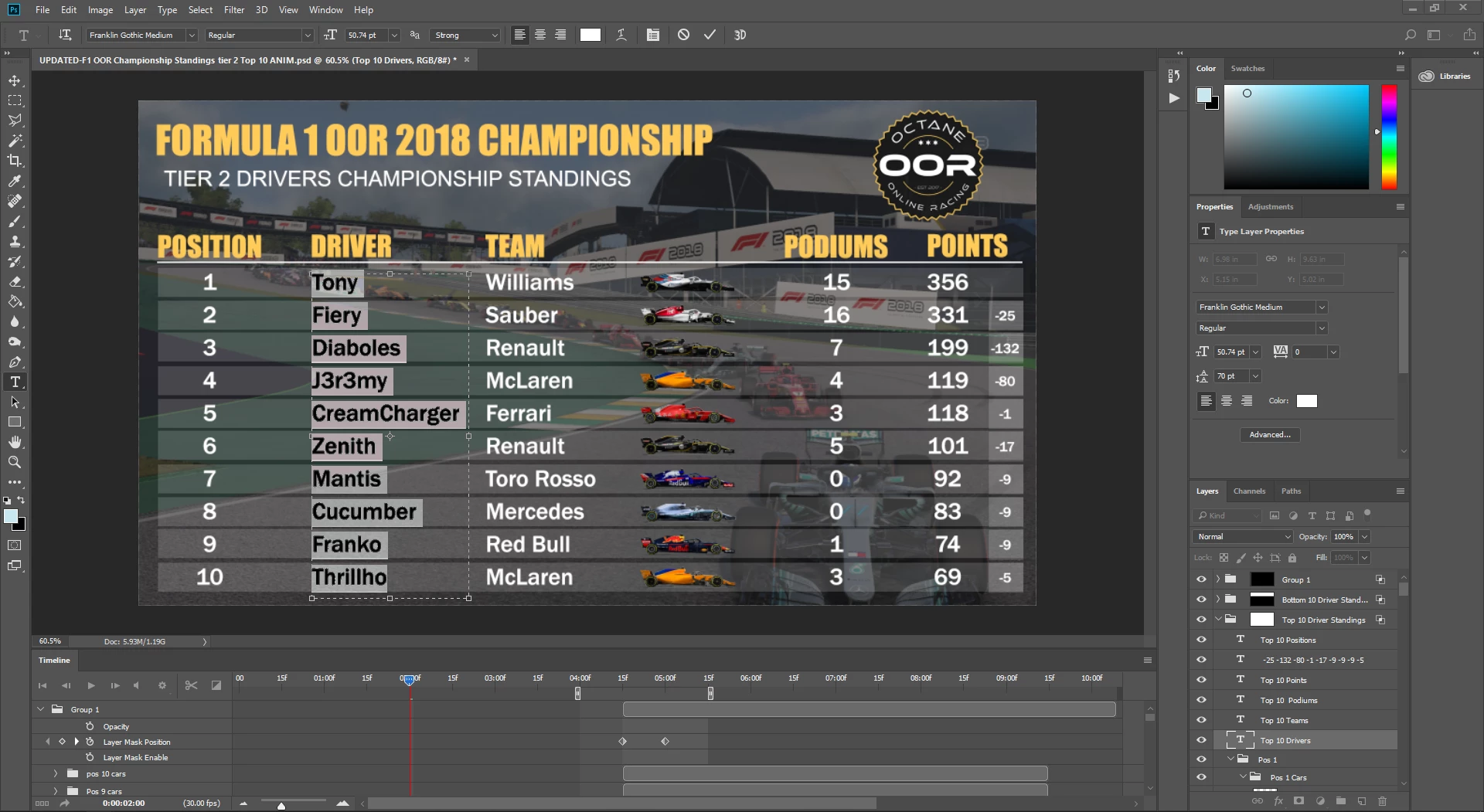
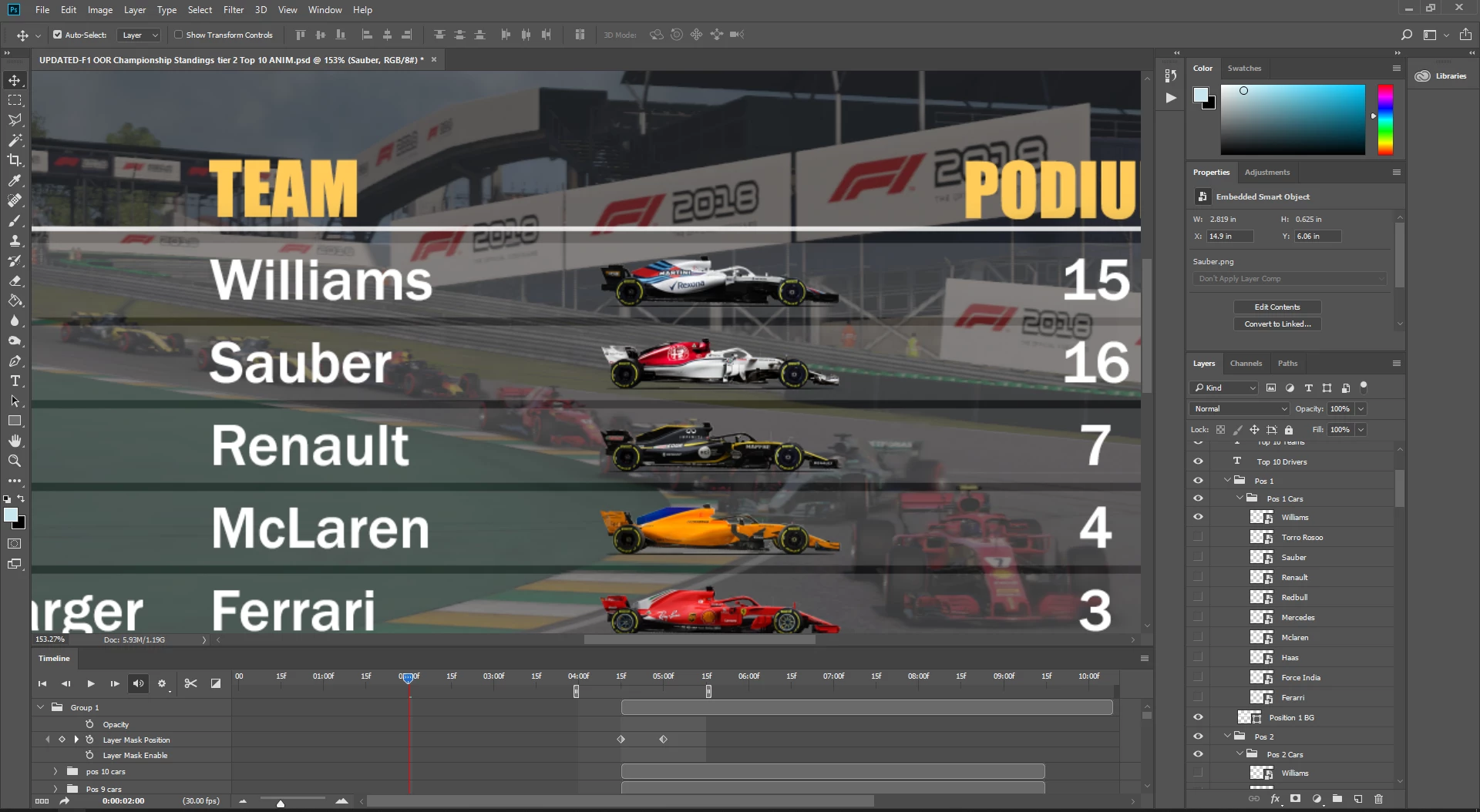
Second thing i want to do is have the Picture of the car change to the correct teams car when the leaderboard are updated. Currently I have the image of every car in every position so I just turn them all off and turn on the one I want. (see screenshot)
Here is a link to the spreadsheet im pulling data from. STANDINGS - Oceania Tier 3 F1 Series (S3)

If anyone has any solutions for this would be awesome!

This topic has been closed for replies.
Correct answer Dave Creamer of IDEAS

To add to JJMack's answer, you want to look into Image>Variables.

Creating data-driven graphics in Photoshop

2 replies

Participant
March 12, 2019

Thanks for pointing me in the right direction. I knew it had something to do with this but couldn't figure out how to do it.
in case anyone is wondering for a project similar, all I did was take the leader board table, setup columns in excel for every single driverName, podiumCount etc. and then create text layers for each driverName etc in Photoshop so when i import the data as a csv it adds every piece of information from the leader board into Photoshop.

Participant
April 17, 2020

Hi Ryan,

I'm trying to create a leaderboard for a friendly golf tournament. I wanted to inquire if you created your leaderboard in Photoshop. If so, how?


Thanks!

JJMack
Community Expert
Community Expert
March 4, 2019

Look at Photoshop Data Driven Graphics feature.

JJMack
Dave Creamer of IDEAS
Community Expert
Dave Creamer of IDEASCommunity ExpertCorrect answer
Community Expert
March 4, 2019

To add to JJMack's answer, you want to look into Image>Variables.

Creating data-driven graphics in Photoshop

David Creamer: Community Expert (ACI and ACE 1995-2023)