
Participant
October 10, 2021
Answered

Legacy Shapes

  • October 10, 2021
  • 1 reply
  • 1580 views

How do you get legacy shapes from earlier version of Photoshop when you are on a new system the NEVER HAD the earlier versions of Photoshop installed?

All the sollutions keep assuming that the person has Photoshop 2019 on their system.
I am on a new system, the only version of Photoshop that is on it is 2020, so I can't just get the shapes from an earlier version.

I also am not permitted to download older versions of Photoshop to get those shapes back.

Is there some place that Adobe has created that allows long time users to get the old shapes back?
This topic has been closed for replies.
Correct answer Nancy OShea

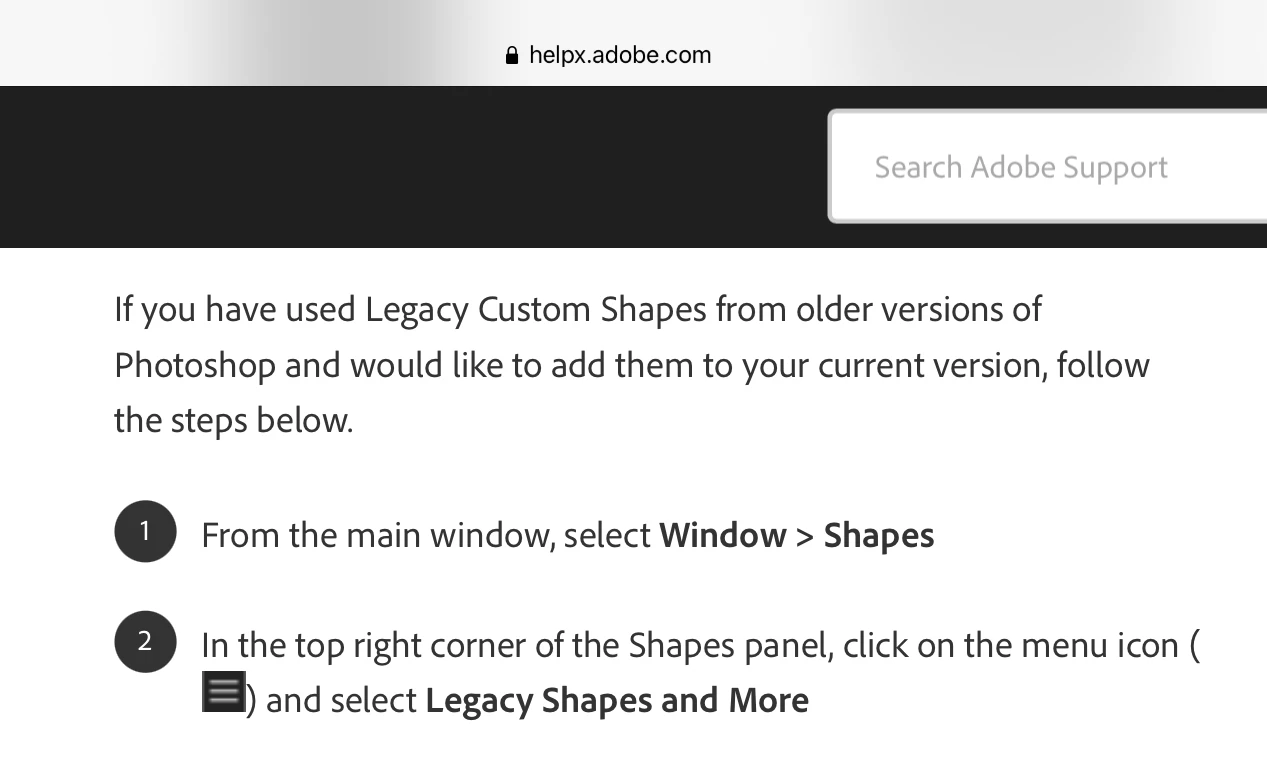
You DO NOT need a prior version of Photoshop to get Legacy Shapes.   See screenshot.


1 reply

Nancy OShea
Community Expert
Nancy OSheaCommunity ExpertCorrect answer
Community Expert
October 10, 2021

You DO NOT need a prior version of Photoshop to get Legacy Shapes.   See screenshot.


Nancy O'Shea— Product User & Community Expert
dawns78082388
Participant
April 18, 2022

Unfortunately this 2022 upgrade does not have a choice to add the legacy following your format.  Is there another way?

Participating Frequently
August 29, 2024

No legacy shapes in CC 2024


The video is nice, but the "hamburger menu"  folders (with drop down "v" arrows) -- are all empty in CC 2024.
Anyone have a link to just download them from Adobe so I can place them on the harddrive in the presets?

(Years ago, Adobe allowed users to even download old obsolete software; one would think there is an archive library somewhere.)   IMO....This is why Adobe's stock price is not up where it should be.  They products are suffering when the older programmers and UIA testers get laid off or retire. Legacy knowledge is valuable.