Participant
July 22, 2017
Answered

Lens Blur problems

  • July 22, 2017
  • 1 reply
  • 1002 views

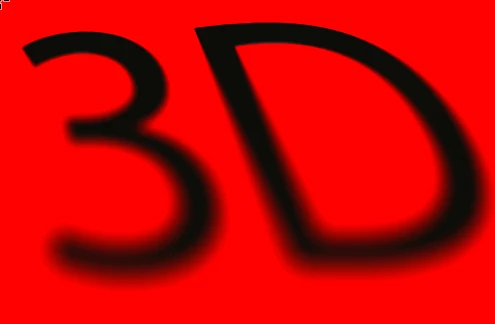
So I'm trying to make a shadow effect on some text using lens blur, so that the blur is tight at the top of the image and blurry lower down. I'm using an alpha channel to control the difference in blur strength. But no matter what I do I can't stop it from doing this:

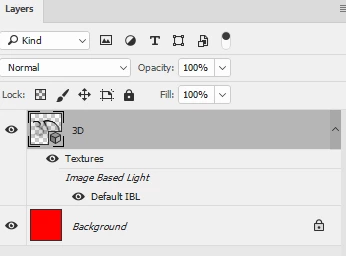
The text is on a layer of its own with a transparent background. It needs to have the transparent background for future use. The red layer is there just to illustrate the problem..

Why am I getting a grey blur at the bottom and right of the text?

All suggestions hugely appreciated
This topic has been closed for replies.
Correct answer davescm

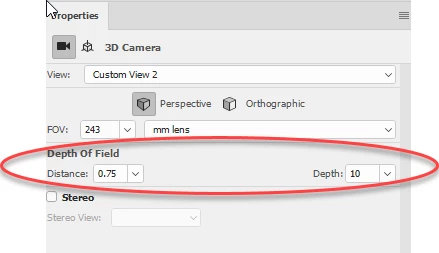
As an alternative you could make a 3D extrusion from your text then use the depth of field on the 3D "camera" to give that same effect.

Dave

1 reply

davescm
Community Expert
Community Expert
July 22, 2017

Yes I can replicate that here, it looks like a bug. It only happens when lens blurring with transparency

Before :

After with separate layers (i.e. the black is on a transparent layer) :

After with merged layers (i.e. red and black on same layer)

Dave

davescm
Community Expert
davescmCommunity ExpertCorrect answer
Community Expert
July 22, 2017

As an alternative you could make a 3D extrusion from your text then use the depth of field on the 3D "camera" to give that same effect.

Dave

Participant
July 22, 2017

Thanks for your help Dave, I actually found a very lengthy workaround to the problem but in future I'll definitely give the 3d camera a go..

Thanks again,

Matt