Participant
June 3, 2025
Answered

light reflections

  • June 3, 2025
  • 4 replies
  • 608 views

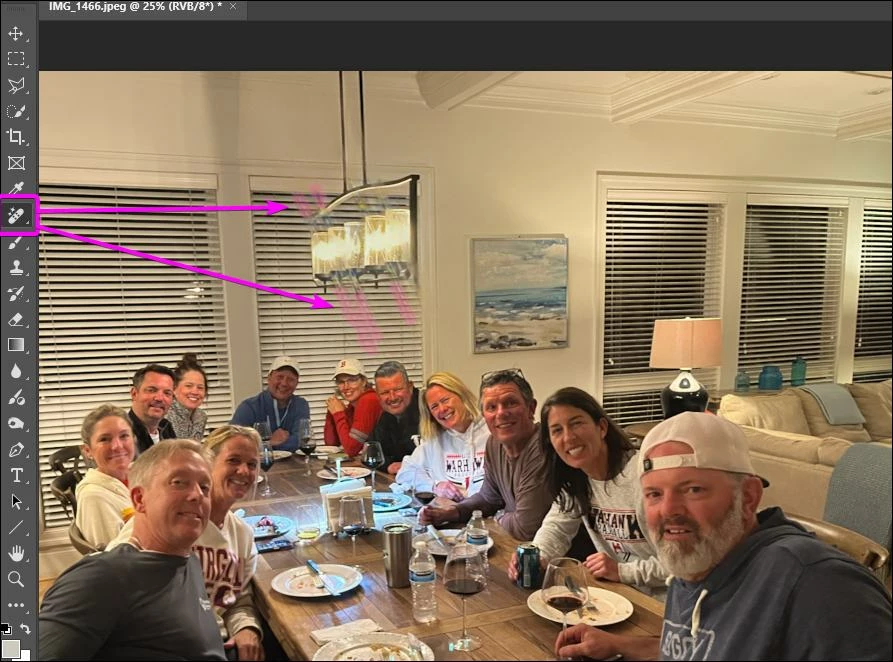
Is there a way to remove or blend in these light bursts from the chandelier? Doesn't need to be perfect, just better. I'm a newbie and need very explicit instructions if it is possible.

Correct answer JR Boulay

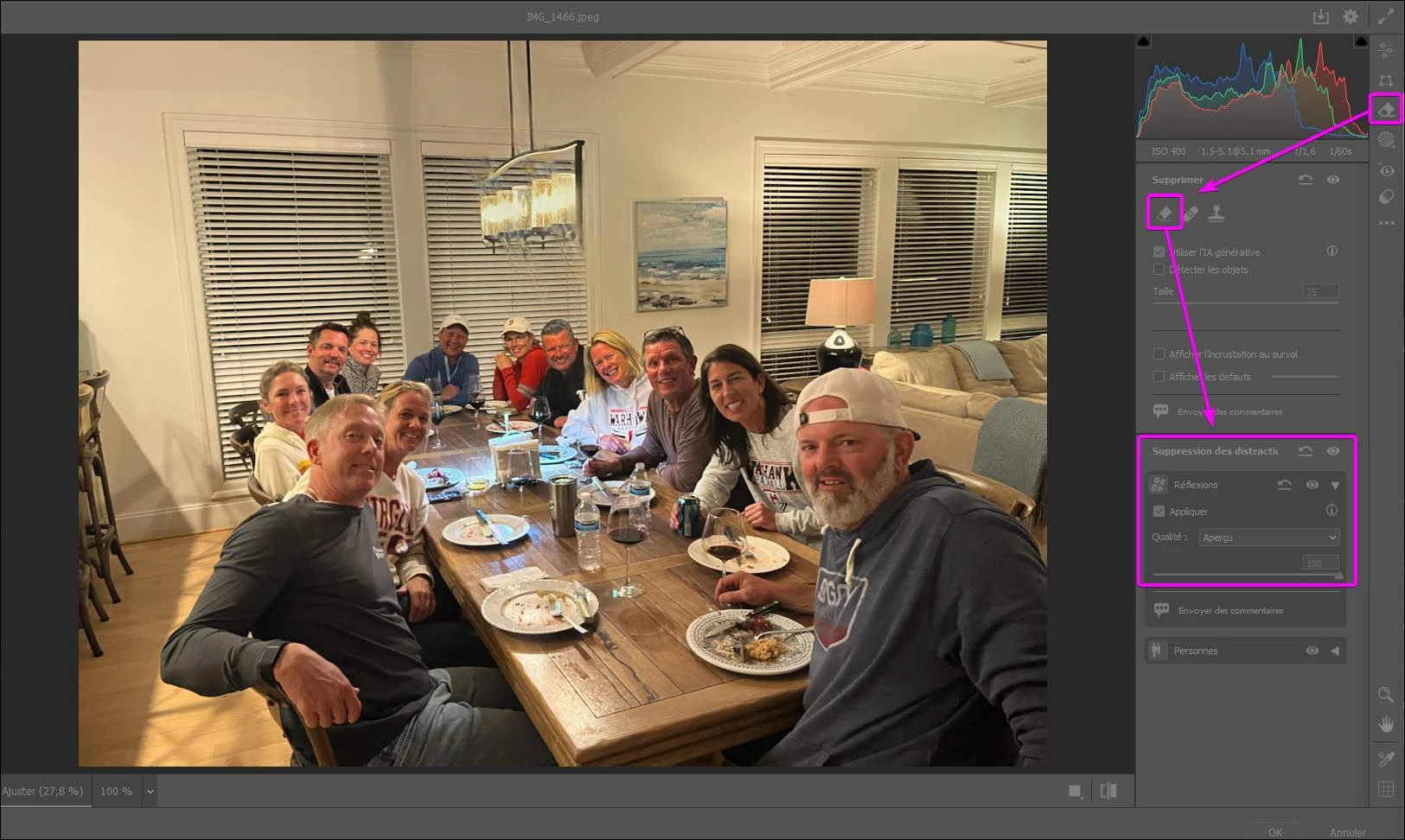
Go to the Filter menu : Camera Raw filters.

And then use the "Remove" tool to remove the remaining traces.


4 replies

JR Boulay
Community Expert
Community Expert
June 4, 2025

Infinite loop


Acrobate du PDF, InDesigner et Photoshopographe
Trevor.Dennis
Community Expert
Community Expert
June 5, 2025

I have always thought that recursive, or Drost effect, images should feature a bear bum, so that it can disappear up...

I'll get my coat.  😞


Filter Forge 11.  I think the current version is V14, and that tells how long it is since I last used it!

JR Boulay
Community Expert
Community Expert
June 3, 2025

Also note that the gentleman in the foreground has been swindled: the visor of his cap is sewn on the wrong side.

😉


Acrobate du PDF, InDesigner et Photoshopographe
kr_wilsonAuthor
Participant
June 4, 2025

Thank you so much! I couldn't figure out how to do all that myself so I just screen shot what you did and used it--good enough for my purposes!😊

And lol about the hat!

JR Boulay
Community Expert
Community Expert
June 4, 2025

You asked for very explicit instructions, and you got them. You should try them, it only took me a few minutes.

Acrobate du PDF, InDesigner et Photoshopographe
creative explorer
Community Expert
Community Expert
June 3, 2025
JR Boulay
Community Expert
JR BoulayCommunity ExpertCorrect answer
Community Expert
June 3, 2025

Go to the Filter menu : Camera Raw filters.

And then use the "Remove" tool to remove the remaining traces.


Acrobate du PDF, InDesigner et Photoshopographe
