
Participant
November 7, 2021
Question

Lighting effects not properly working 22.5

  • November 7, 2021
  • 2 replies
  • 190 views

Hello,


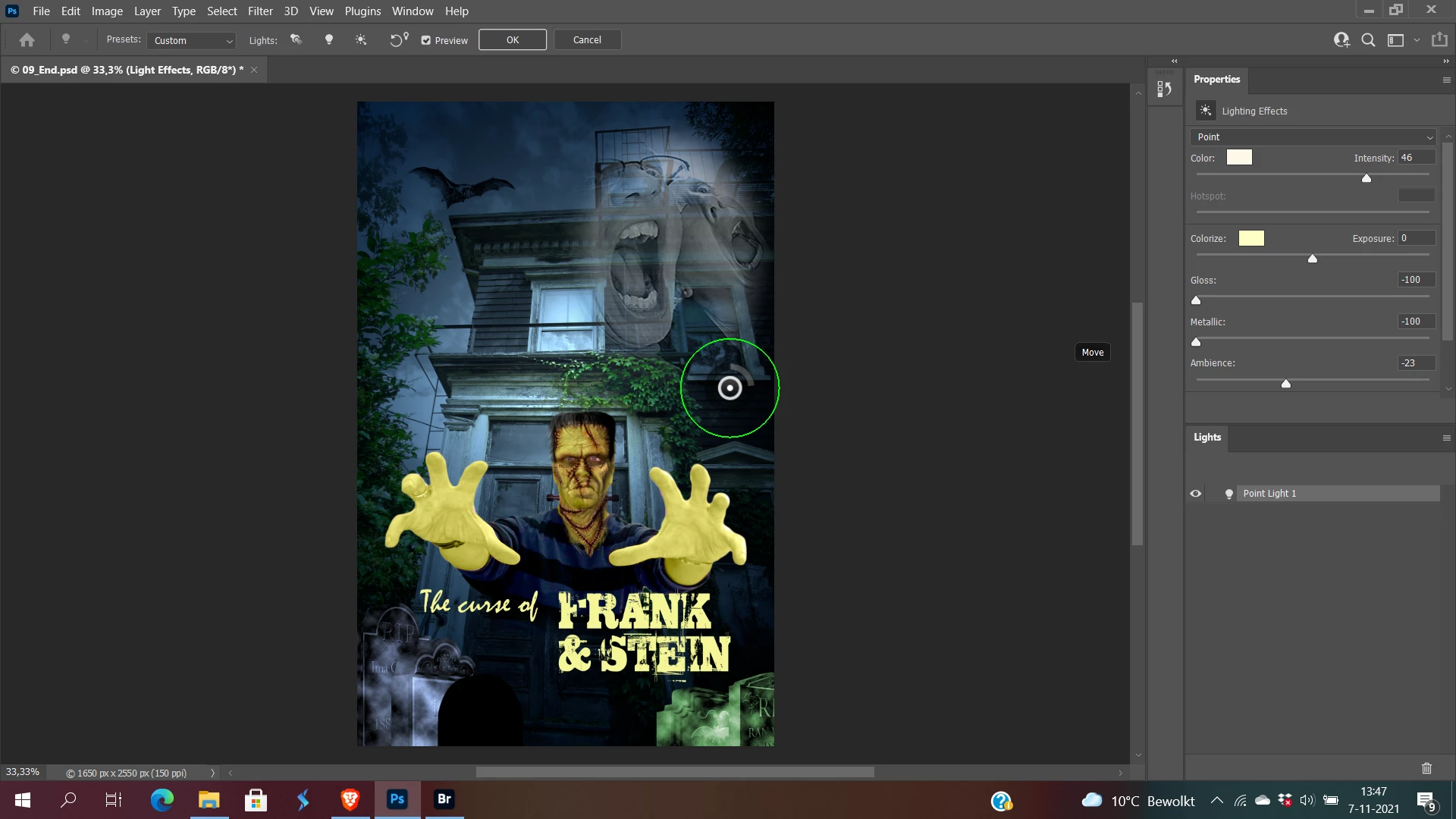
Ive been trying to use Lighting Effects in Photoshop. Unfortunately, non of the lights are showing on the image.


Ive tried to "Deactivate Native Canvas" in preferences.


Does anybody know how to get this effect to work?
This topic has been closed for replies.

2 replies

Zaid Al Hilali
Community Expert
Community Expert
November 11, 2021

I found this solution posted by @Ged_Traynor in this post, his solution worked for me.

Zaid Al Hilali
Community Expert
Community Expert
November 11, 2021

How funny is that, I was working on the same file as yours up here when I noticed Lighting Effects filter doesn't work well.

I'm on Mac OS Big Sur 11.6 (2018 MacBook Pro), RAM 16 GB

Ps v. 23.0.1

When I apply the filter, it either displays fully white window as shown below

Or, shows the image/photo, however, it doesn't display light effect apropriately even if I change lighting options eg. Flash Light, Spot Light, etc.