



Lightroom on 4k monitor Photoshop Wacom Tablet - Resolution issues
I use Lightroom Classic (latest version) on a 4k Monitor.
Photoshop runs on a Wacom 1920x1200 pen display.
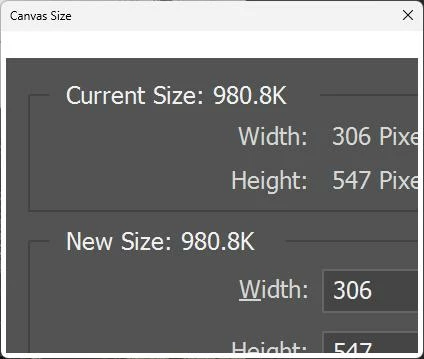
If I right click on a thumbnail in lightroom and say, "Open in Photoshop 2023", the file opens but any dialog that "pops up" is way too big. I cannot even see the options on the dialogs. Take a look at Canvas Size:
I right clicked on the lightroom icon, went to the properties and went to the compatiblity tab. I then drilled into the high dpi settings like this:
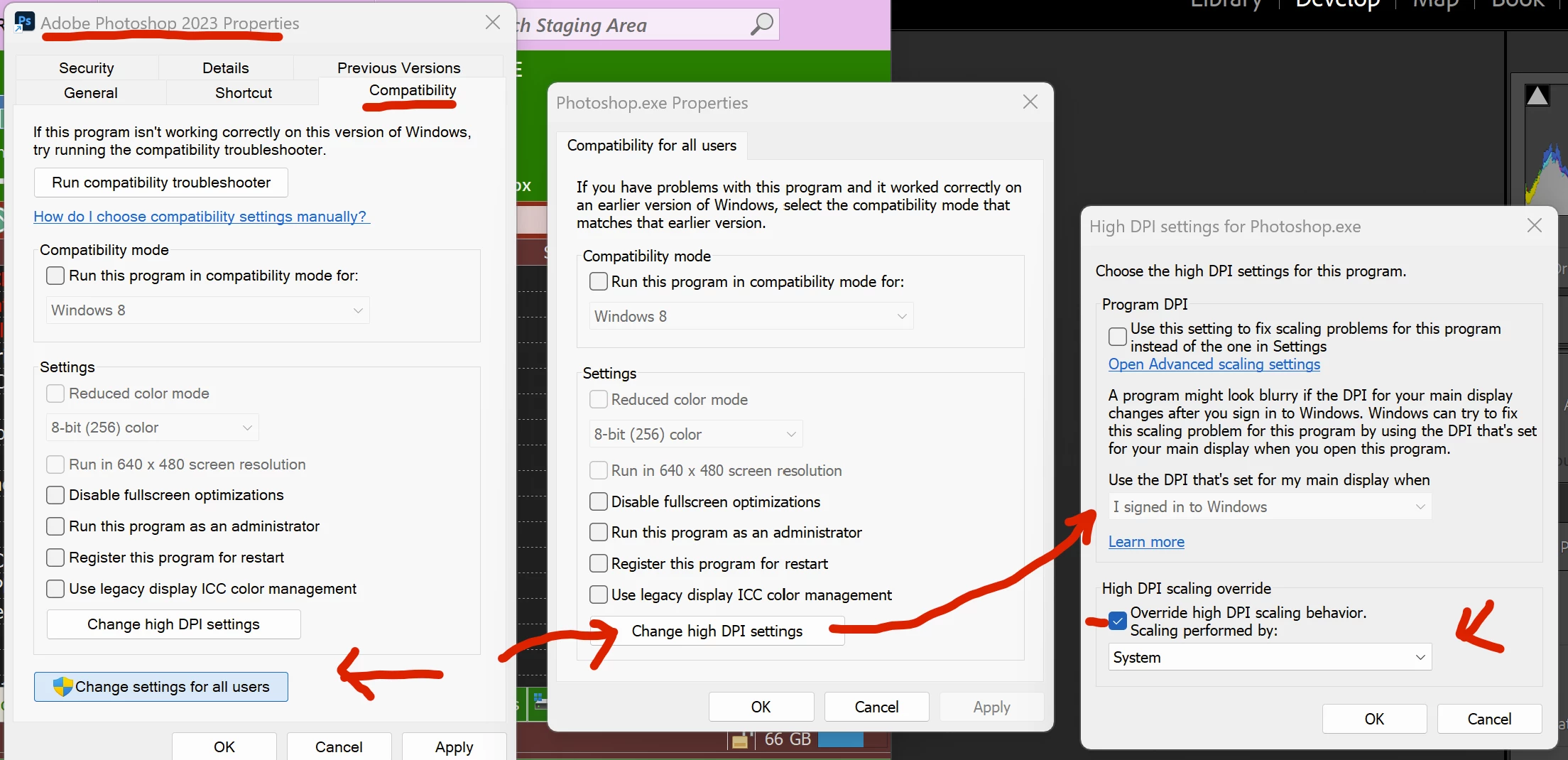
Now if I open photoshop directly and THEN say edit in photoshop, the problem goes away. BUT if i right click on a thumbnail select edit in photoshop without opening photoshop first, the problem persists.
What can I do? I want to be able to right click an icon, have it launch photoshop with proper dialogs.
 AdChoices