New Participant
October 22, 2021
Answered

Line pattern problem on my photos

  • October 22, 2021
  • 4 replies
  • 1883 views

I think my Canon EOS 5DMarkIII has a readout circuit that has gone bad that is causing every 8th pixel to be RAW causing these black lines all over my photo.  Does anyone know if there is a way to fix this in photoshop? See attached photo.

This topic has been closed for replies.
Correct answer r-bin

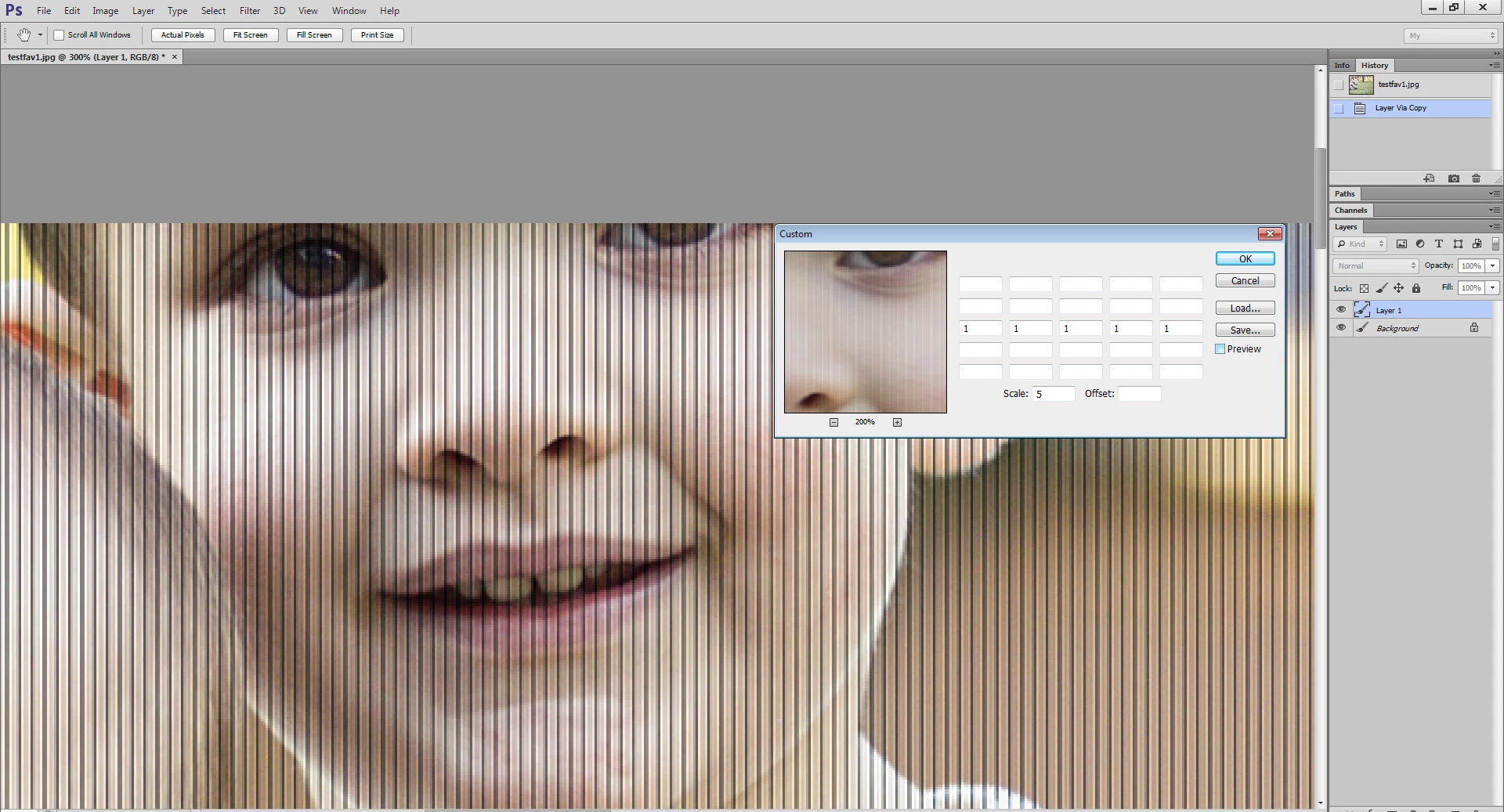
Apply this filter two times.

The screenshot shows the result of the first application.
 

4 replies

New Participant
October 25, 2021

I trusted my Canon S95 to capture some important images and I now see that there are unexpected vertical lines in the frame (in portrait mode). Any chance that I can remove these? I have RAW versions for most images.


Thanks for your help!


Robert

Brainiac
October 25, 2021
Stephen Marsh
Community Expert
October 23, 2021

Another option is a FFT filter:


Fixel FFT Wizard 2

r-binCorrect answer
Brainiac
October 22, 2021

Apply this filter two times.

The screenshot shows the result of the first application.


New Participant
October 26, 2021

Which filter is that?


I need to fix the pic shown above and a dozen others shot with this failing S95 camera.

Known Participant
November 10, 2023

Oct 24, 2021


How/where do I find the Custom Filter?

Stephen Marsh
Community Expert
October 22, 2021

Can provide a download link (Dropbox, Creative cloud or similar) to a raw file, or a 100% sized crop from the upper left corner saved to .psd?
