Inspiring
March 29, 2019
Answered

line tool acting crazy

  • March 29, 2019
  • 2 replies
  • 1355 views

im trying to use the line tool

but i cannot alter the thickness of the lines, if i set the outline to different pixel settings it doesnt seem to make any difference

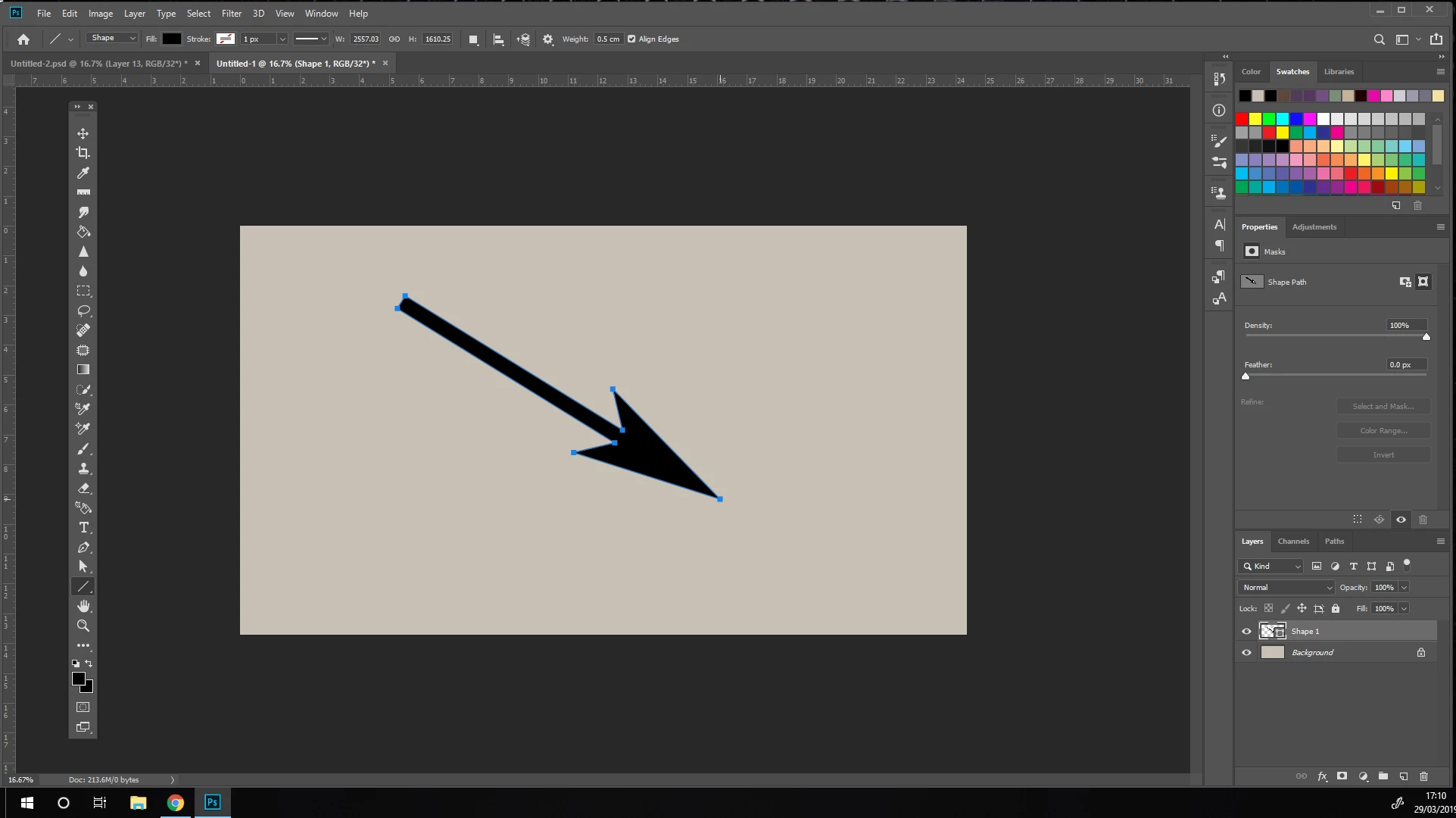
now it is making a wierd arrow shape and i cant make it go back to a line

help please
This topic has been closed for replies.
Correct answer davescm

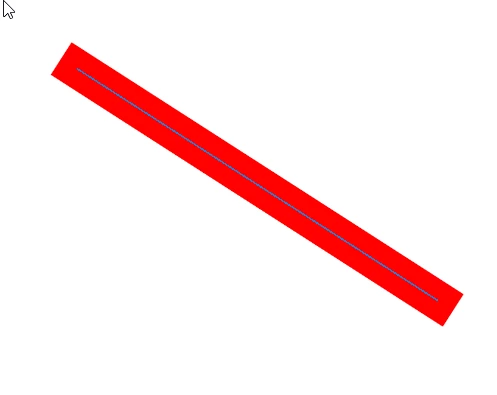
The line tool is a bit of a strange one as it does not actually draw a line but a 1px rectangle.

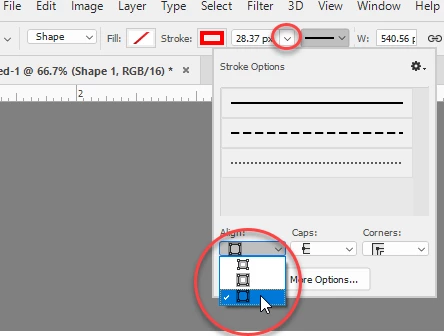
If you set the stroke to outside (in the options bar drop down - you can adjust the thickness with the stroke setting

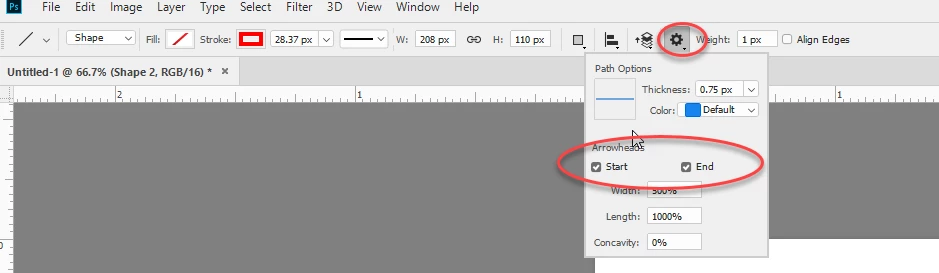
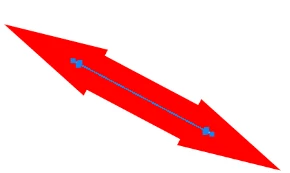
To add or remove arrow heads use this in the options bar

Dave

2 replies

Legend
March 29, 2019

Turn off the arrowheads.

davescm
Community Expert
davescmCommunity ExpertCorrect answer
Community Expert
March 29, 2019

The line tool is a bit of a strange one as it does not actually draw a line but a 1px rectangle.

If you set the stroke to outside (in the options bar drop down - you can adjust the thickness with the stroke setting

To add or remove arrow heads use this in the options bar

Dave

jane-e
Community Expert
Community Expert
March 29, 2019

davescm  wrote

The line tool is a bit of a strange one as it does not actually draw a line but a 1px rectangle.

If you set the stroke to outside (in the options bar drop down - you can adjust the thickness with the stroke setting

Dave

Strange indeed, Dave.

I was struggling with the line tool in Photoshop this morning and gave up until I read your answer here. I had tried all four of these controls and failed.

Stroke Options: Outside.

I won't ever forget, but this is not intuitive or logical or user friendly or common sense. How did you figure it out?

~ Jane

davescm
Community Expert
Community Expert
March 30, 2019

Hi

I can't remember how I first came across this but, once you realise that the line is a very narrow rectangle, the stroke outside then makes sense.

Dave