
Participant
April 13, 2018
Question

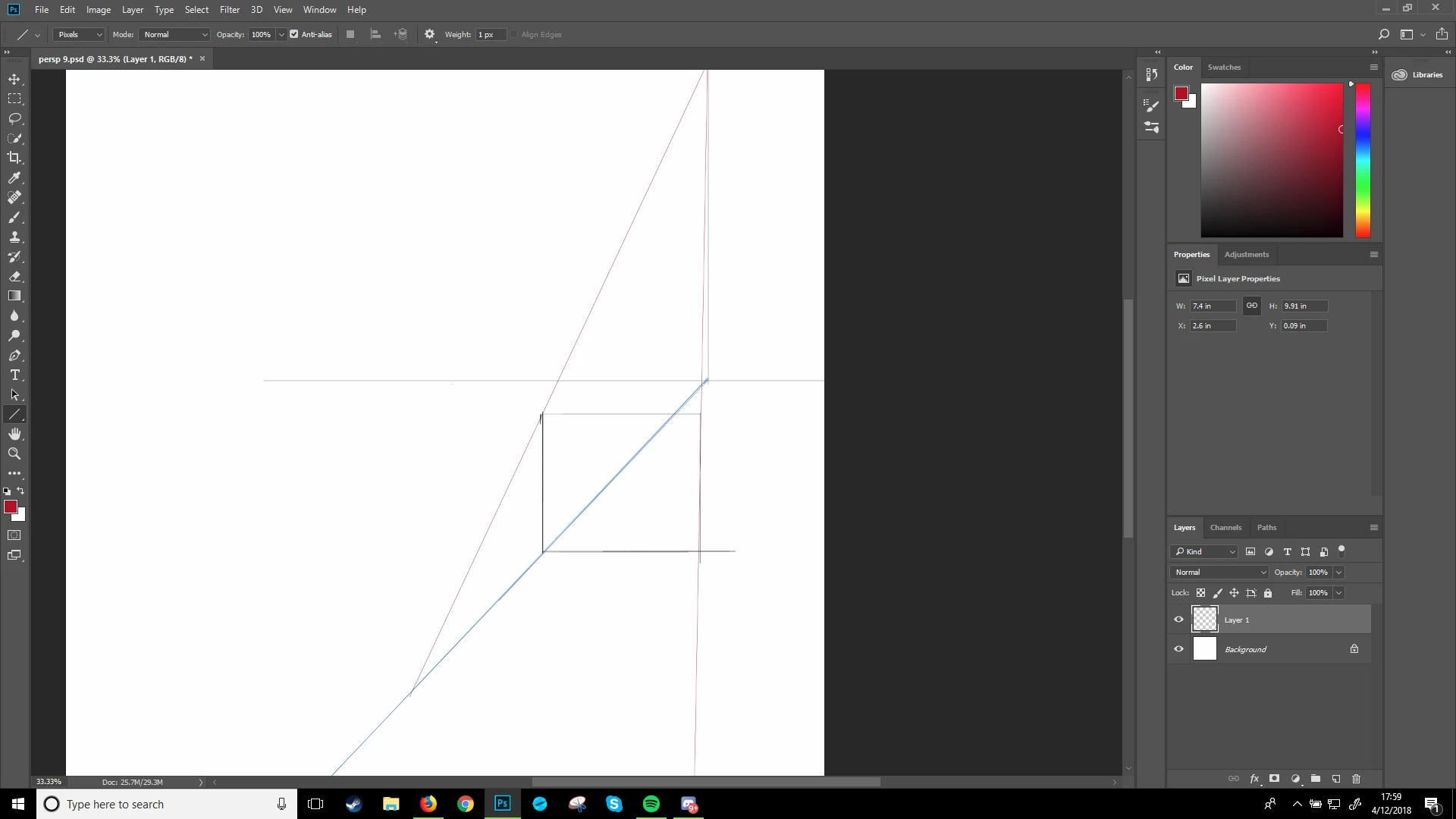
Line tool isnt straight
  • April 13, 2018
  • 2 replies
  • 200 views

didnt know how this happened but it did hec

when i use the line tool, its supposed to be straight and smooth but the lines suddenly turned squiggly and sometimes it would not draw a full line

it would skip a couple of spaces (same with the brushes)

Huion Tablet, Q11K, Photoshop CC

    This topic has been closed for replies.

    2 replies

    Norman Sanders
    Legend
    April 13, 2018

    Your setting in the Options bar is Pixels. Are you looking for Shape or Path? Either one of those will produce a crisp line although each has a different purpose..

    JJMack
    Community Expert
    Community Expert
    April 13, 2018

    How straight and smooth line are depens on many things. Size, resolution, line width, line angle, Anti-aliasing and other setting.

    JJMack
    Participant
    April 13, 2018

    I’m using 20x20 inch canvas and it wasn’t like that before. When i would hold shift to make a straight line it would stop making the line and turned it into a normal brush so that i wouldn’t make a straight line anymore. Also when i would use the line tool, it would have me skip the lines and i would have limited time to straighten it