
Exit
  • Global community
    • Language:
      • Deutsch
      • English
      • Español
      • Français
      • Português
  • 日本語コミュニティ
  • 한국 커뮤니티
0

Line Tool Only Makes Rectangles

New Here ,
Dec 10, 2022 Dec 10, 2022

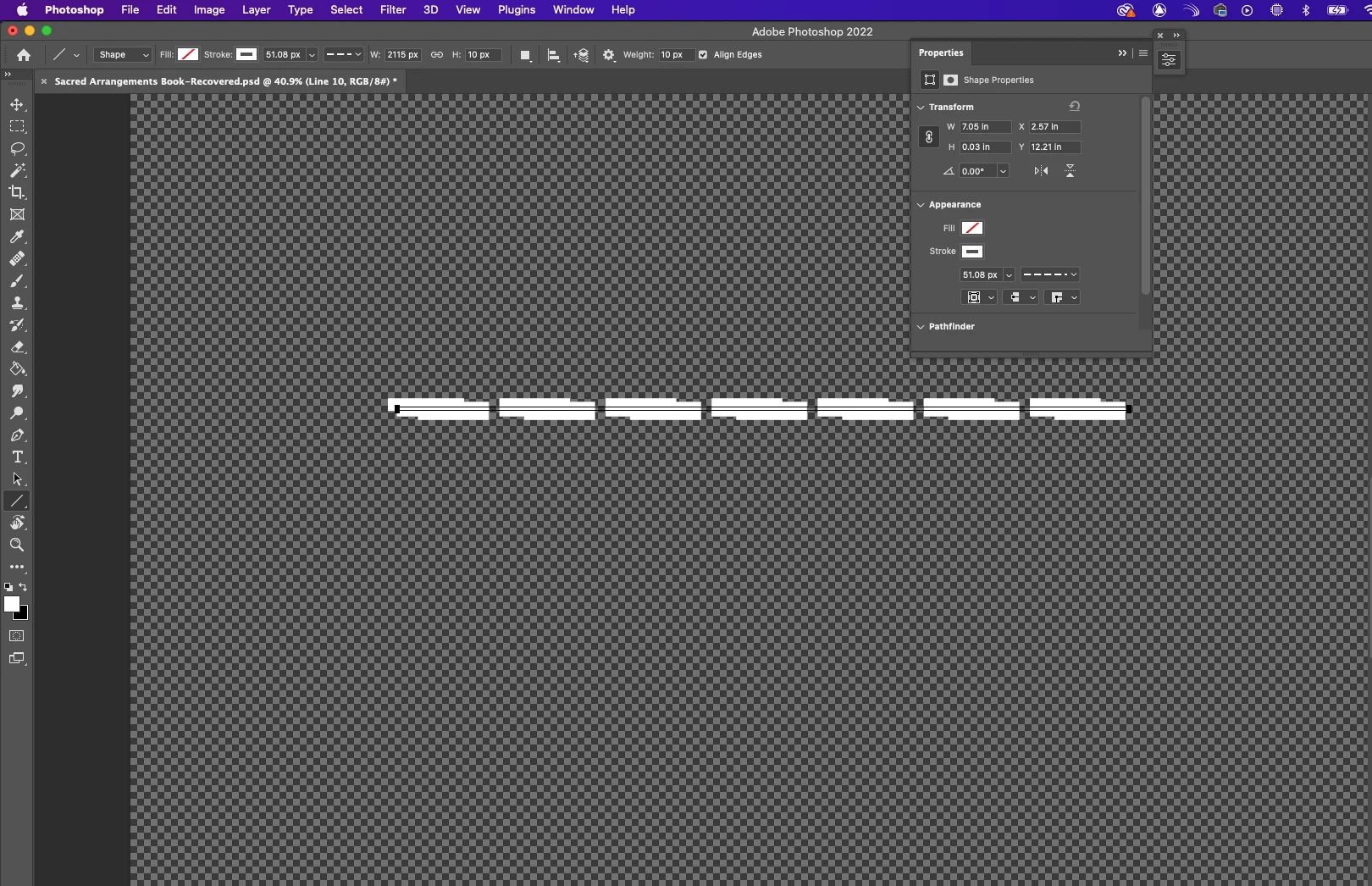
I've been trying to make a dashed line in photoshop, but for some reason the line tool will no longer make a two-point line, only a skinny rectangle. Now when I make it a dashed line, I get two sets of dashes going around the shape that merge into each other. I'm using version 24.0.1.Screen Shot 2022-12-10 at 8.59.07 PM.png
TOPICS
macOS
396
Translate
Report
Community guidelines
Be kind and respectful, give credit to the original source of content, and search for duplicates before posting. Learn more
community guidelines
Adobe
Adobe Employee ,
Dec 12, 2022 Dec 12, 2022
LATEST

Welcome to the Photoshop community. I'll help you figure this out. You're using Photoshop 2022. Please update Photoshop to the latest version via the Creative Cloud desktop app. Does it remain the same even after you commit the shape?

You can begin with resetting the tool itself in this case. Right-click on the Tool icon in the Toolbar menu & select Reset Tool.


Reset Rotate tool.jpg


If this does not help, ensure no stale preferences in your Photoshop. Go to the location of the preference folder mentioned below and rename it to backup. https://helpx.adobe.com/photoshop/using/preferences.html


  • macOS: In the Finder, hold down the Option key when using the Go menu > Library > Go to Preferences/Adobe Photoshop [version] Settings
  • Rename the Adobe Photoshop folder by adding a .old at the end. (Adobe Photoshop 2022 > Rename > Adobe Photoshop 2022. old)


These changes will give a fresh start to Photoshop as a fresh install. Let me know how it goes.

Thanks!

Sameer K

Translate
Report
Community guidelines
Be kind and respectful, give credit to the original source of content, and search for duplicates before posting. Learn more
community guidelines