September 13, 2017
Answered

Line tool rounded caps not working

  • September 13, 2017
  • 3 replies
  • 23123 views

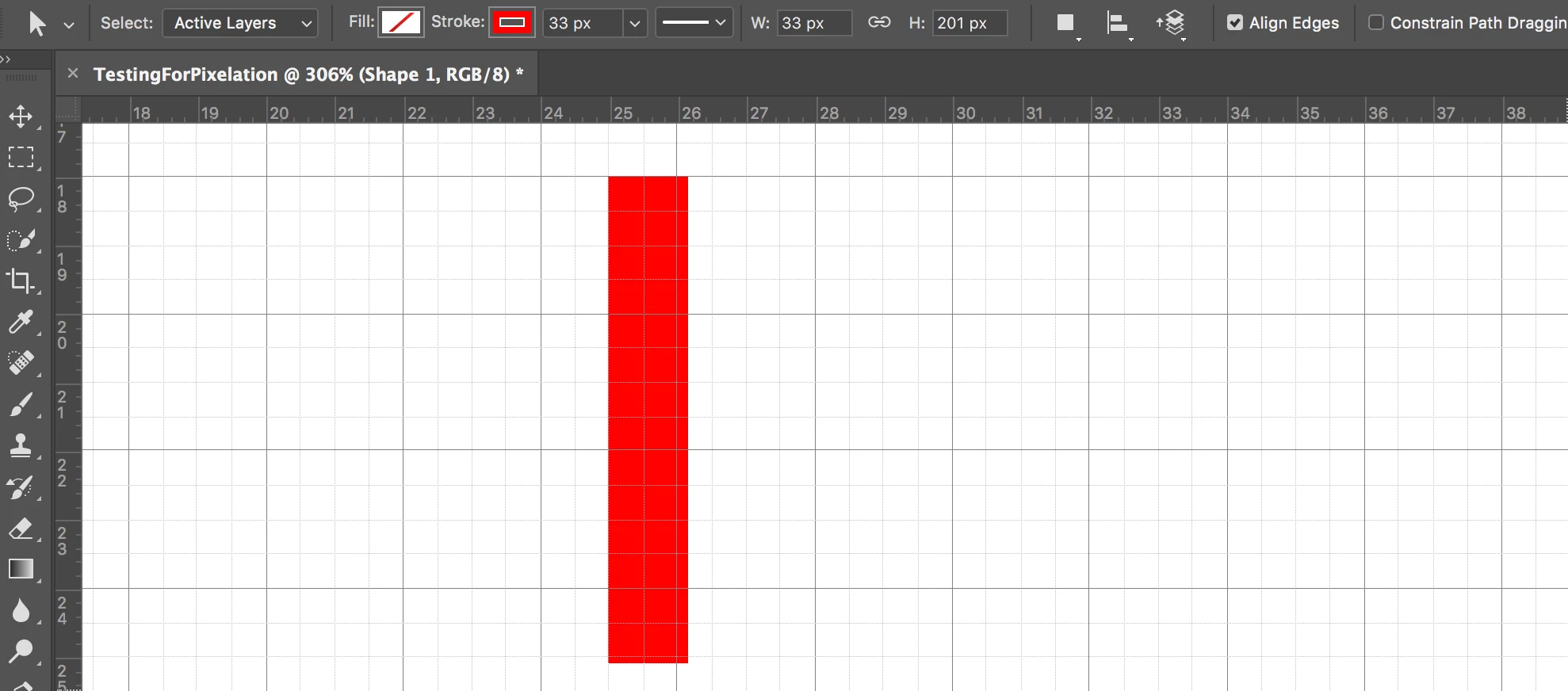
I mainly use Illustrator, where making a line with rounded caps is quite straightforward. I am trying to do the same using Photoshop CC 2017.0.0. I used the Line Tool to create a line and changed the stroke size as in the image below.
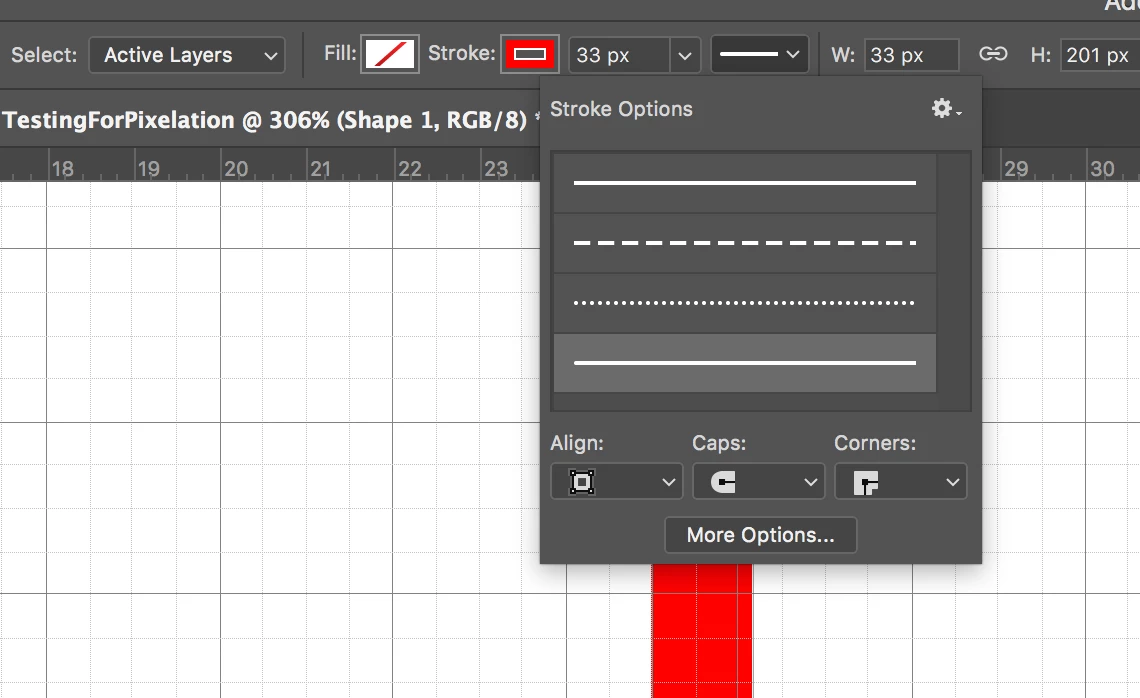
Afterwards I selected the object and changed the cap to rounded as in the image below, but it didn't change. How can I solve this?
This topic has been closed for replies.
Correct answer Theresa J

The shape tools in Ps are confusing. They don't work exactly like Illustrator, but close enough to throw us off. I think I've figured out why it isn't working for you.

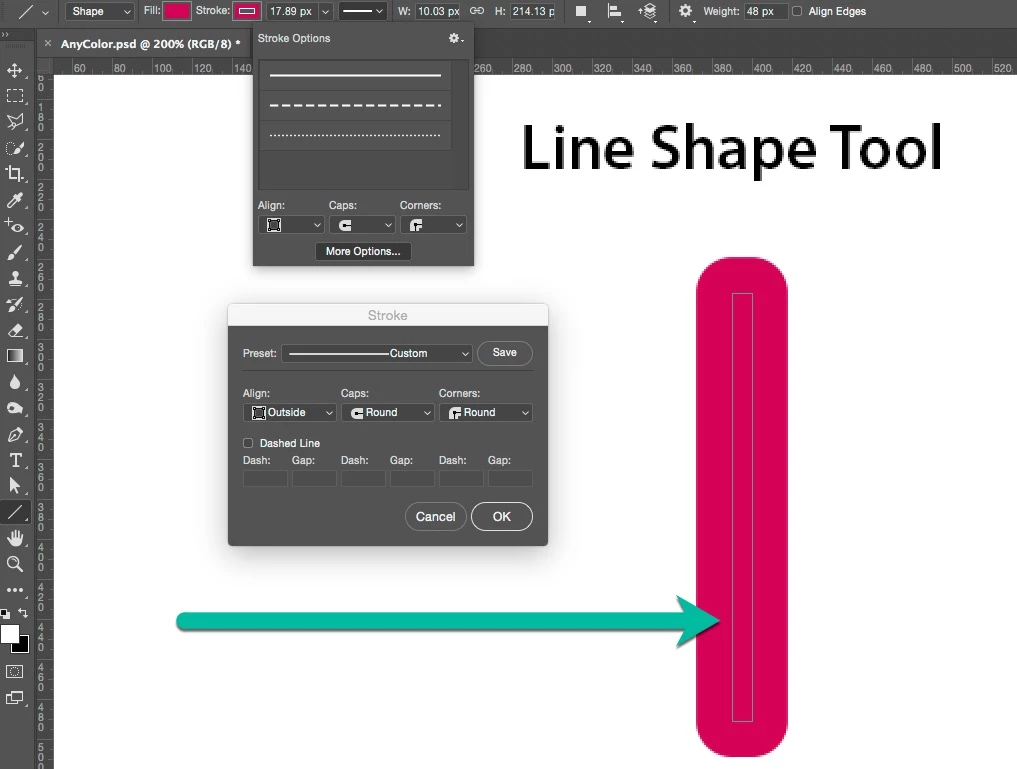
If you use the Line Shape tool to draw a line it actually creates a line shape, not a stroked path like Illustrator does. With a round corner setting you get this effect.

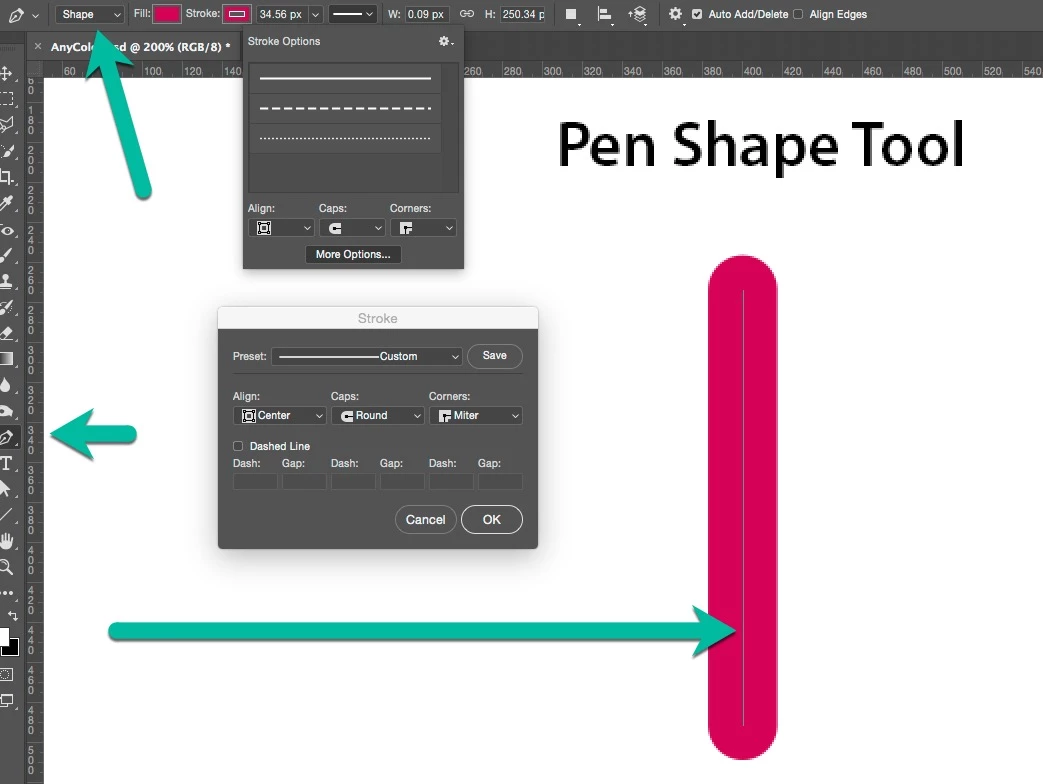
To draw a stroked path you need to use the pen tool. Make sure it says Shape in the options bar.

3 replies

nathaliep70310639
Participant
December 5, 2017

I had the same problem. What finally worked for me was that I set the line weight to 1 pixel and set the stroke weight to a higher number of pixels (15 pixels).

Theresa J
Community Expert
Theresa JCommunity ExpertCorrect answer
Community Expert
September 13, 2017

The shape tools in Ps are confusing. They don't work exactly like Illustrator, but close enough to throw us off. I think I've figured out why it isn't working for you.

If you use the Line Shape tool to draw a line it actually creates a line shape, not a stroked path like Illustrator does. With a round corner setting you get this effect.

To draw a stroked path you need to use the pen tool. Make sure it says Shape in the options bar.

Participating Frequently
January 4, 2022

Thank you! I was having the same issue ... your solution using the pen tool with "shape" selected and the *rounded* caps works beautifully.

Theresa J
Community Expert
Community Expert
September 13, 2017

You have the Align set to inside. What happens if you change that to centered or outside?

September 13, 2017

Align was already set to inside. When I tried outside and centered it changed the look, but still didn't change to the rounded caps.

angie_taylor
Legend
September 13, 2017

Align Centre or Align Outside should enable you to add Round Caps. If this is not working, try resetting the tool to its default setting. You may need to experiment with the Stroke Weight value to get what you're looking for too, this is on the very right of the control panel, next to Align Edges. The Line and Shape tools in PS are not the most intuitive! I feel your pain.

hope this helps