Exit
  • Global community
    • Language:
      • Deutsch
      • English
      • Español
      • Français
      • Português
  • 日本語コミュニティ
  • 한국 커뮤니티
0

Line tool

Community Beginner ,
Jan 18, 2023 Jan 18, 2023

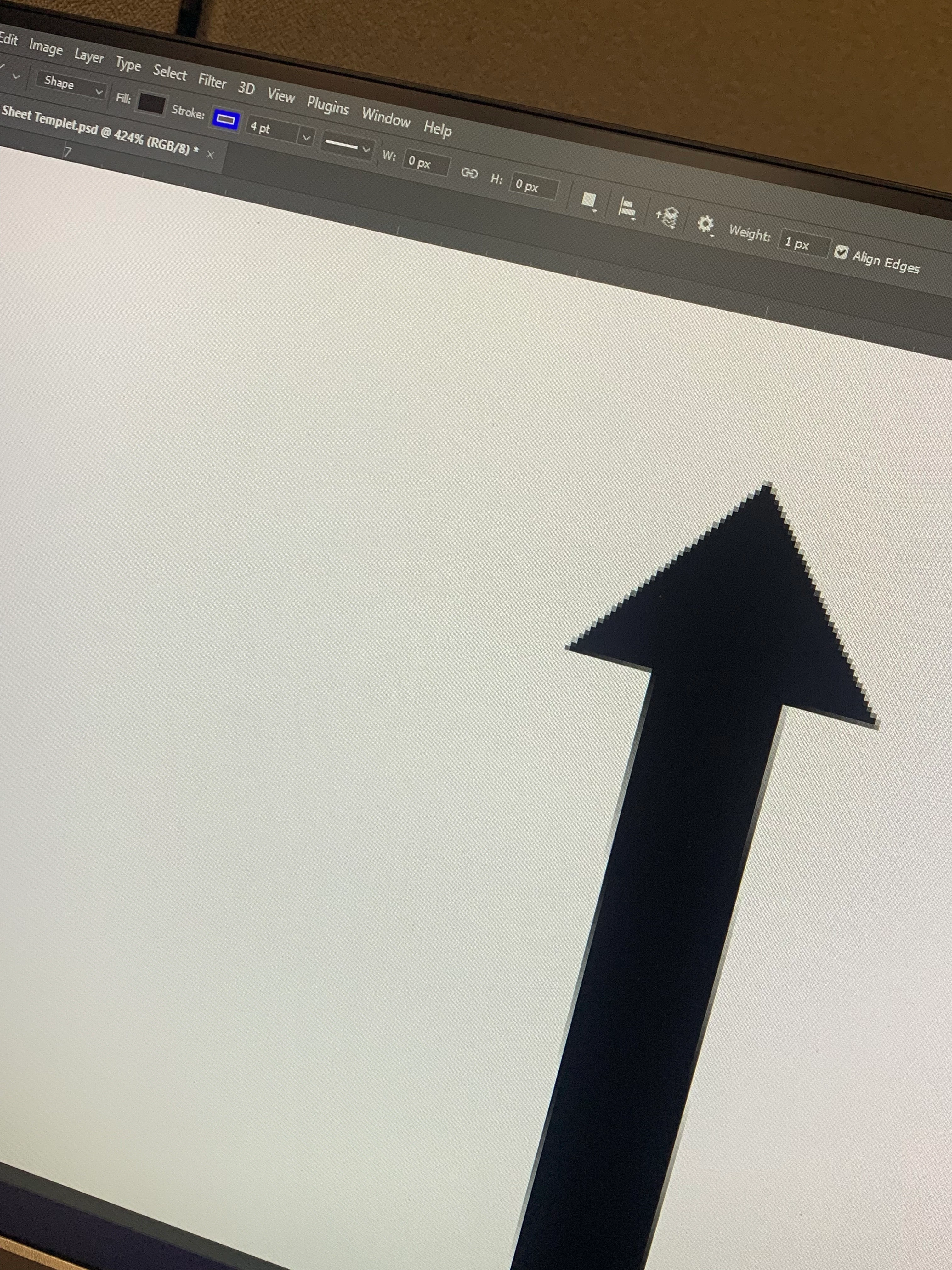
No stroke color on my arrows? Anyone have any ideas?

6A090B52-6DDC-40F2-8300-FD16C7234EA7.jpeg

TOPICS
Windows
817
Translate
Report
Community guidelines
Be kind and respectful, give credit to the original source of content, and search for duplicates before posting. Learn more
community guidelines
Adobe
Community Expert ,
Jan 18, 2023 Jan 18, 2023

Please post a proper screenshot with the pertinent Panels (Toolbar, Layers, Options Bar, Properties, …) visible. 

Translate
Report
Community guidelines
Be kind and respectful, give credit to the original source of content, and search for duplicates before posting. Learn more
community guidelines
Community Beginner ,
Jan 18, 2023 Jan 18, 2023

307DF8CD-B065-4986-B007-836F057309B2.jpeg

Translate
Report
Community guidelines
Be kind and respectful, give credit to the original source of content, and search for duplicates before posting. Learn more
community guidelines
Community Expert ,
Jan 18, 2023 Jan 18, 2023

Please post proper screenshots. 

No Layer seems to be selected (or at least it’s not visible in the Layers Panel).

Translate
Report
Community guidelines
Be kind and respectful, give credit to the original source of content, and search for duplicates before posting. Learn more
community guidelines
Community Beginner ,
Jan 18, 2023 Jan 18, 2023

 Sorry thought you wanted to see the whole screen. Here's what that side panel looks like closer up and with the layer selected. 

256405AF-32CB-4631-8DD8-6D9BE4B7CCBE.jpeg

Translate
Report
Community guidelines
Be kind and respectful, give credit to the original source of content, and search for duplicates before posting. Learn more
community guidelines
Community Expert ,
Jan 18, 2023 Jan 18, 2023

I meant »no photograph of the screen« but a screenshot as described in 

https://www.take-a-screenshot.org

Translate
Report
Community guidelines
Be kind and respectful, give credit to the original source of content, and search for duplicates before posting. Learn more
community guidelines
Community Beginner ,
Jan 18, 2023 Jan 18, 2023

Screenshot .jpg

Translate
Report
Community guidelines
Be kind and respectful, give credit to the original source of content, and search for duplicates before posting. Learn more
community guidelines
Community Expert ,
Jan 18, 2023 Jan 18, 2023

Thank you. 


The Layer already has a blue Stroke. 

Translate
Report
Community guidelines
Be kind and respectful, give credit to the original source of content, and search for duplicates before posting. Learn more
community guidelines
Community Beginner ,
Jan 18, 2023 Jan 18, 2023

Shouldnt it be outlined though? With the black


Translate
Report
Community guidelines
Be kind and respectful, give credit to the original source of content, and search for duplicates before posting. Learn more
community guidelines
Community Expert ,
Jan 18, 2023 Jan 18, 2023

@Scott27994722qgpr wrote:

Shouldnt it be outlined though? With the black


You set the fill to black and the stroke to blue so it should naturally not be outlined with black. 


If you create an arrow that is thinner than the Stroke Width the result may not be what you originally wanted. 

You could try setting the Stroke to »outside«. 

Screenshot 2023-01-19 at 08.23.07.png

Translate
Report
Community guidelines
Be kind and respectful, give credit to the original source of content, and search for duplicates before posting. Learn more
community guidelines
Community Expert ,
Jan 18, 2023 Jan 18, 2023

Maybe reduce the Stroke from 6pt to a smaller width. 

Translate
Report
Community guidelines
Be kind and respectful, give credit to the original source of content, and search for duplicates before posting. Learn more
community guidelines
Community Beginner ,
Jan 18, 2023 Jan 18, 2023

All that does is make the liine smaller

Translate
Report
Community guidelines
Be kind and respectful, give credit to the original source of content, and search for duplicates before posting. Learn more
community guidelines
Community Expert ,
Jan 18, 2023 Jan 18, 2023

Sorry, forgot the link: 

https://www.take-a-screenshot.org

Translate
Report
Community guidelines
Be kind and respectful, give credit to the original source of content, and search for duplicates before posting. Learn more
community guidelines
Community Expert ,
Jan 18, 2023 Jan 18, 2023
LATEST

Maybe there is a basic misunderstanding: 

Photoshop’s Line Tool does not create »lines« like you might be familiar with from Illustrator but polygons (without arrow-heads that would be »plain« rectangles). 

So you get an enclosed area (colored with the Fill) and a countour to which you can apply a Stroke. 
Translate
Report
Community guidelines
Be kind and respectful, give credit to the original source of content, and search for duplicates before posting. Learn more
community guidelines
