
Sanpanza
Known Participant
January 1, 2018
Question

Linked smart objects dose not change master file size.

  • January 1, 2018
  • 1 reply
  • 1374 views

I have a master file (Mac OSX)  that I am working on and I replaced few REGULAR layers with LINKED smart object layers in order to reduce the file size.

The problem is that the file size does not change. When I look at the actual file in the finder before I made the change it is 481 megs but when I look at the same file after I replace the regular (non-linked) layer with Linked smart objects layers, the file size remains the same at 481 megs. On the doc. file size view on the bottom left hand side of my document it says 231/738; even after I make the change.

Can any one explain?

Additionally, will Photoshop's functions speed up if I am working on a master file with LINED OBJECTS instead of regular layers?

If not, then what is the efficiency benefit of working with linked smart objects given that I typically don't work with a team and just want to work faster?

Thanks for your time and action.

Before
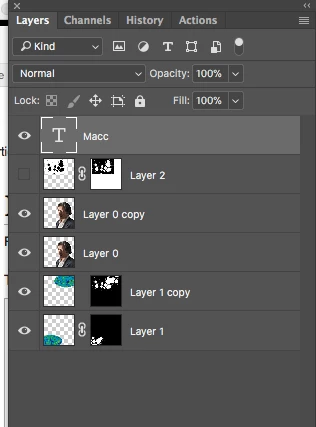
After
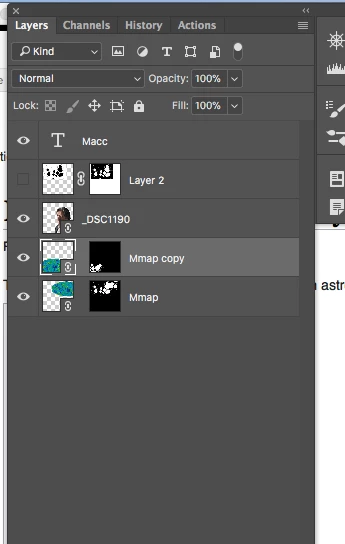
This topic has been closed for replies.

1 reply

davescm
Community Expert
Community Expert
January 1, 2018

Hi

If you use a linked smart object, the document still contains a layer the size of the rasterised image from the smart object. So in your case you will see no difference between the smart object and using a rasterised layer

The advantages of a linked smart object are :

1. The layer in your file will only be the size of a single rasterised layer - even if the file it links to contains several layers

2. When you update and save the source file, the linked smart object is updated.

3. If you duplicate the linked smart object in your document , there is no further increase in file size

Dave

Sanpanza
SanpanzaAuthor
Known Participant
January 2, 2018

Hi @davescm, any thought on this question:

When  I apply a paint filter to a linked smart object layer it takes several minutes to process, but if the layer is just a normal layer the filter process is much faster. Since I work with large photo files this process makes using fillers useless to me.

Am I doing something wrong?

I have an iMac 27 inch machine with 32 megs of RAM and only have Photoshop open. Files are operating at 100 % efficiency.

Sanpanza
SanpanzaAuthor
Known Participant
January 2, 2018

I'd not noticed any difference so I just tried applying the oil paint filter to several single layer photos and then did the same with those photos as linked smart objects in a new document (applying the oil paint filter to the linked smart objects). I used the timer in the info panel to compare and both came out the same ( 0.4-0.5 seconds.)

What size documents are you using?

Dave


Hi @davescm,

My document size is 30 X 30 @ 300 dpi.