
Exit
  • Global community
    • Language:
      • Deutsch
      • English
      • Español
      • Français
      • Português
  • 日本語コミュニティ
  • 한국 커뮤니티
0

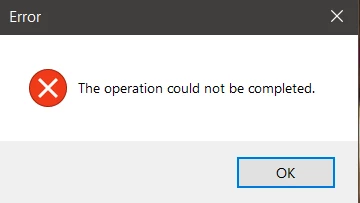
Liquify error - the operation could not be completed

New Here ,
Nov 15, 2022 Nov 15, 2022

Hello everyone.


I have a small probelm with my Photoshop 2020 edition. When I want to use the Liquify filter, I get an error.
 

Balint27146961toj6_0-1668533994402.png


If I try to disable the graphic processor from preferences, it works, but I need it in Liquify. Can you guys tell me the solve of the problem?


Thank you.


TOPICS
Windows
3.4K
Translate
Report
Community guidelines
Be kind and respectful, give credit to the original source of content, and search for duplicates before posting. Learn more
community guidelines

correct answers 1 Correct answer

Adobe Employee , Nov 15, 2022 Nov 15, 2022

My guess is your graphics card does not meet the system requirements to run Liquify in GPU mode. Try holding down the alt/opt key when selecting Filter > Liquify...

Translate
Adobe
Adobe Employee ,
Nov 15, 2022 Nov 15, 2022

My guess is your graphics card does not meet the system requirements to run Liquify in GPU mode. Try holding down the alt/opt key when selecting Filter > Liquify...

Translate
Report
Community guidelines
Be kind and respectful, give credit to the original source of content, and search for duplicates before posting. Learn more
community guidelines
New Here ,
Nov 20, 2022 Nov 20, 2022

Hi Jeffrey,


When I saw that I can't switch the graphic processor from Edit - Preferences - Performance in Photoshop (because the default graphic card was the integrated one), I just reinstalled the program and it changed automatically to my dedicated graphic card and now it works. 


Thank you anyway! 

Translate
Report
Community guidelines
Be kind and respectful, give credit to the original source of content, and search for duplicates before posting. Learn more
community guidelines
New Here ,
Nov 16, 2022 Nov 16, 2022

Thanks!  That did the trick for me

Translate
Report
Community guidelines
Be kind and respectful, give credit to the original source of content, and search for duplicates before posting. Learn more
community guidelines
New Here ,
Nov 16, 2022 Nov 16, 2022

Acabo de actualizar a Photoshop2023 y cuando he tenido que utilizar el filtro licuar, me aparece una ventana que me indica que no se puede realizar la operación. Esta ventana se vuelve a abrir constantemente y solo queda la opción de finalizar la tarea, con el administrador de tareas de windows.

¿alguna idea de qué está funcionando mal?


Gracias

Translate
Report
Community guidelines
Be kind and respectful, give credit to the original source of content, and search for duplicates before posting. Learn more
community guidelines
New Here ,
Nov 02, 2023 Nov 02, 2023
LATEST

It requires hardware acceleration. If your pc has it, just make sure your battery isnt on saver mode and plug a charger.

Translate
Report
Community guidelines
Be kind and respectful, give credit to the original source of content, and search for duplicates before posting. Learn more
community guidelines