Mohamed Hameed21513110
Inspiring
September 15, 2023
Answered

load selection to selected layers

  • September 15, 2023
  • 1 reply
  • 1779 views

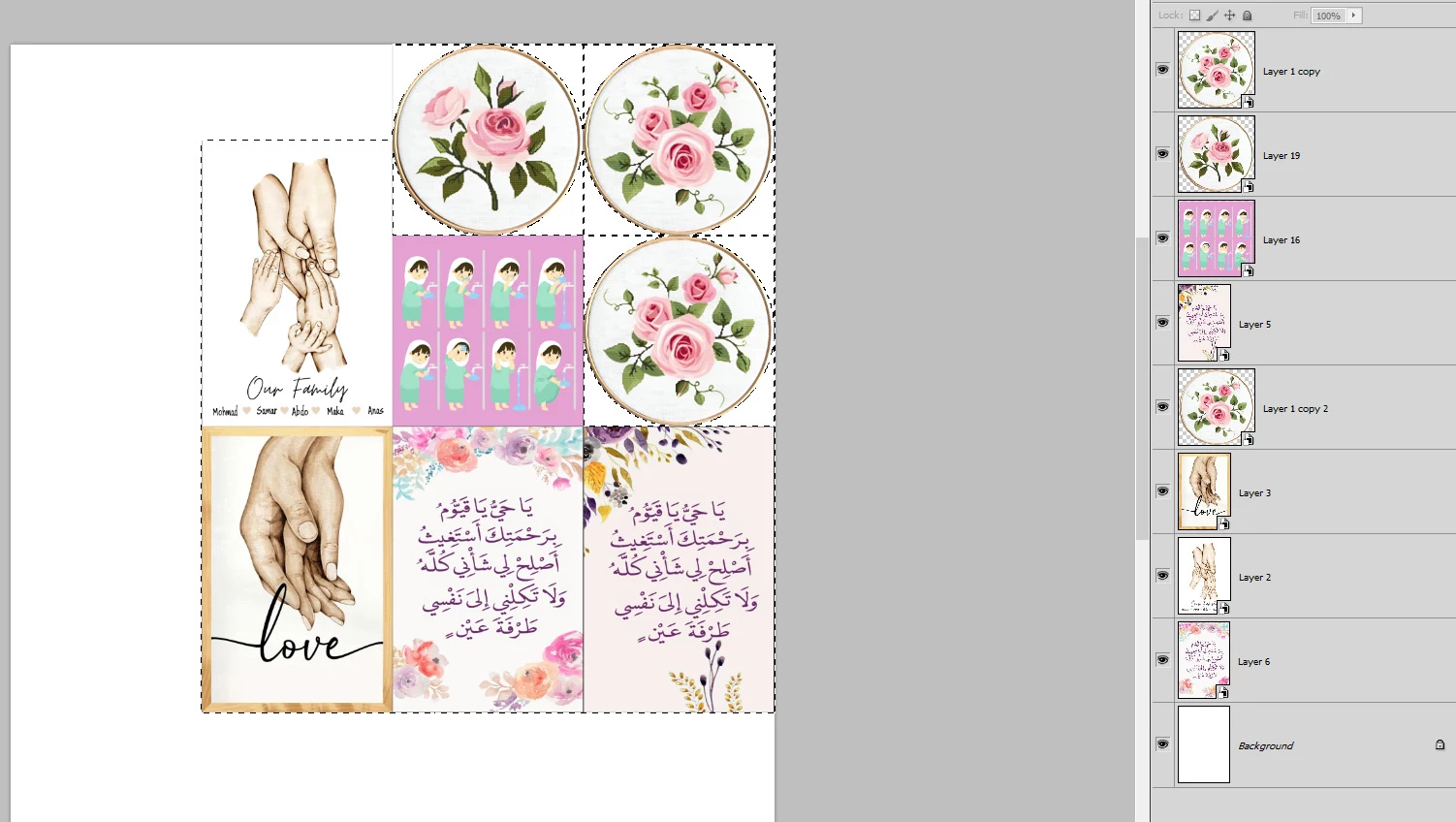
How can I make a Load Selection for all selected layers?
Without pressing ctrl+ Mouse Click to select each layer every time

This topic has been closed for replies.
Correct answer Stephen Marsh

@Mohamed Hameed21513110 


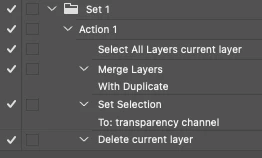
You can use an action:


A script has the added bonus of being able to offer a single history step:


/*
Load Selected Layers Transparency to Selection.jsx
Stephen Marsh, 8th September 2021
v1.0
NOTE: Previously selected layers are deselected, it would be nice to retain the selected layers...
*/

function loadSelLayersTransparency() {

    // Select all layers (ignores Background layer, ignores visibility)
    app.runMenuItem(stringIDToTypeID('selectAllLayers'));

    // Create temp merged layer
    mergedLayer();

    // Rename layer
    app.activeDocument.activeLayer.name = "_temp";

    // Load layer transparency
    loadLayerTrans();

    // Remove temp merged layer
    app.activeDocument.activeLayer.remove();


    /****************** Functions ******************/

    function mergedLayer() {
        var idmergeLayersNew = stringIDToTypeID("mergeLayersNew");
        var desc291 = new ActionDescriptor();
        var idduplicate = stringIDToTypeID("duplicate");
        desc291.putBoolean(idduplicate, true);
        executeAction(idmergeLayersNew, desc291, DialogModes.NO);
    }

    function loadLayerTrans() {
        var idset = stringIDToTypeID("set");
        var desc323 = new ActionDescriptor();
        var idnull = stringIDToTypeID("null");
        var ref75 = new ActionReference();
        var idchannel = stringIDToTypeID("channel");
        var idselection = stringIDToTypeID("selection");
        ref75.putProperty(idchannel, idselection);
        desc323.putReference(idnull, ref75);
        var idto = stringIDToTypeID("to");
        var ref76 = new ActionReference();
        var idchannel = stringIDToTypeID("channel");
        var idchannel = stringIDToTypeID("channel");
        var idtransparencyEnum = stringIDToTypeID("transparencyEnum");
        ref76.putEnumerated(idchannel, idchannel, idtransparencyEnum);
        desc323.putReference(idto, ref76);
        executeAction(idset, desc323, DialogModes.NO);
    }
}

// Single history step
app.activeDocument.suspendHistory("Load Selected Layers Transparency to Selection", "loadSelLayersTransparency()");


Remove or comment out the following to only use the selected layers instead of all layers:


// Select all layers (ignores Background layer, ignores visibility)
    app.runMenuItem(stringIDToTypeID('selectAllLayers'));

1 reply

Stephen Marsh
Community Expert
Stephen MarshCommunity ExpertCorrect answer
Community Expert
September 15, 2023

@Mohamed Hameed21513110 


You can use an action:


A script has the added bonus of being able to offer a single history step:


/*
Load Selected Layers Transparency to Selection.jsx
Stephen Marsh, 8th September 2021
v1.0
NOTE: Previously selected layers are deselected, it would be nice to retain the selected layers...
*/

function loadSelLayersTransparency() {

    // Select all layers (ignores Background layer, ignores visibility)
    app.runMenuItem(stringIDToTypeID('selectAllLayers'));

    // Create temp merged layer
    mergedLayer();

    // Rename layer
    app.activeDocument.activeLayer.name = "_temp";

    // Load layer transparency
    loadLayerTrans();

    // Remove temp merged layer
    app.activeDocument.activeLayer.remove();


    /****************** Functions ******************/

    function mergedLayer() {
        var idmergeLayersNew = stringIDToTypeID("mergeLayersNew");
        var desc291 = new ActionDescriptor();
        var idduplicate = stringIDToTypeID("duplicate");
        desc291.putBoolean(idduplicate, true);
        executeAction(idmergeLayersNew, desc291, DialogModes.NO);
    }

    function loadLayerTrans() {
        var idset = stringIDToTypeID("set");
        var desc323 = new ActionDescriptor();
        var idnull = stringIDToTypeID("null");
        var ref75 = new ActionReference();
        var idchannel = stringIDToTypeID("channel");
        var idselection = stringIDToTypeID("selection");
        ref75.putProperty(idchannel, idselection);
        desc323.putReference(idnull, ref75);
        var idto = stringIDToTypeID("to");
        var ref76 = new ActionReference();
        var idchannel = stringIDToTypeID("channel");
        var idchannel = stringIDToTypeID("channel");
        var idtransparencyEnum = stringIDToTypeID("transparencyEnum");
        ref76.putEnumerated(idchannel, idchannel, idtransparencyEnum);
        desc323.putReference(idto, ref76);
        executeAction(idset, desc323, DialogModes.NO);
    }
}

// Single history step
app.activeDocument.suspendHistory("Load Selected Layers Transparency to Selection", "loadSelLayersTransparency()");


Remove or comment out the following to only use the selected layers instead of all layers:


// Select all layers (ignores Background layer, ignores visibility)
    app.runMenuItem(stringIDToTypeID('selectAllLayers'));
Mohamed Hameed21513110
Inspiring
September 15, 2023

@Stephen Marsh 

Thank you very much for helping me, sir

Mohamed Hameed21513110
Inspiring
September 16, 2023

The Panel names being written in All Caps seems peculiar to me (Mac user myself), which version of Photoshop are you using? 

Can you provide a sample file (feel free to black out all design elements)? 


@c.pfaffenbichler 

Is the problem in the Photoshop version? I have a version of Photoshop CS5. I know it is old, but this is due to my work circumstances.