
Question
Lock Workspace doesn't do what it says
Photoshop's Lock Workspace (Window > Workspace > Lock Workspace) will bolt down the the windows (layers, swatches info etc.) so they don't move. greta. Proper job.
But ...the brushes (sub) menu will happily move around like a goldfish in a racing car. Hardly Ronseal.
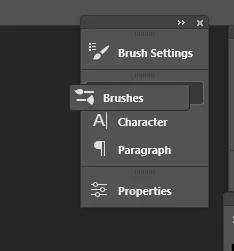
Don't suppose you can bolt that down?
 AdChoices