
Answered
Losing workspace layout
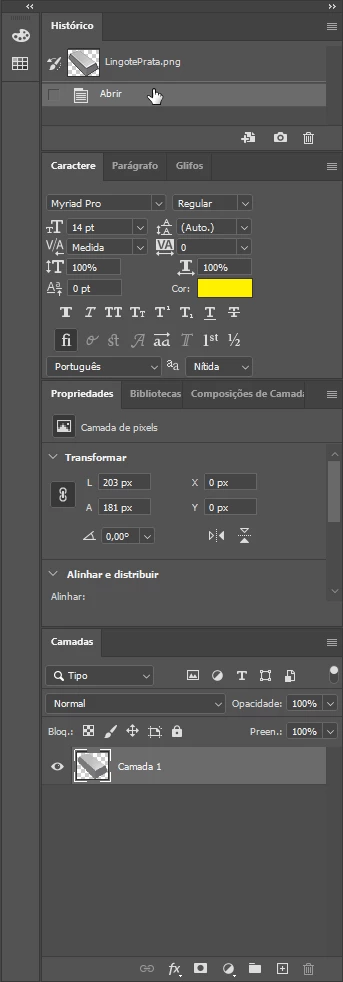
I created this workspace layout:
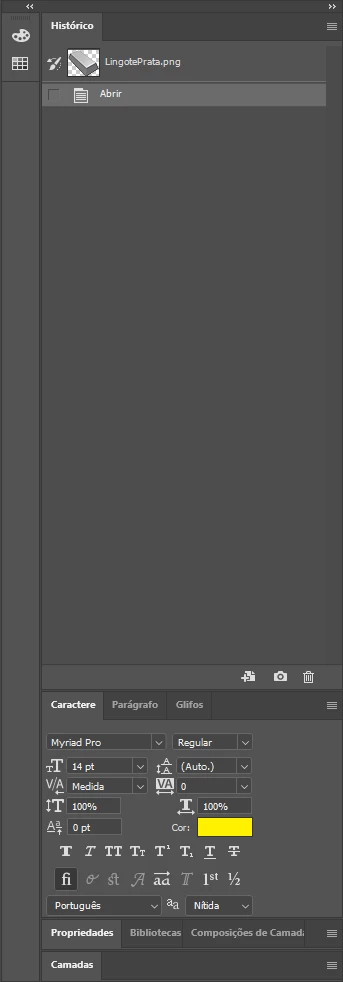
When I restart Photoshop 2020 I get this layout:
How to keep my current layout?

I created this workspace layout:
When I restart Photoshop 2020 I get this layout:
How to keep my current layout?
Does this also affect other Workspaces?
Like if you create a new one?
What have you done for general trouble-shooting so far?
Restoring Preferences after making sure all customized presets like Actions, Patterns, Brushes etc. have been saved might be a good starting point, but there might also be a permissions issue:
https://helpx.adobe.com/photoshop/kb/basic-trouble-shooting-steps.html
Worst case I suspect you might be able to use Script Events manager to reset the Workspace at the opening event – admittedly a clunky work-around, but maybe better than nothing …
Already have an account? Login
Enter your E-mail address. We'll send you an e-mail with instructions to reset your password.
 AdChoices