


Participant
August 15, 2024
Answered

Low quality image

  • August 15, 2024
  • 3 replies
  • 848 views
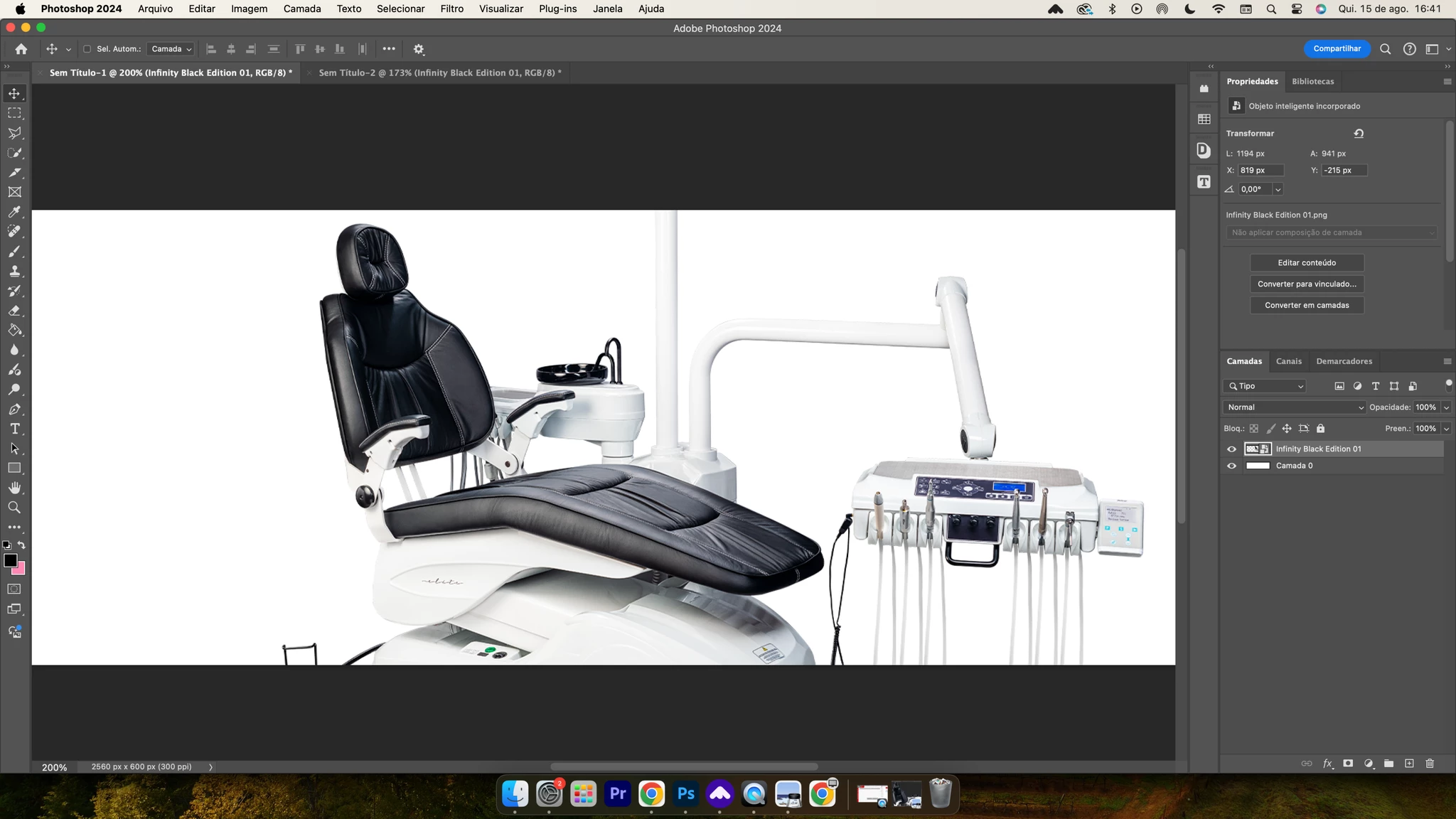
I'm creating a document at 2560x600 with 300DPI. However, it has terrible quality when displayed as a banner on the website, and when I zoom in on Photoshop, the quality is also bad. 

And it's not a common option, as I've been using Photoshop for over 5 years, the image has great quality, over 8000 pixels, the document is of good quality, I tested it on my computer at home and I can zoom normally. This only happens at work, the work computer is a Mac M1, at home it is a Windows, with a GTX 960 4GB
This topic has been closed for replies.
Correct answer Per Berntsen

You are viewing the image at 200%, which is how it will display in a web browser with a Retina display.

Web browsers will scale images to 200% when they detect a Retina display, at 100% they would display very small because the screen pixels are tiny. (Photoshop does not do this scaling, it has to display correctly.)

So my guess is that your Mac at work has a Retina display, and that your home computer has a standard resolution display.


3 replies

Legend
August 15, 2024

First of all, PPI (*not* DPI) setting is irrelevant on screen. Its not used and doesn't matter. 72PPI, 96PPI, 300PPI, 3000000PPI will all look identical in a web browser.

Second, 2560 pixels wide is way too large for the web. The website and/or web browser is scaling that image down, and you'll probably see small details ruined and some blurring or scaling artifacts. Some website have JavaScript code to detect the browser and screen resolution to handle scaling more gracefully, where you have two copies of the image and the appropriate copy is sent. The web developer would be able to tell you this. Otherwise, go with dimensions that fit the page design.

Finally, if possible, create your designs in a tool like Illustrator or Inkscape and export as SVG, which is a vector format and will scale perfectly in a browser.

Per Berntsen
Community Expert
Community Expert
August 15, 2024
quote

I'm creating a document at 2560x600 with 300DPI. However, it has terrible quality when displayed as a banner on the website, and when I zoom in on Photoshop, the quality is also bad.

And it's not a common option, as I've been using Photoshop for over 5 years, the image has great quality, over 8000 pixels, the document is of good quality, I tested it on my computer at home and I can zoom normally. This only happens at work, the work computer is a Mac M1, at home it is a Windows, with a GTX 960 4GB


By @gabriel347560034c3b


Please post the (exported) image for the website here.

Use the Insert Photos button in the toolbar to insert the image.


Participant
August 15, 2024

I printed the image in the viewer and how it looks in the project, but I tested it on Windows and I can zoom...

Per Berntsen
Community Expert
Per BerntsenCommunity ExpertCorrect answer
Community Expert
August 15, 2024

You are viewing the image at 200%, which is how it will display in a web browser with a Retina display.

Web browsers will scale images to 200% when they detect a Retina display, at 100% they would display very small because the screen pixels are tiny. (Photoshop does not do this scaling, it has to display correctly.)

So my guess is that your Mac at work has a Retina display, and that your home computer has a standard resolution display.


Sameer K
Community Manager
Community Manager
August 15, 2024

Hey, @gabriel347560034c3b. Welcome to the Photoshop Community. I'll need more info to help you figure this out.

What exact version of Photoshop are you working with on Windows & the Mac M1 machine?


How do you view the image on macOS, through a review link, export JPEG/PNG output, or open the same document from Photoshop at home to Photoshop at work? Does this happen with this specific document, or do documents of all sizes behave similarly?


The description needs more details at this stage. It might just be an issue with the difference in the native resolution of the Mac device and the Windows device at home.


Awaiting to hear from you. Thanks!
Sameer K

(Use '@mention' to tag me when you reply)

Participant
August 15, 2024

Photoshop cc 2024, Coloquei no print a imagem no visualizador e como ela fica no projeto, porém eu testei em um windows e eu consigo dar zoom...