Participant
June 11, 2025
Answered

Luminescent brushes similar to Procreate

  • June 11, 2025
  • 2 replies
  • 464 views

Hi there... I was wondering if anyone knows where I can find some good quality luminous brush packs? I want something simple but effective - similar to the one's in Procreate. 

I've included a film below to give you an idea...


Many thanks!
Correct answer Trevor.Dennis

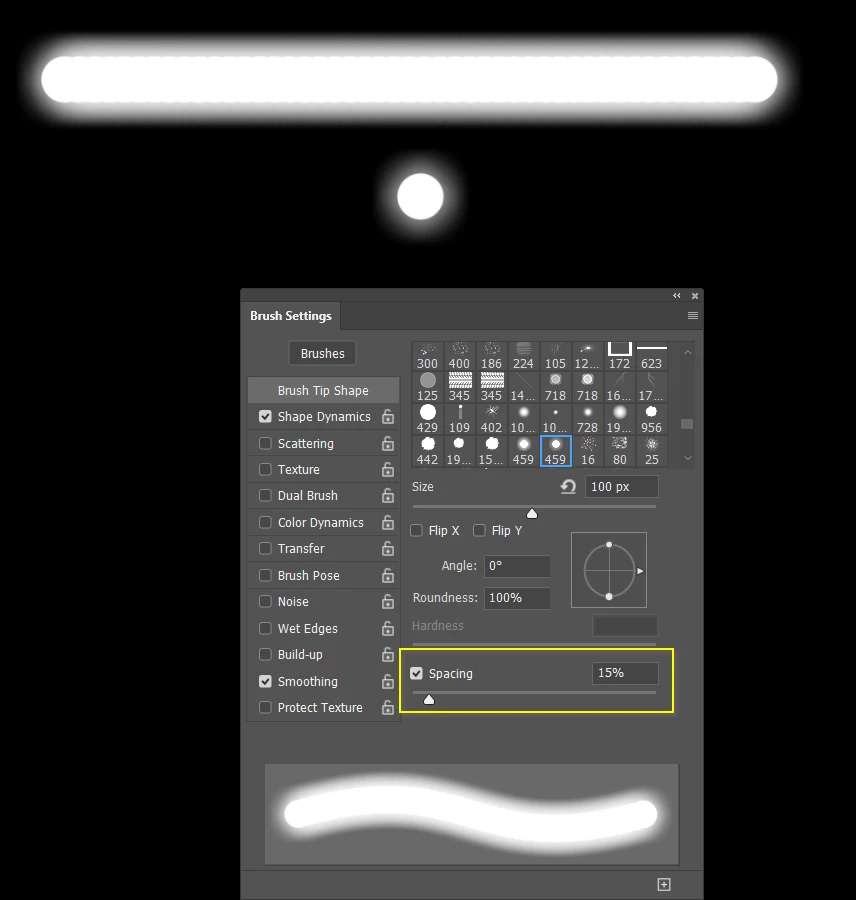
It's tricky doing it with a brush preset, because moving the brush continues to lay down colour which thickens the glowing edges.  If you define this as a brush preset.

And set spacing to 15% it will give you the effect below. The line is a brush stroke, and below is a single stamp of the brush.  Note: you canm see each stamp down in the upper line because of the wide spacing, so not ideal.


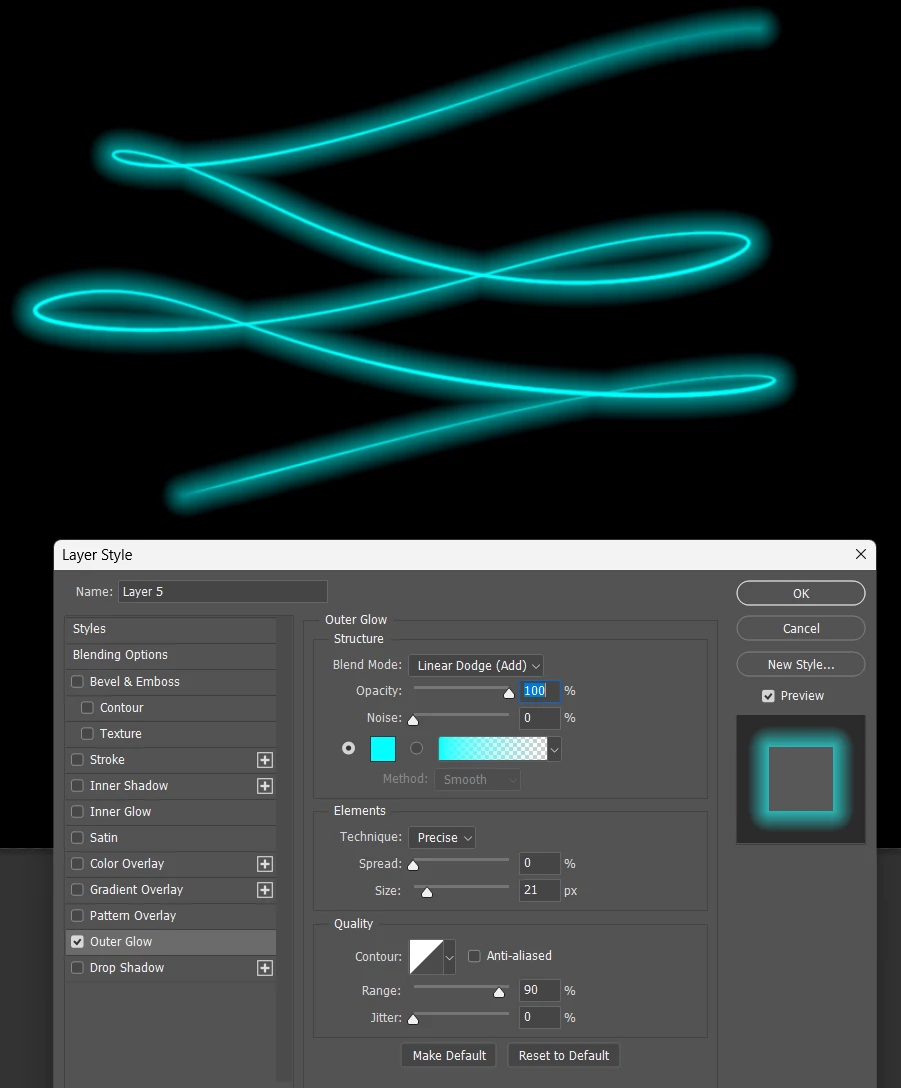
It's much better to use a Layer Style. In this case Outer Glow

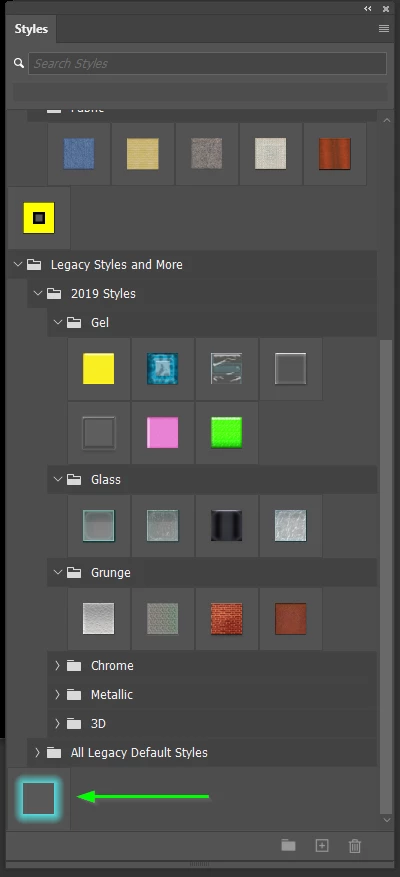
If you create  something that you like, then save it as a New Style so you can simply select a layer and click on the Style, and it is done.

2 replies

c.pfaffenbichler
Community Expert
Community Expert
June 12, 2025

Quite frankly I don’t understand what the video is supposed to show. 

Could you post screenshots from Procereate to illustrate the kind of brush/effect you want to achieve? 


Trevor.Dennis
Community Expert
Community Expert
June 13, 2025
quote

Quite frankly I don’t understand what the video is supposed to show. 

Could you post screenshots from Procereate to illustrate the kind of brush/effect you want to achieve? 


By @c.pfaffenbichler


AFAICT I'm seeing this smudge effect which might be water on a camera lens, or the Photoshop Smudge tool set to 11.


_Very_ carefully dragging the timeline (it is super sensitive) showed me this.  I think it might be a single frame, so hard to spot.  I'm interpretting it as an outer glow, so Layer Style and not a brush.  I'll have a look at ParticleShop, but I don't remember a brush that does that.

Inspiring
June 14, 2025

Hello Trevor, 


Thank you so much for your kind and detailed reply... really appreciated. 

I'll try it out and let you know how I get along. 

Trevor.Dennis
Community Expert
Trevor.DennisCommunity ExpertCorrect answer
Community Expert
June 11, 2025

It's tricky doing it with a brush preset, because moving the brush continues to lay down colour which thickens the glowing edges.  If you define this as a brush preset.

And set spacing to 15% it will give you the effect below. The line is a brush stroke, and below is a single stamp of the brush.  Note: you canm see each stamp down in the upper line because of the wide spacing, so not ideal.


It's much better to use a Layer Style. In this case Outer Glow

If you create  something that you like, then save it as a New Style so you can simply select a layer and click on the Style, and it is done.