Participant
February 11, 2020
Question

Mac Desktop Access Issue

  • February 11, 2020
  • 2 replies
  • 298 views

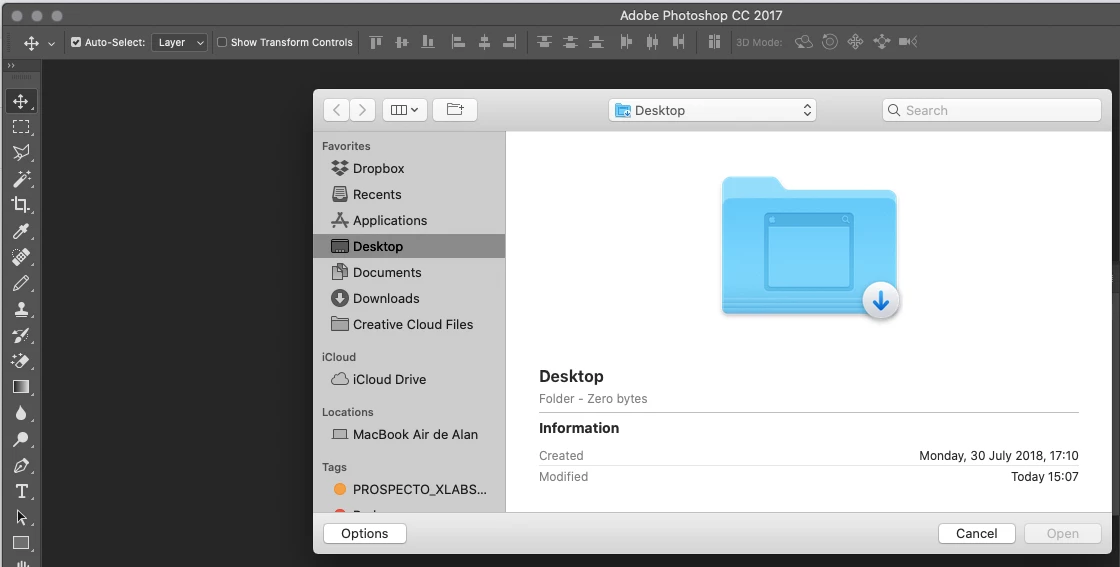
Hello everyone, I need your kind support, does anyone know why I can not access to desktop on my Mac (please see image attached)?


I'm using 10.15.2 Catalina version.


Best,


Alan

aorascon

This topic has been closed for replies.

2 replies

Ussnorway7605025
Legend
February 12, 2020

because Apple has taken control away from you and said no... thats why

aorasconAuthor
Participant
February 12, 2020

Sad but true... 😞

Warren Heaton
Community Expert
Community Expert
February 12, 2020

Actually, not true in the slightest.


Older versions of Photoshop were not designed or tested on current operating systems. In addition to making sure that your computer meets the system requirements for your version of Photoshop, you need to make sure that your operating system is compatible.


Jeff Arola
Community Expert
Community Expert
February 11, 2020

Since photoshop cc 2017 hasn't been updated to work with macOS Catalina 10.15, you should go to the Creative Cloud Desktop Application and update your photoshop to the newest 2020 version.


/Applications/Adobe Creative Cloud/Adobe Creative Cloud

aorasconAuthor
Participant
February 12, 2020

Thank you Jeff.


🙂

Warren Heaton
Community Expert
Community Expert
February 12, 2020

Aorascon:


I'd read the "Are legacy or perpetual versions of Photoshop compatible with macOS Catalina?" section of this page: https://helpx.adobe.com/photoshop/kb/photoshop-and-macos-catalina.html


Also, the uninstaller for PS CC2017 will not work after upgrading to macOS Catalina.  You may want to review this page as well: https://helpx.adobe.com/creative-cloud/kb/cc-cleaner-tool-installation-problems.html