jeffyj48327154
Participant
January 29, 2021
Question

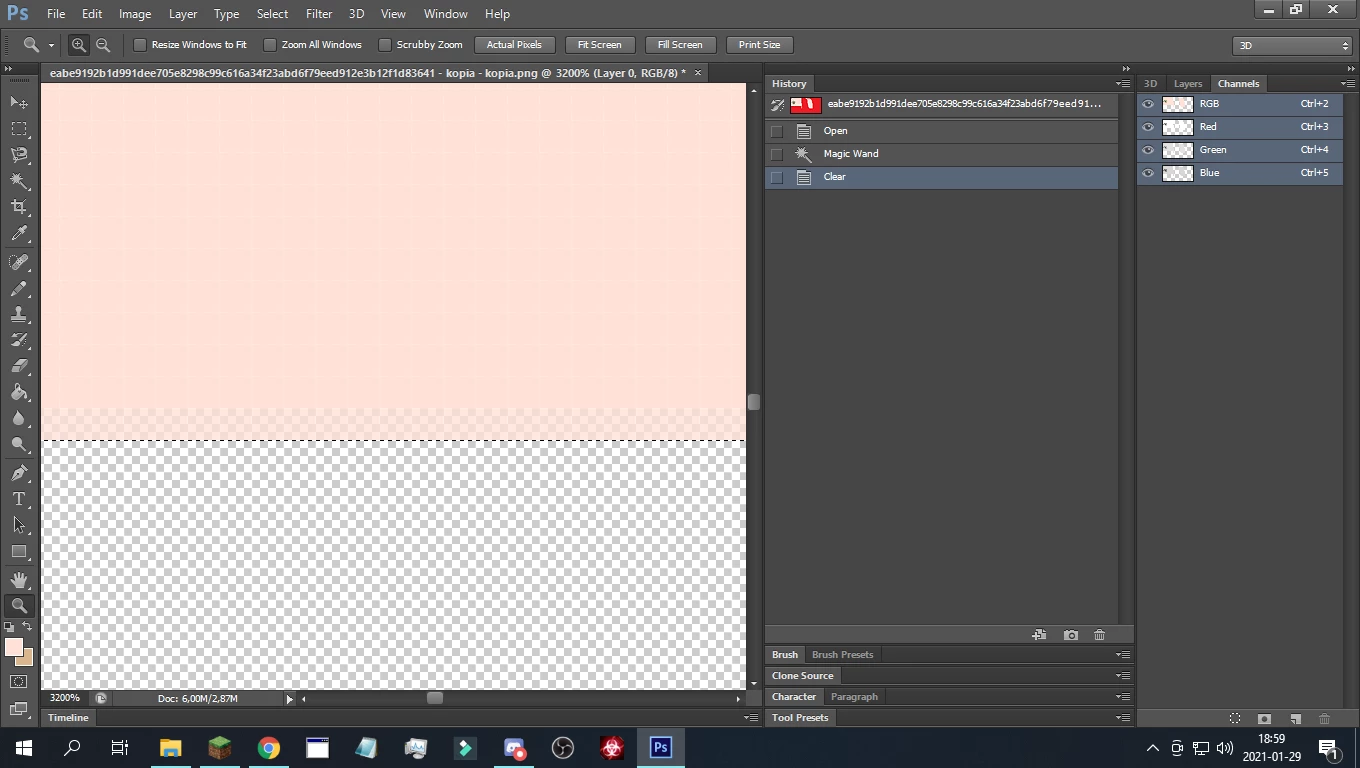
Magic wand also makes the pixels outside the border 50% transparent

  • January 29, 2021
  • 2 replies
  • 843 views

If you don't understand, look at the picture. I use photoshop mostly for modifying textures in games, so i can't have that, if you know how to fix this please tell me

This topic has been closed for replies.

2 replies

melissapiccone
Community Expert
Community Expert
February 1, 2021

Set the tolerance to 0 in the options bar at the top of the screen. Your screenshot doesn't show what you have it set to. Setting it to 0 will make it only select 1 exact color and you will have no antialiasing. You can adjust the number as needed.

Melissa Piccone | Adobe Trainer | Online Courses Author | Fine Artist
Bojan Živković11378569
Community Expert
Community Expert
January 30, 2021

Seems to me that you have problem with anti-aliasing. One quick way to fix this when using selection tool is to create layer mask then to use Levels from Image menu on Layer mask to remove grey values from mask.


Grey values will be between white and black color on mask, greys are transition between black and white. Later you can load selection from mask or apply layer mask.