Answered
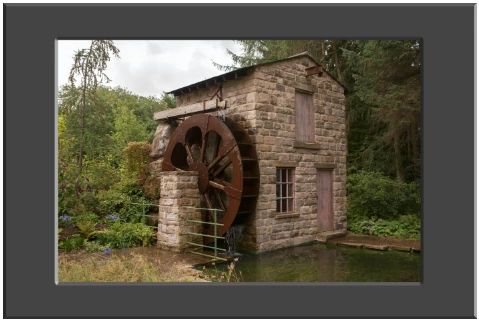
Make a photo look it has a matte board
I'm fairly new to using Photoshop. I want to take a photo and make it look like it has a matte board around it. Basically, simulate what it would look like in a real picture frame.

I'm fairly new to using Photoshop. I want to take a photo and make it look like it has a matte board around it. Basically, simulate what it would look like in a real picture frame.
Hi
Try this
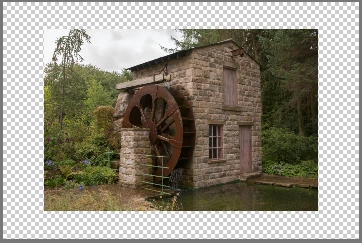
1. Select the crop tool and drag it outwards to extend the canvas to the size of your "frame"

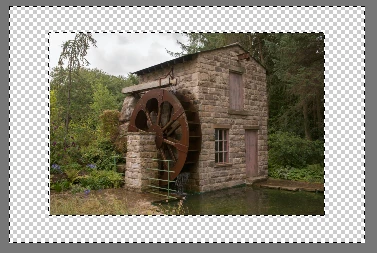
2. Use the rectangular marquee tool to select round the image then invert the selection using Shift+Ctrl+I so that the transparent area is selected

3. Go to Layer - New Fill Layer - Solid Colour and choose the colour of your matte
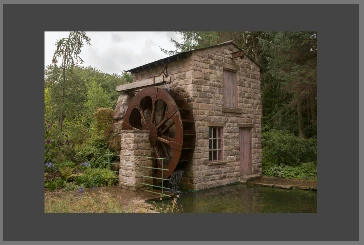
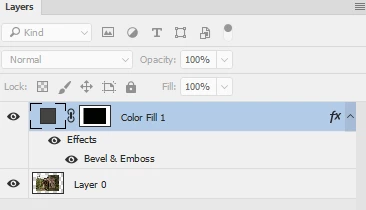
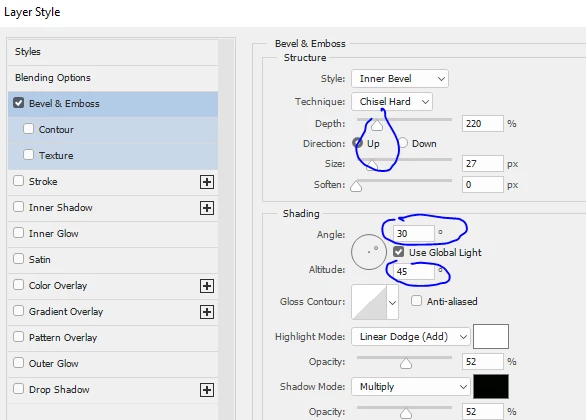
4. Right click the new fill layer and choose Blending Options then in the layer style tick Bevel & Emboss. Then click on the words Bevel and Emboss and set the light and size up as shown
Dave
Already have an account? Login
Enter your E-mail address. We'll send you an e-mail with instructions to reset your password.
 AdChoices