janelles60213887
Participant
January 10, 2023
Answered

Make Frames from Layers not showing

  • January 10, 2023
  • 4 replies
  • 6113 views

I am running the latest version of Adobe Photoshop 2023 on Monterey. 


In the Timeline window > menu  I no longer have the option to make frames from layers. How do I fix this?

Correct answer Imaginerie

I am on the latest PS 2024 and it's definitely there
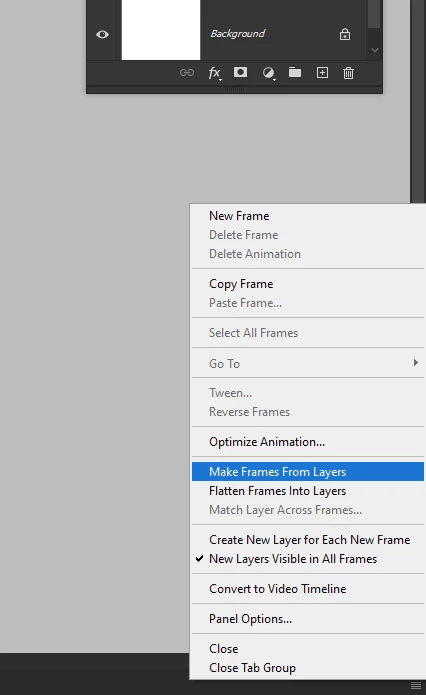
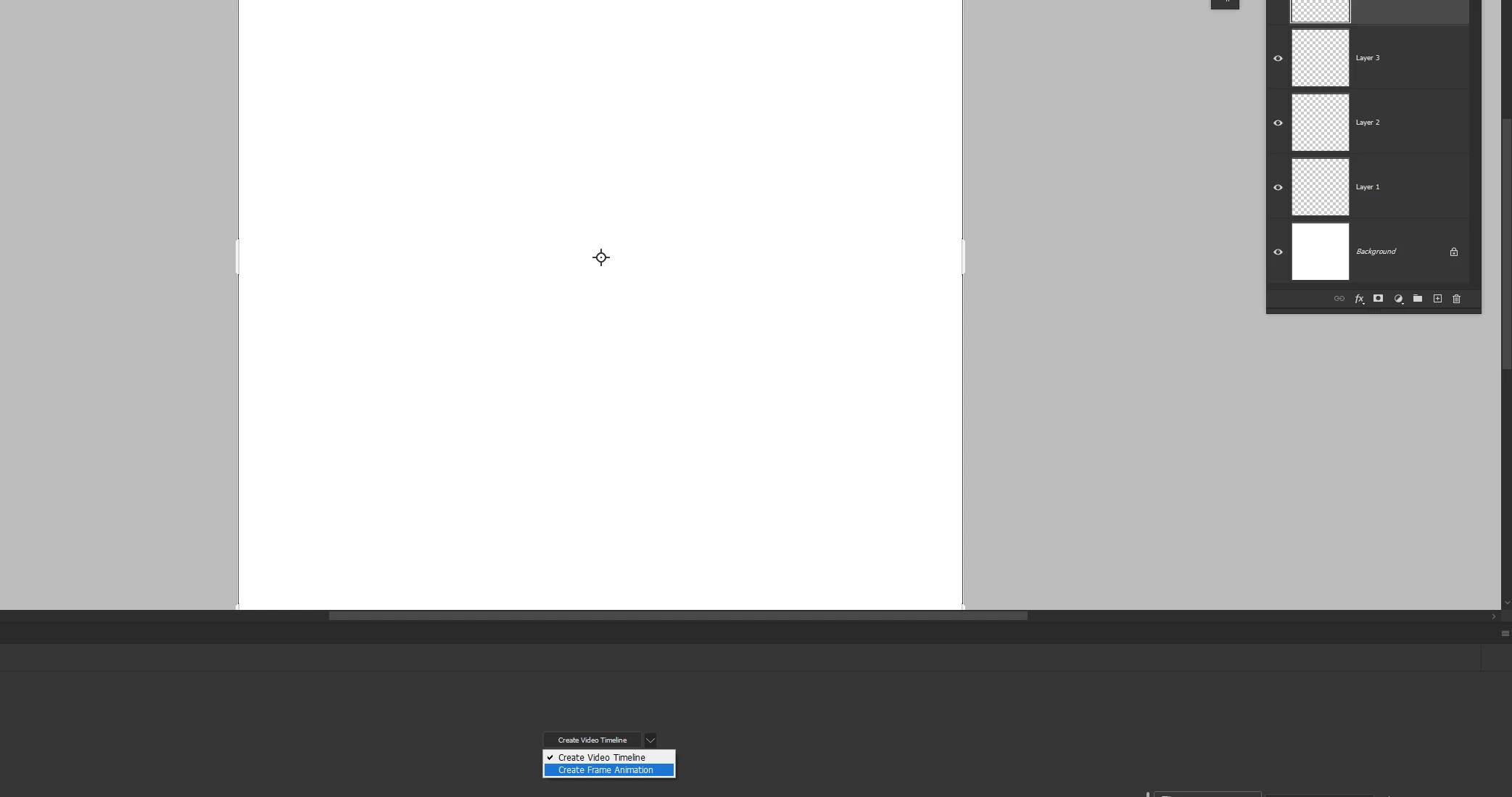
but you obviously need to create a frame animation first (choose frame animation in the dropdown menu and THEN click on the "create frame animation" button
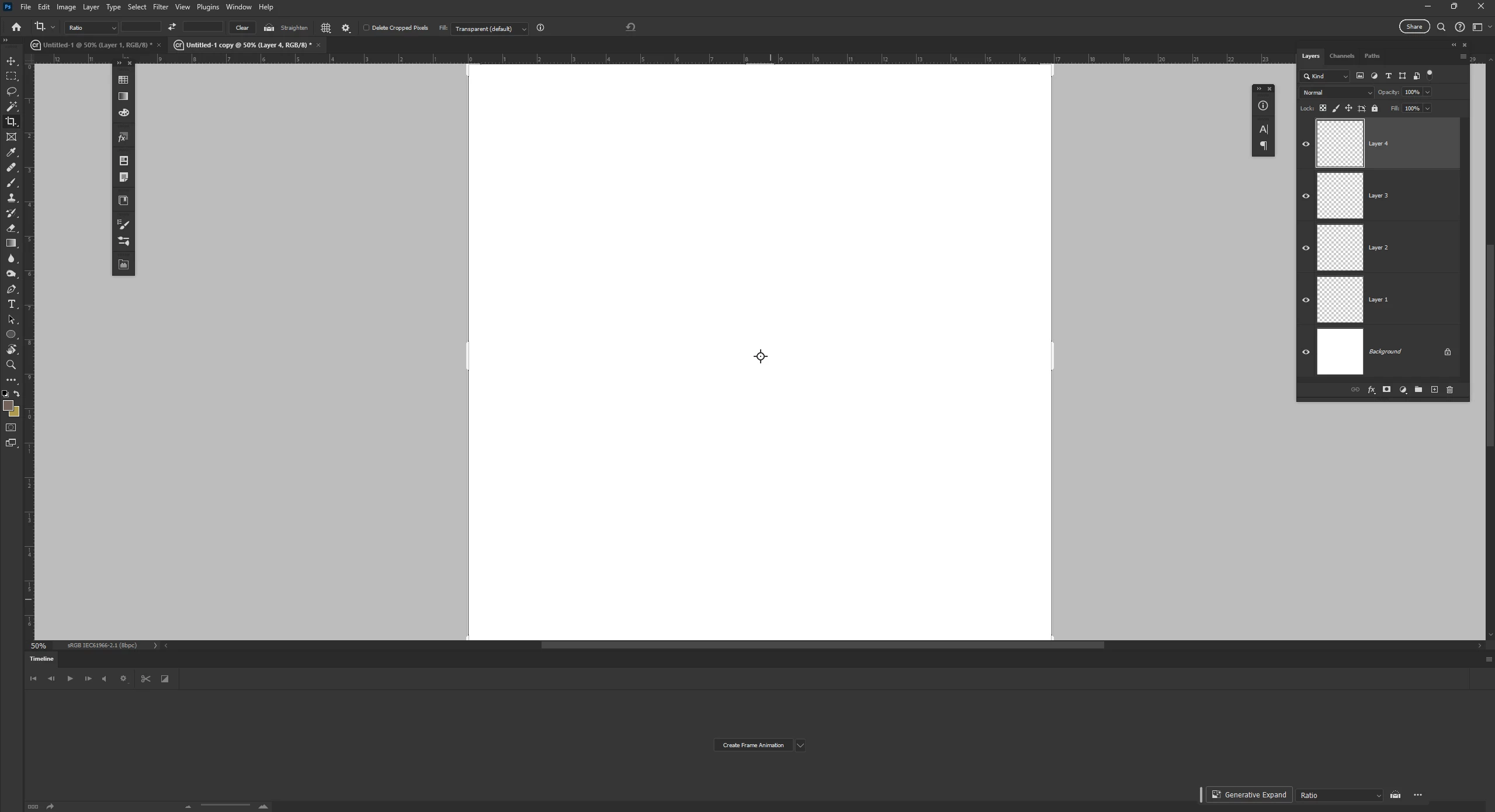


this is what happens when I choose "create frames from layers"


you can clearly see that all my layers have been turned into frames (compare with the previous screenshot when I didn't choose "create frames from layers" first.)


Hope it helps!

4 replies

Trevor.Dennis
Community Expert
Community Expert
January 11, 2023

I think most of those timeline commands are context sensitive, and will only be available if the context is correct.  That is to say you need to start a Frame animation in the timeline.  The command will not be available if the timeline is empty (has no frames).  

Participant
March 26, 2024

I'm on the brand new Photoshop 2024 and also have no Make Frame From Layers in my hamburger menu, nor do I have any way of putting any frames into the timeline. I have the 6 images as layers but can't do anything with them. 
Any ideas?

Imaginerie
Community Expert
ImaginerieCommunity ExpertCorrect answer
Community Expert
March 29, 2024

I am on the latest PS 2024 and it's definitely there

but you obviously need to create a frame animation first (choose frame animation in the dropdown menu and THEN click on the "create frame animation" button
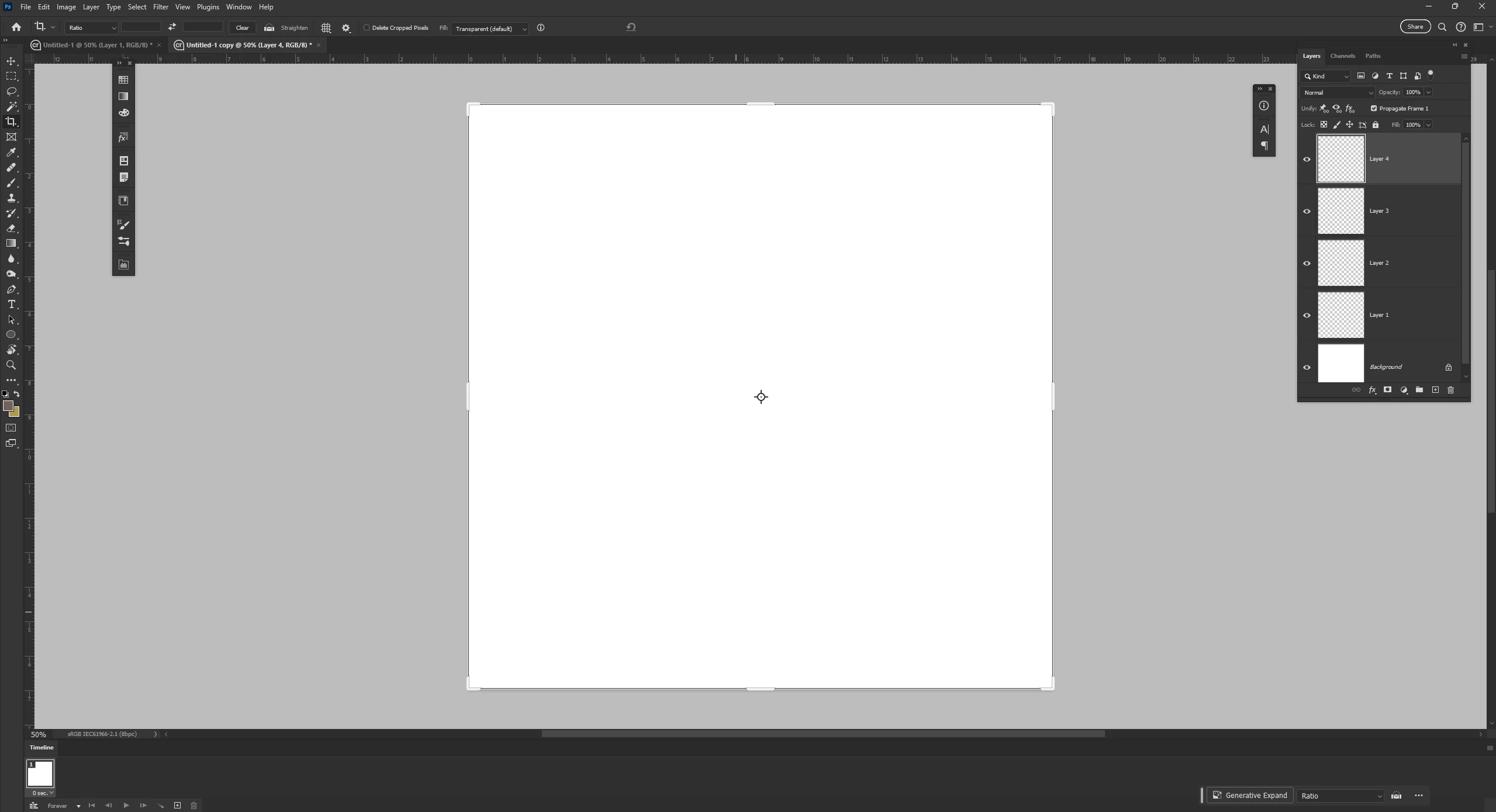


this is what happens when I choose "create frames from layers"
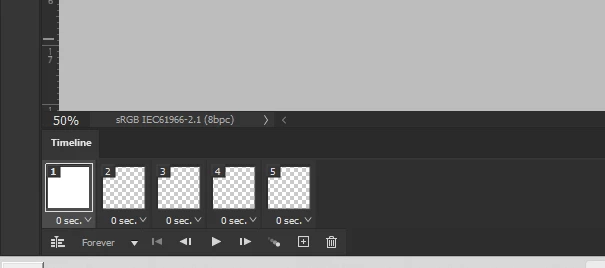

you can clearly see that all my layers have been turned into frames (compare with the previous screenshot when I didn't choose "create frames from layers" first.)


Hope it helps!

Jeff Arola
Community Expert
Community Expert
January 10, 2023

In the middle of the Timeline panel click the dropdown and select Create Frame Animation, click on the words Create Frame Animation, then you should see the option to Make Frames from Layers.


Imaginerie
Community Expert
Community Expert
January 10, 2023

Hello Janelle,

I just checked and it's definitely still there for me:


(windows 11 though)
Can you confirm you have multiple layers available and you're not in video animation mode?

A screenshot would be helpful!


Kevin Stohlmeyer
Community Expert
Community Expert
January 10, 2023

Make sure you are on Frame animation not Timeline animation first.