

jan99x
Inspiring
April 24, 2022
Answered

make timelaps + fade-in-out

  • April 24, 2022
  • 1 reply
  • 781 views

Hi,

PS:

I have 70 images (beginning of the greening of tree and blossom).

Want to make video with fade in-out with overlap to next image of those 70 images.

1) how sequense layers (when loaded... it is in reverse order) (so... reverse order)

2) after making video of layers ... how sequense frames in time

3) how set frame time (eg. 0.5 sec) for all frames in one step

4) How make fade in-out + overlap for all frames in one step
This topic has been closed for replies.
Correct answer c.pfaffenbichler

I am sorry, I had misunderstrood your intention and assumed you wanted a fade over the whole animation, not between the frames. 


I am afraid this is, while possible and possibly Script-able, fairly inconvenient in Photoshop. 

One can set the Opacity-keyframes manually, maybe even autimate that with a Script. 


Hopefully somebody else has a better idea. 

But I suspect you might want to look into proper video editing software like After Effects. 

1 reply

c.pfaffenbichler
Community Expert
Community Expert
April 24, 2022

Not sure I understand … ho about posting some screenshots (including all pertinent Panels)? 


1) You may want to start with Frame Animation and after using »Make Frames From Layers« you can apply »Reverse Frames«

2) ?

3) Select all the frames and change the delay 

3) To do that you should switch to Timeline Animation. There you can animate the opacity of Layers for example. 

jan99x
jan99xAuthor
Inspiring
April 25, 2022

c. Pfaffenbichler thanks for reply.


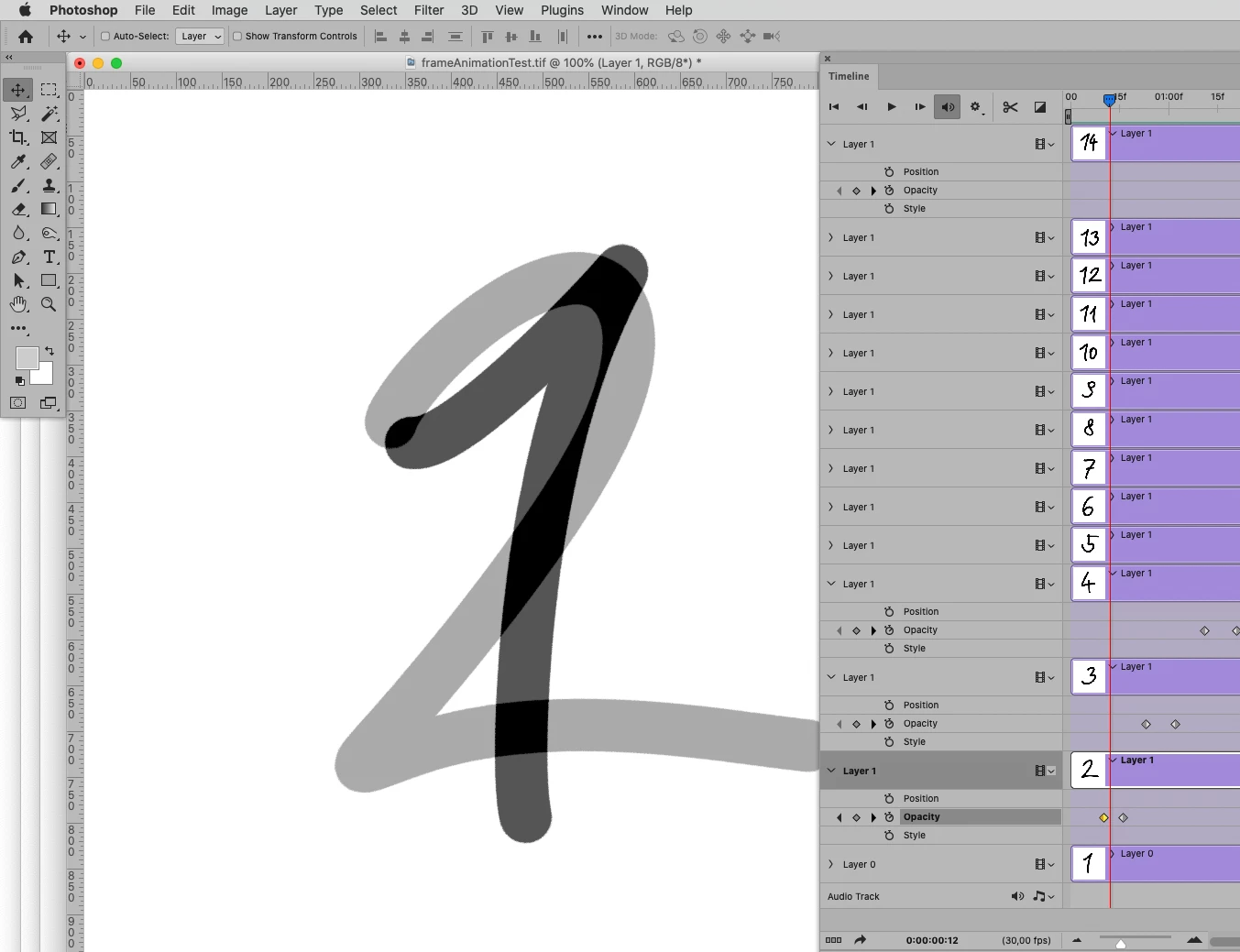
I did your suggestions. see screenshot.

Last thing I would like to do is make a fade-in and fade-out for every image-frame so that there is an smooth overlap from one to next image.

Can I do that step for all frames at once?

c.pfaffenbichler
Community Expert
c.pfaffenbichlerCommunity ExpertCorrect answer
Community Expert
April 25, 2022

I am sorry, I had misunderstrood your intention and assumed you wanted a fade over the whole animation, not between the frames. 


I am afraid this is, while possible and possibly Script-able, fairly inconvenient in Photoshop. 

One can set the Opacity-keyframes manually, maybe even autimate that with a Script. 


Hopefully somebody else has a better idea. 

But I suspect you might want to look into proper video editing software like After Effects.