
Participant
February 11, 2023
Question

Making a font
  • February 11, 2023
  • 3 replies
  • 282 views

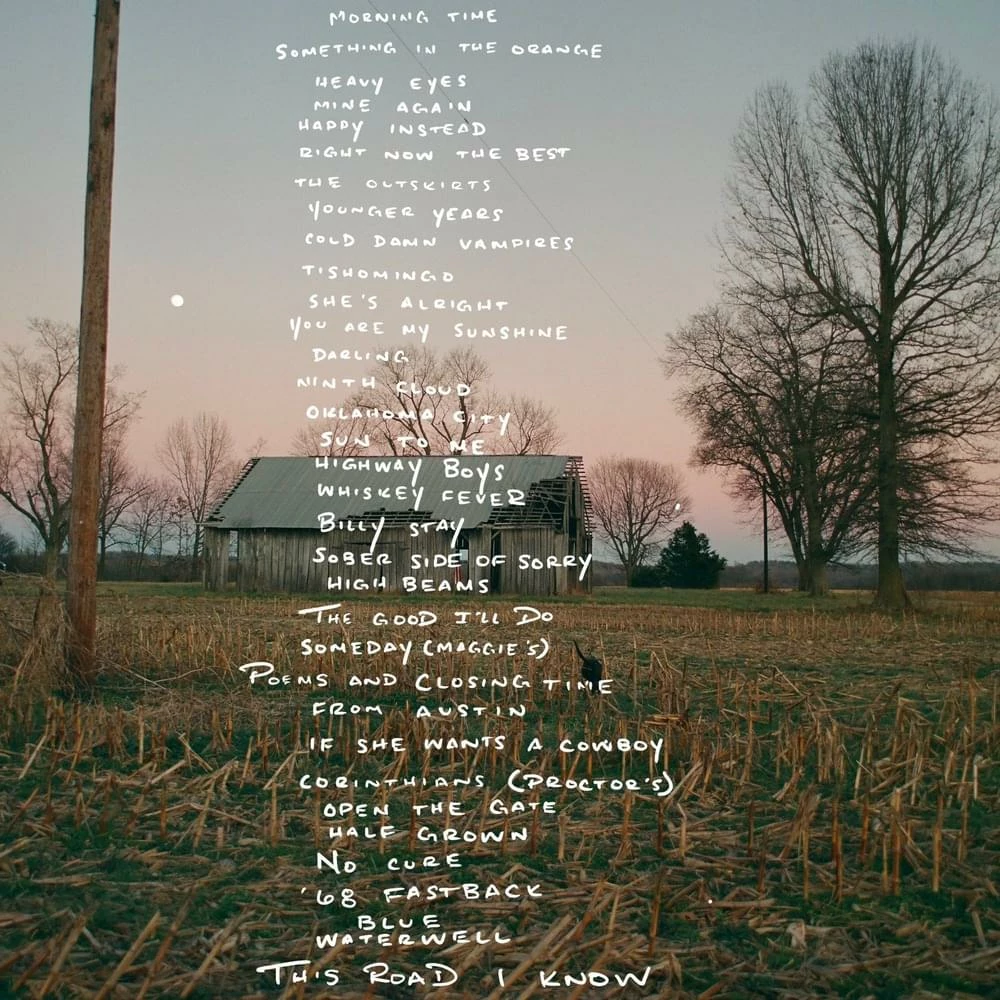
I'm trying to make a few quotes out of the handwriting on this album cover. I have every letter in a file arranged in the abc's. Now I want to put it in a quote. Is there an easier way than copying and pasting the individual letters with the magic wand tool. I've tried using the match font but nothing is close enough. 

This topic has been closed for replies.

3 replies

Imaginerie
Community Expert
Community Expert
February 11, 2023

There is a way to turn handwriting into a font (a real one, you can type on a keyboard)

1/ a plug in for Photoshop (or illustrator) called fontself (https://www.fontself.com/)
2/ use a stand alone software for that (no Adobe equivalent, so they will all be 3rd party)
See that article to see the differences: https://www.monotype.com/resources/introduction-software-type-design

In any case, your letters will have to be separated from their background, and ideally place each of the 26 (or whatever number you have) on its own layer. (to separate from their background, use the magic wand to select each letter and with the "continuous" tick bock selected. Then duplicate on a new layer (CTRL/CMD+J). You'll have to go back on the image layer to select the next letter, rinse and repeat for all the letters you need). Once done, Hide the background layer - the image - and ideally replace by a coloured background - since your letters are white.)


Once done, if you decide to do it all by hand, the best bet will be to have your move tool set to "auto select"


Use the move tool and ALT+DRAG to your chosen letter, one after the other, helped by a horizontal guide to keep the baseline straight.
- Alt +drag copies the selected object without moving the original (that way you can keep on copying letters one after the other)
and set up your text this way.


Hope it all makes sense!

jane-e
Community Expert
Community Expert
February 11, 2023

@Ryan28367010lovp wrote:

I've tried using the match font but nothing is close enough. 


It appears that this was handwritten. For instance, examine the six "Ys" in this snippet — they are not the same. The image also has a lot of artifacts, as if it were over-jpeg'd.


Did you try using the Magic Wand tool? Does it work for you? You could also try the Select Object tool, but you might be better off writing it by hand or finding a handwriting typeface, even if it doesn't exactly match.


Jane


Community Expert
February 11, 2023