
Answered
Making an "S" shape in Photoshop using Pen tool
Super random but I am trying to make a symmetrical "S" shape using the pen tool which I am not very handy with yet. Any tips?? Please?? 😉

Super random but I am trying to make a symmetrical "S" shape using the pen tool which I am not very handy with yet. Any tips?? Please?? 😉
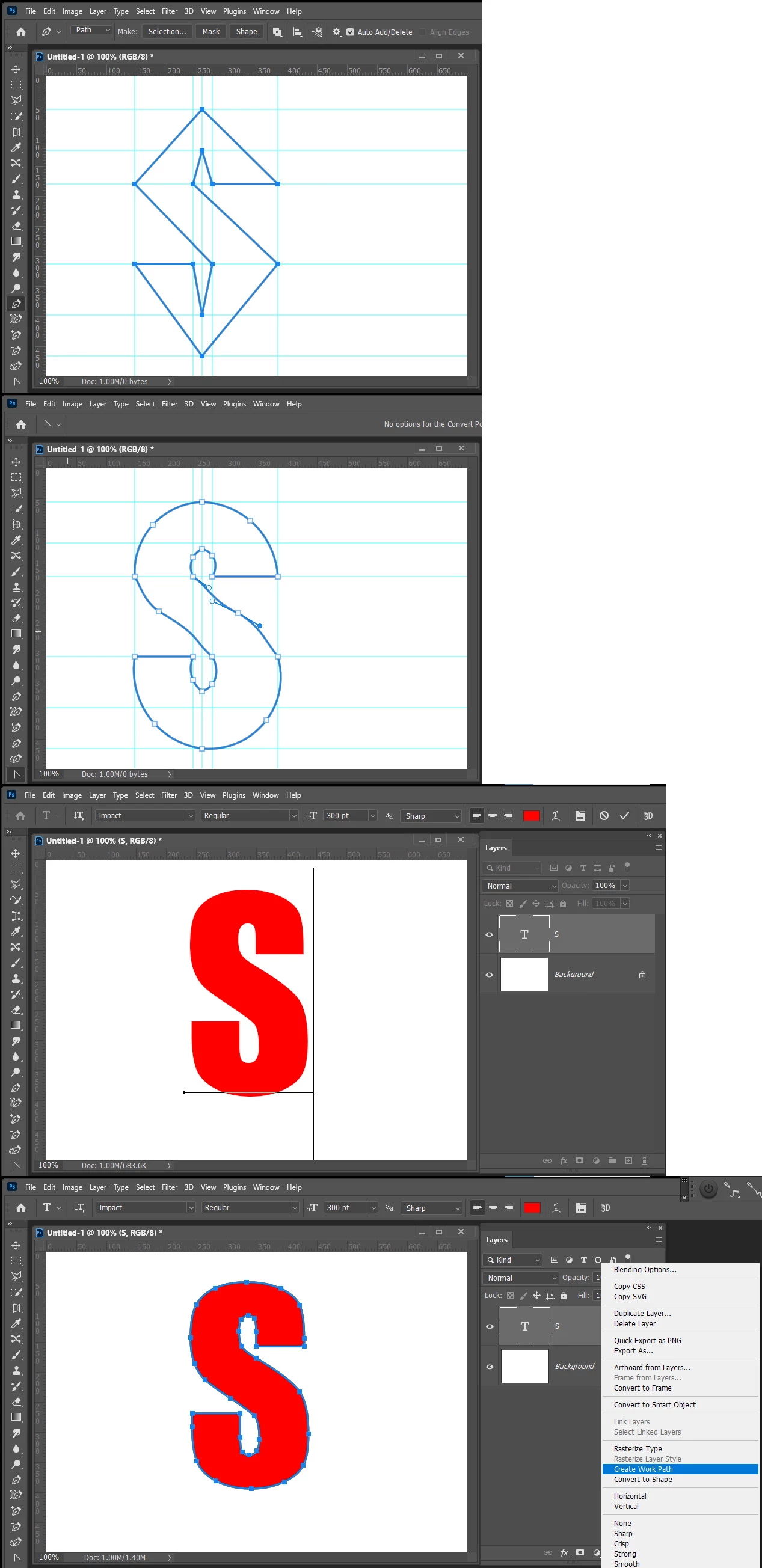
You cal layout guidelines to snap to. Draw Path with the pen tool change toe the curvature pen to round the straight path segments. You can also use the Text tool add a Text S then create a work path for S.
Already have an account? Login
Enter your E-mail address. We'll send you an e-mail with instructions to reset your password.
 AdChoices