
Participant
July 27, 2018
Question

Mask Issue: Can't reveal second layer by drawing with paint brush...

  • July 27, 2018
  • 3 replies
  • 605 views

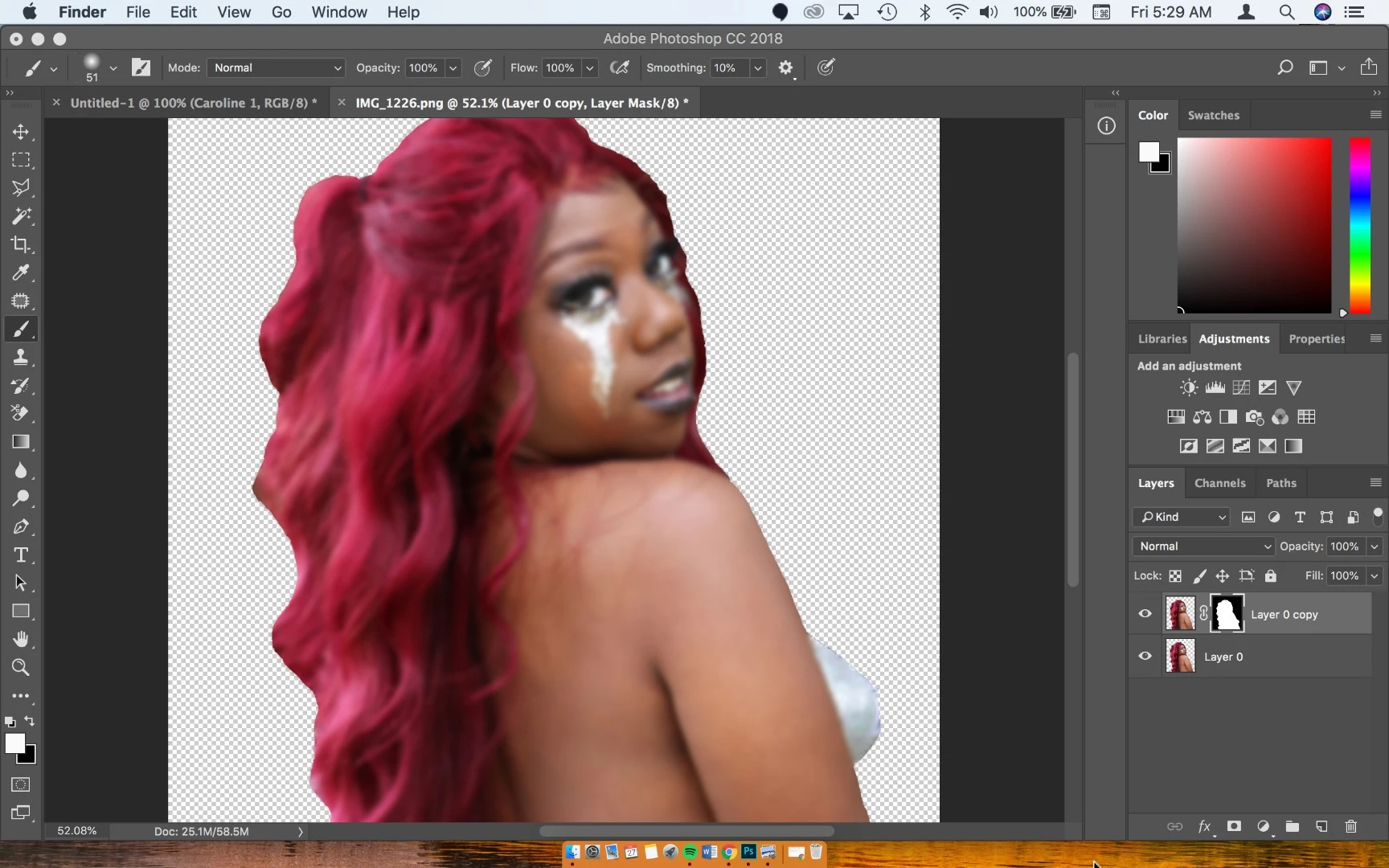
So I'm trying to create a BLUR effect on this png file and when I try to reveal the bottom layer by drawing on top of it with the paintbrush nothing happens. I just want to create a glow effect on the image that's it. And I saw how to do it on youtube following these steps. Photoshop CS6 - How to soften an image - YouTube

If someone can quickly tell me what I might be doing wrong I'd really appreciate it. I'm in a bit of a time crunch.
This topic has been closed for replies.

3 replies

c.pfaffenbichler
Community Expert
Community Expert
July 27, 2018

The technique presented in the video seems needlessly destructive.

Applying the Filter to a Smart Object allows for continued edibility of both the Filter settings and the content.

And one would not even need to duplicate the Layer but could work on the Smart Filter Mask.

Participant
July 27, 2018

Thanks for your imput but I dont know how to use smart filters just yet. I cant even figure out what I'm doing wrong in the video.

July 27, 2018

Hi

Open your image and make a copy then turn off the original, right click on the copied layer and select Convert to Smart Object, then add the blur

Make sure the foreground color is set to black and select the Mask for the Smart Object and paint away what you don't want blurred, if you make a mistake just change the foreground color to white and paint it back in

Participant
July 27, 2018

How exactly do I "FILL" it with black?

July 27, 2018

Just click Option Backspace

Participant
July 27, 2018

I did that and still nothing happens when I try to unblur certain parts of the layer.

Please post a screenshot including the Layers Panel and Options Bar.

Black on the Layer Mask hides, white reveals; so paint accordingly.


Ok so I figured it out. Thank you. It looks like I need to have both of the color boxes black in order for is to start revealing the bottom layer.

c.pfaffenbichler
Community Expert
Community Expert
July 27, 2018

Fill the Layer Mask with Black before painting on it, at current it seems to represent the layer’s transparency.