
Copy link to clipboard
Copied
Hi all,
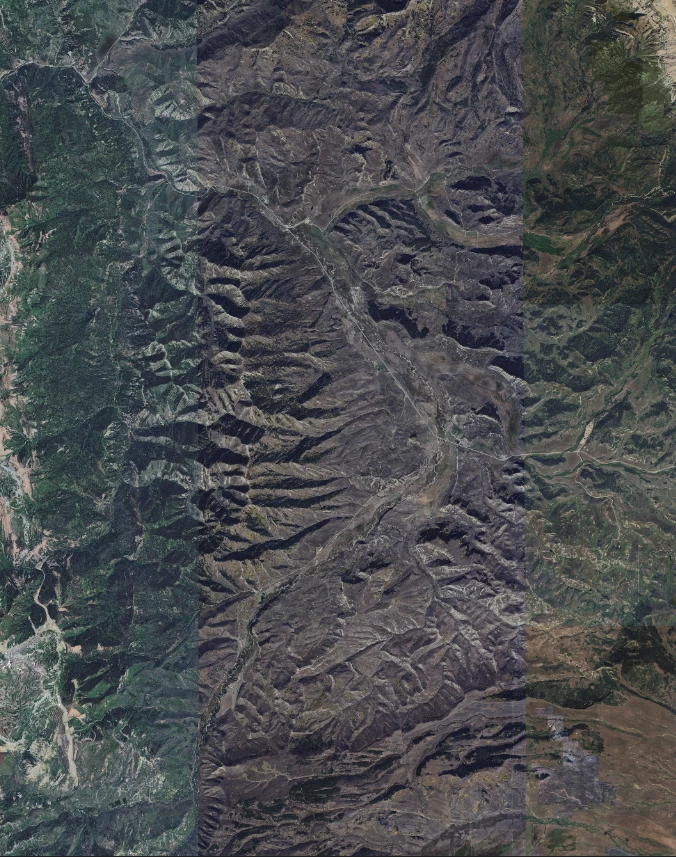
I am attempting to make a map of an area for a gift. I stitched together 60 tiles from google earth. On photoshop you can clearly see the differences in the shading/color that appear in straight vertical lines (see attached). Does anyone have any advice on how to best blend this together so that it looks more uniform?
Thank you
Copy link to clipboard
Copied
I don't know if this will work as it is many years since I last used it, but select all tile layers and use Edit > Auto Aline, and then Edit > Auto Blend, using Seamless tones and colors.
Otherwise look at the new Harmonize feature.
I just tested Auto Blend, and it seemed to do what yopu are looking for.
Copy link to clipboard
Copied
I attempted this and unfortunately did not work. The changes in shade seem to be within the same layer and not different between layers. Any ideas?
thanks
Copy link to clipboard
Copied
If all of the tiles are already merged into a single layer, each tile can be corrected individually by first selecting its area, and then creating a new adjustment layer, which converts the selection to a mask for just that area. That way, the adjustment layer’s changes affect only the masked-off area.
I used the new Color and Vibrance adjustment layer, but you can use any combination you like. For example, some professionals would prefer to correct the color by adding a Curves adjustment layer, and then editing the curve for each of the Red, Green, and Blue channels.
(Colors may not look quite right in the GIF animation below, but you get the idea)
If a tile’s corrections need multiple adjustment layers, group those adjustment layers (select the layers and then choose the command Layer > Group Layers), and then create the mask for the entire group. If an adjustment layer already has a correct mask for that tile, drag it from the adjustment layer to the group.
Find more inspiration, events, and resources on the new Adobe Community
Explore Now